Maintenance mode & backups
Close the shop while you work on it, take a database backup, and — carefully — clear data you no longer want.
Admin → Maintenance
- Turn maintenance mode on.
- Write the message visitors see.
- Set an ends at time, or leave it open.
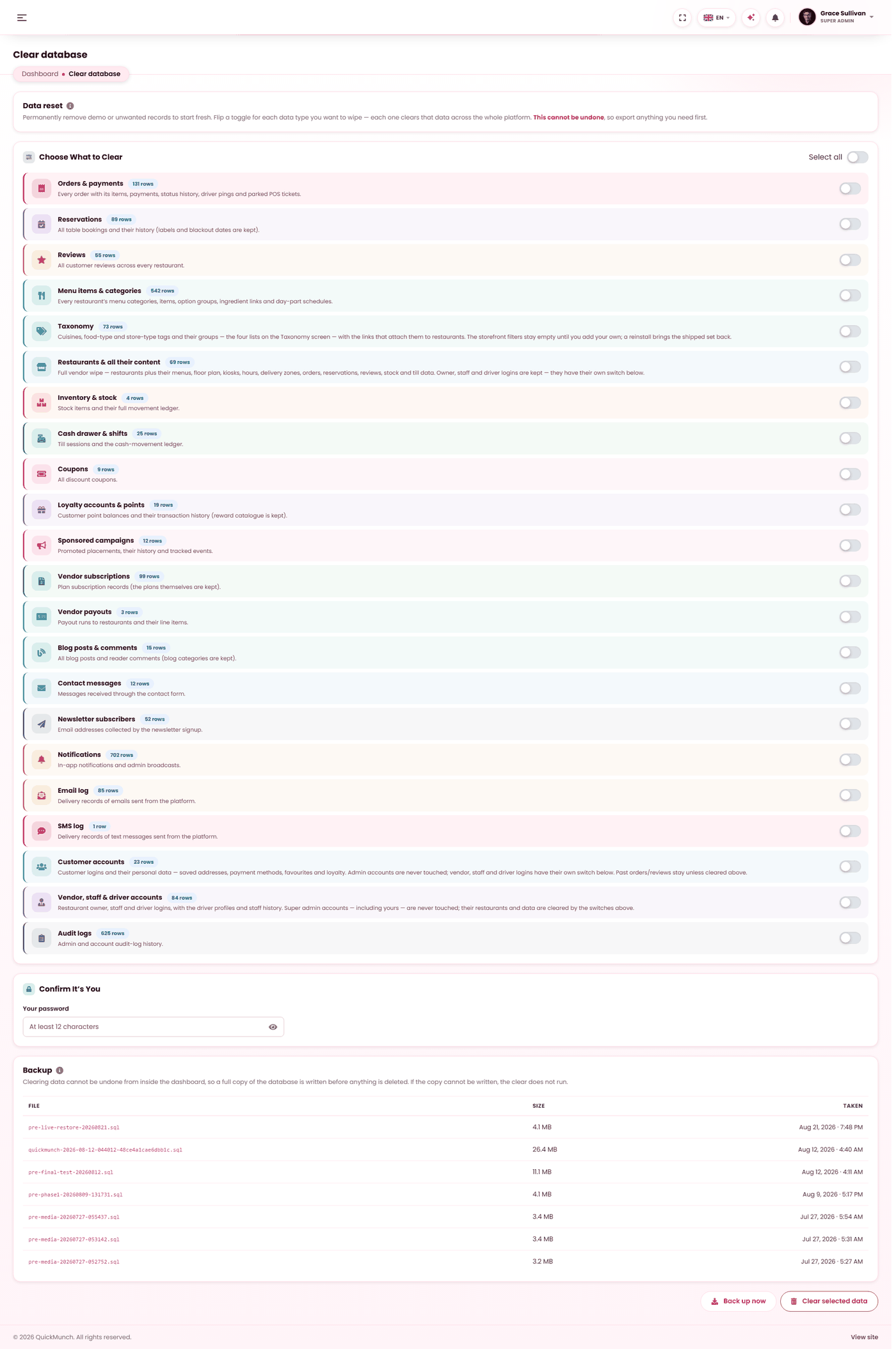
Removes demo content selectively. Read each line before you tick it.
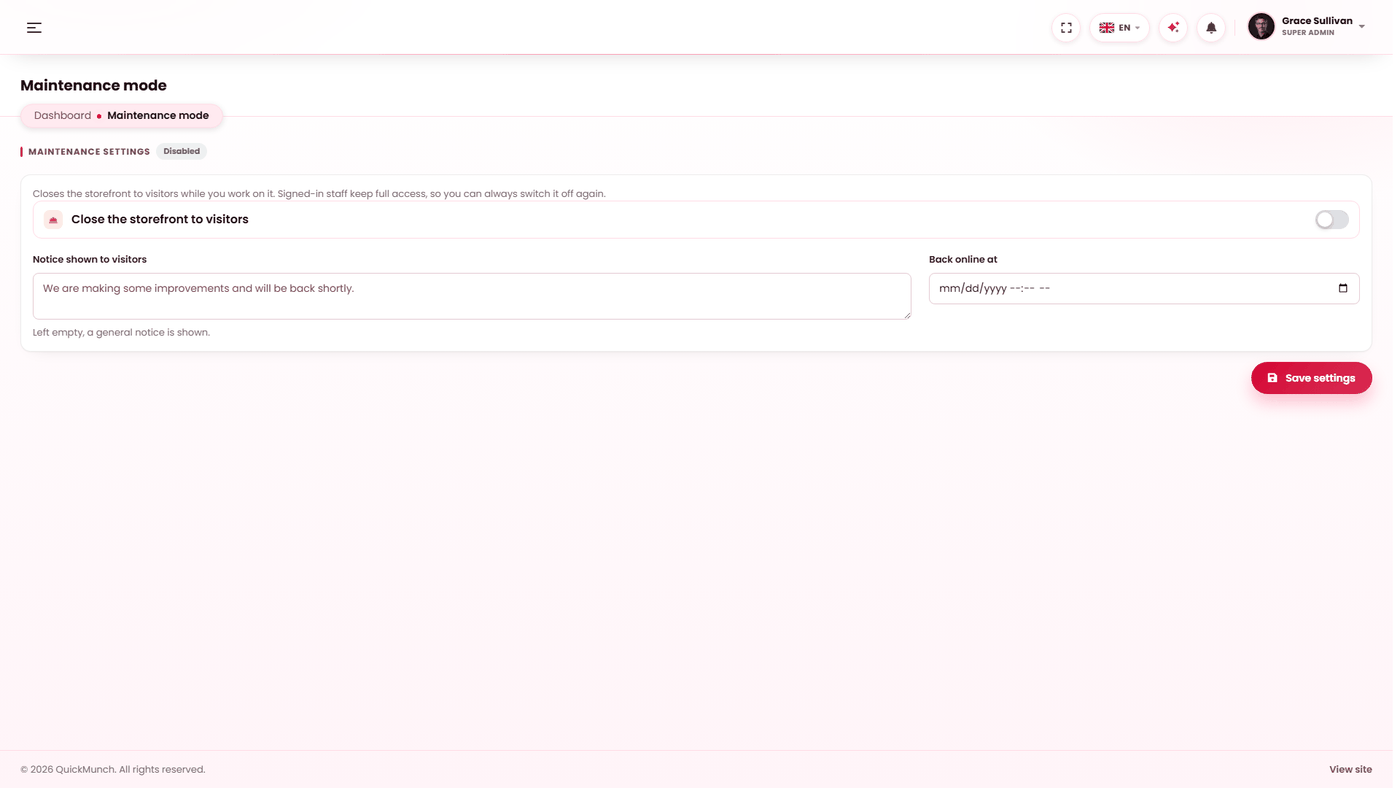
Maintenance mode
Maintenance mode shows visitors a holding page instead of the storefront. Use it while you migrate, change payment settings or reorganise a menu — anything where a customer ordering mid-change would end up with something wrong.
You control three things:
| Field | What it does |
|---|---|
| Maintenance mode | On or off. While on, the public site is closed. |
| Message | What visitors read on the holding page. Say when you expect to be back. |
| Until | Optional. When this time passes, the site reopens on its own. |
You stay signed in and can keep working in the admin area while the public site is closed.
Database backups
Backups are written to storage/backups on your own server. Take one before every
update, and before anything on this page that deletes.
Download the file and keep it somewhere else as well. A backup that only exists on the server it protects is not a backup — if you lose the hosting account you lose both at once.
Clearing data
The Clear database screen removes selected data — orders, customers, demo content — while leaving the installation itself intact. It exists for one common moment: you evaluated with the demo data, you are now going live, and you want the samples gone without reinstalling.
- Tick only what you want removed.
- Re-enter your own password. The screen asks for it deliberately.
- Confirm.
Accounts have two switches of their own — Customer accounts, and Vendor, staff & driver accounts. Super admin logins are never removed, so Select all clears everything except the super admin you are signed in as: the screen you get after a full clear is a fresh platform with only your own account on it. Taxonomy (cuisines, food and store types, tag groups) has a switch of its own, so a full clear also empties the storefront filters; a reinstall brings the shipped vocabulary back.
When it doesn't work
The holding page is showing but the site should be open
Either maintenance mode is still on, or an Until time was set in the future. Both live on this screen.
The backup file is missing or empty
storage is not writable by the web server. The same permission problem stops logs
being written — see System requirements.