Audit log
Who did what, and when. The record you reach for when something changed and nobody remembers changing it.
Admin → Audit log
Who changed what, and when. Read-only.
What is recorded
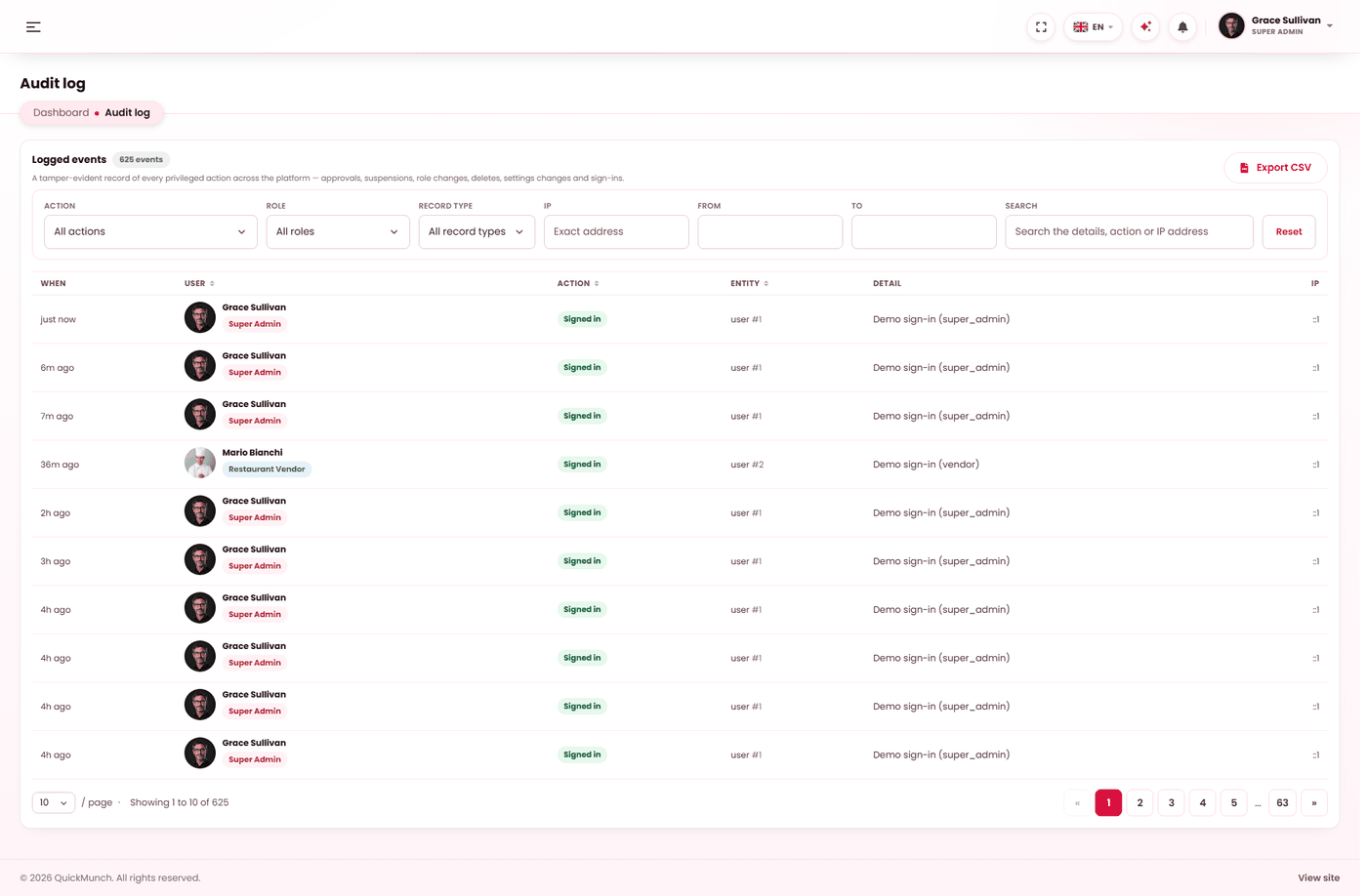
Actions that matter: settings changed, restaurants approved or suspended, refunds issued, payouts sent, roles altered, campaigns decided, exports taken — and every payment webhook received, with whether its signature was accepted.
Each entry carries the time, who did it, their role, the record type and id, a detail line and the IP address. Anything done by the system rather than a person is recorded as System / guest, so an automatic action is never mistaken for somebody's decision.
The five filters
| Filter | Use it to |
|---|---|
| Record type | Narrow to what was touched — a setting, an order, a subscription. Usually the way in: you generally know what changed before you know who. |
| Action | Narrow to one kind of event. |
| Role | Narrow to who acted — an admin, a vendor, the system. |
| Date range | The window it happened in. |
| Search | The detail line, the action, or an exact IP address. |
The count above the list tells you how many events match, so you know whether to narrow further before reading.
Exporting
Export CSV writes exactly what the filters match. The export is itself logged, with how many rows were taken — a record of who took a copy of the record.
The three investigations this screen is for
| Question | How |
|---|---|
| "Who changed this setting?" | Filter by record type, then read the detail line — it carries the before and after. |
| "Why did that refund happen?" | Filter the order's record type and find the entry with its id. |
| "Are our webhooks arriving?" | Filter to webhook events. A run of rejected ones means a signing secret is wrong. |
It only works if logins are personal
Every entry is attributed to whoever was signed in. One shared account across three people makes the whole log unusable — it will faithfully record that "the manager" did it. See Users.
How long entries are kept
Entries older than a year are removed by the Trim audit history scheduled task, along with ad event records and scheduler run history. Without it those tables grow for ever. It ships switched off — see Scheduled tasks.
If you need to keep longer than a year, export before the trim runs. There is no second copy.
When it doesn't work
An action I expected is not there
The log records changes to records, not page views. Somebody reading a report leaves no entry — only changing something does.
Entries say System / guest
A scheduled task, a webhook, or an action by somebody not signed in. Expected for automatic work.
Nothing matches and I know it happened
Widen the date range first — it is the filter most often left too narrow. Then drop the record type, since an action may be filed under a different one than you expect.
Entries stop a year ago
The trim task is doing its job. That is the retention window.