Booking a table
What a guest goes through to book, and every setting of yours that shapes it.
Storefront → Restaurant page → Book a table
Booking a table
- Open the restaurant’s page.
- Press Reserve, beside Share in the header.
The button only exists when that restaurant has Reservations switched on — see Reservations. With it off, no booking route is offered at all.
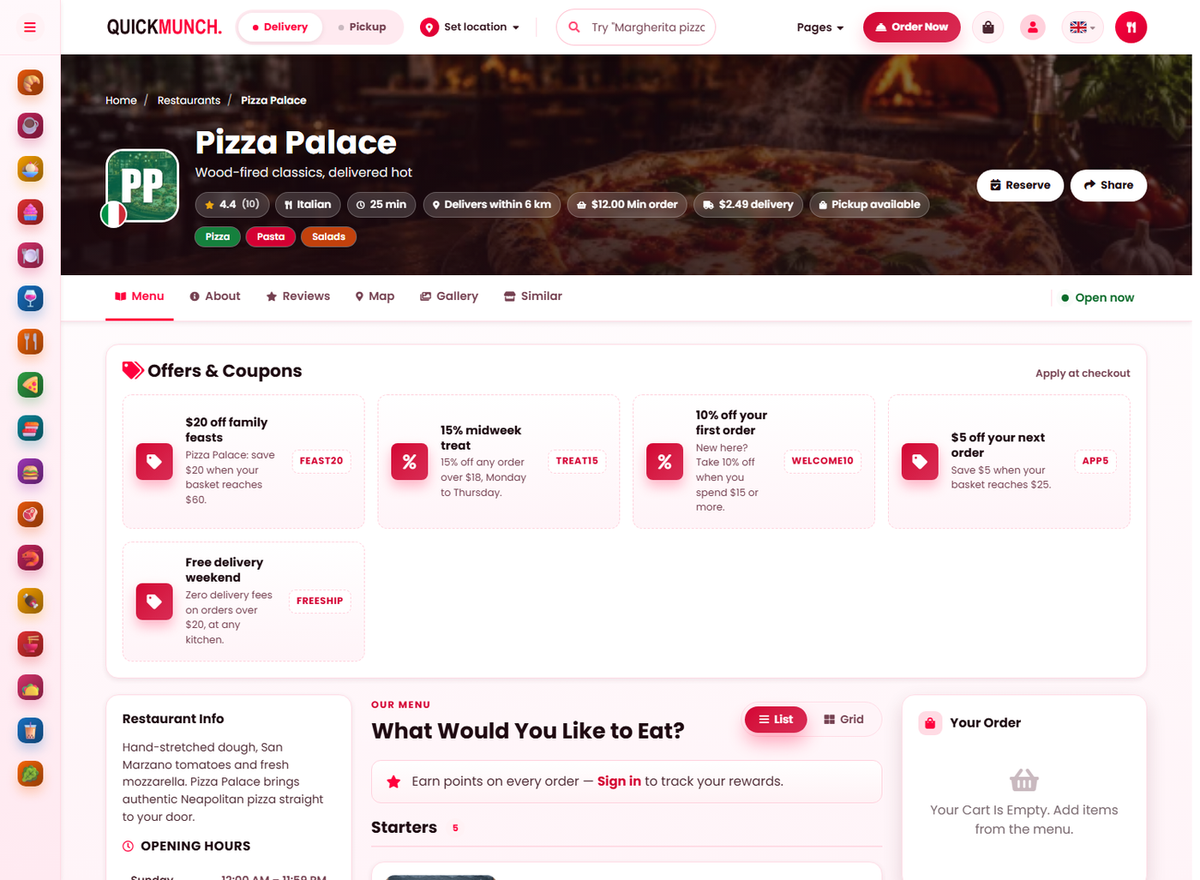
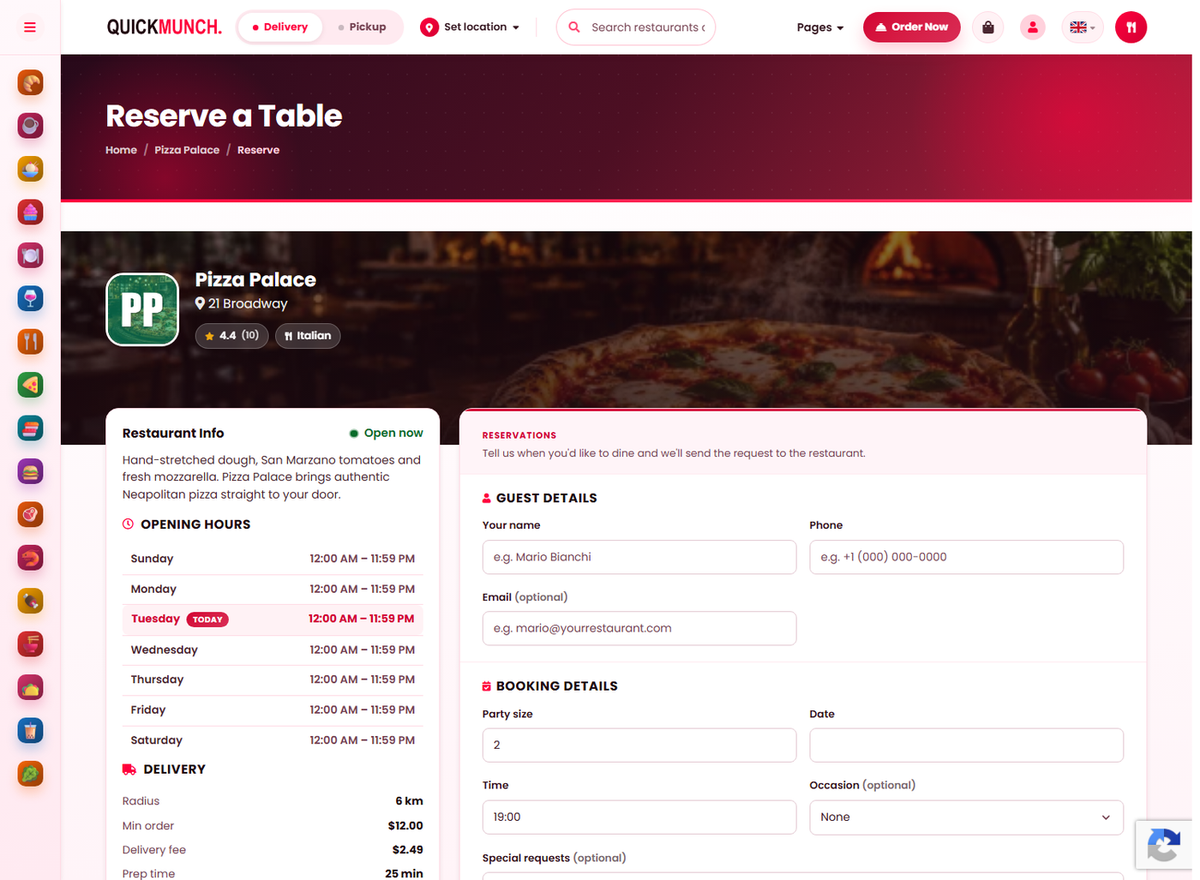
- Guest details — name, phone, and email if you want a confirmation.
- Booking details — party size, date and time.
- Occasion and special requests, both optional.
- If the slot is full, ask to go on the waitlist.
- Send the request.
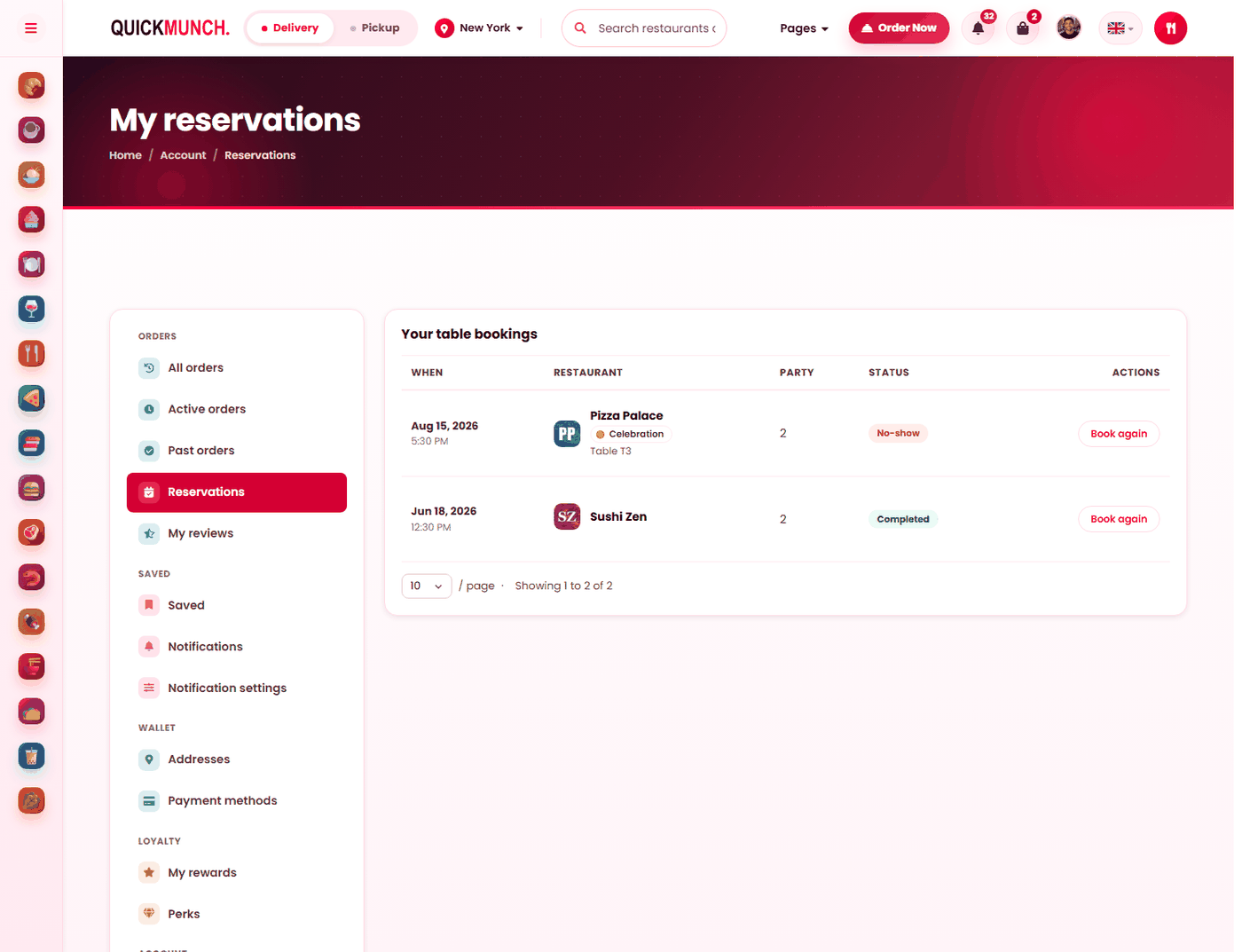
It arrives on the restaurant’s Reservations screen for the host to confirm; the diner sees the outcome under My reservations.
Every booking the customer has made, its status, and Book again to repeat one.
Booking
A guest picks a date, a time and a party size on the restaurant's own page, and adds their contact details and any special requests. Four of your settings decide what they are allowed to choose — all in Settings → Reservations & booking:
| Your setting | What the guest experiences |
|---|---|
| Maximum party size | Larger parties cannot book online and must telephone. |
| Minimum lead time | Times sooner than this are not offered. |
| Closed dates | Those days are refused. |
| Requires approval | Whether they are confirmed at once or told you will respond. |
Confirmed or pending
With approval off, the booking is confirmed immediately and the guest has their table before they close the page. With it on, the booking arrives pending and the guest is waiting on you.
In their account
Bookings appear under My reservations with when, party size, table and status. Two things there earn their keep:
- Add to calendar — a booking in somebody's calendar is a booking they turn up for. It is the cheapest no-show reduction available.
- Book again — reopens the form prefilled.
Special requests and reminders
What a guest writes is shown to your staff and back to the guest, so nothing is silently ignored. Where your platform runs reminders, guests are reminded the day before — the other significant no-show reduction.
Cancelling
Guests can cancel within your cancellation window. Outside it they telephone, which is why the window should match how much notice you actually need to resell a table.
When it doesn't work
A guest cannot find the booking option
Switch Accept reservations on at Restaurant → Settings → Reservations & booking. If that whole panel is missing, the feature is off platform-wide and your operator turns it on at Admin → Settings → Services.
They cannot book a time that is available
It falls inside your minimum lead time, or the date is in your closed dates.
A large party cannot book
Above your maximum party size. That is the intended behaviour — they telephone, and you place them yourself.
A guest says they never got a confirmation
Check the booking exists on your Reservations screen first, then the email. A booking you entered yourself sends nothing.