Restaurant profile
Eight settings panels — how you look, what you charge, when you open, how you get paid, and what you accept.
Restaurant → Settings
The eight panels
| Panel | Holds |
|---|---|
| General | Name, tagline, description, cuisine, brand colour, cover and about media, listing layout. |
| Charges & delivery | Delivery on/off, fee, radius, minimum order, free-delivery threshold, preparation time, zones. |
| Opening hours & dates | Your trading week, plus one-off closures. |
| Contact | Address, city, state, postcode, phone, email, contact name, weekly report address. |
| Payouts & cash | Where your money goes — see Payouts. |
| Tax | Rate, label, tax number, and whether your prices already include it. |
| Reservations & booking | Whether you take bookings and on what terms. |
| Loyalty rules | Your own earn and reward settings, and the channels the programme runs on — see Loyalty. |
Each panel saves on its own, so a half-finished edit in one never disturbs another.
General — what customers judge you by
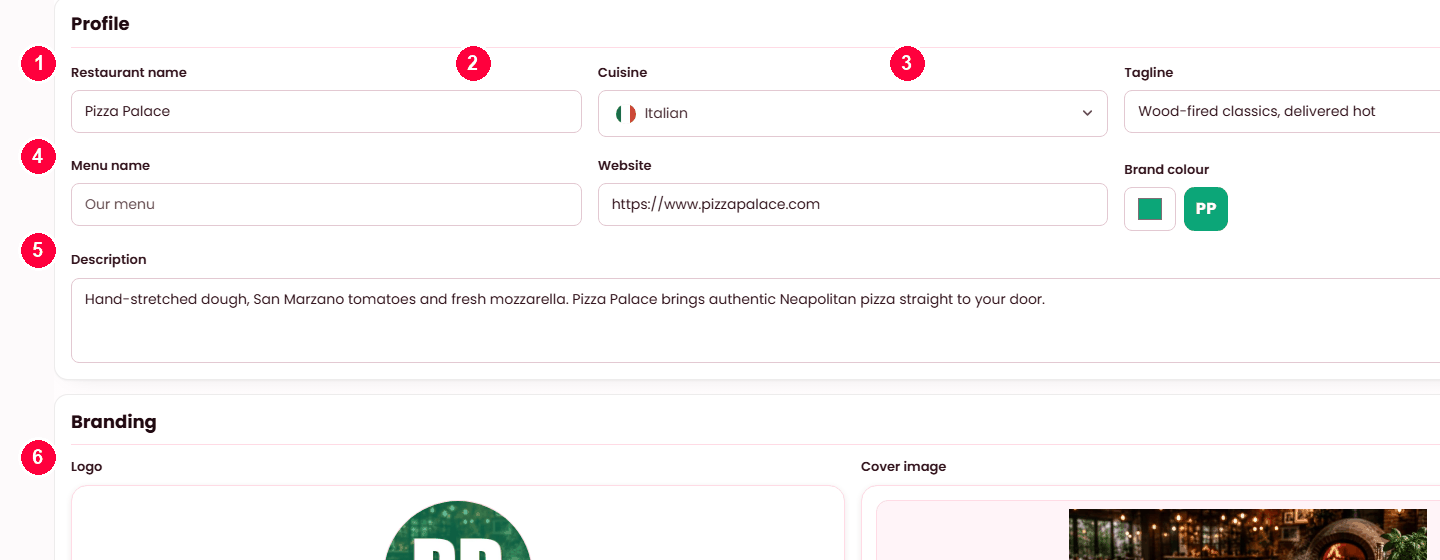
The description and the cover image are two of the four required steps on Get started, and they are what a customer reads before deciding. Also here: your brand colour, an optional about image or video, the name your menu is called, and which listing layout your page uses.
- Restaurant name — what customers see everywhere.
- Cuisine — drives the cuisine filters on the storefront.
- Tagline — the line under the name.
- Menu name and website.
- Description — the paragraph on your restaurant page.
- Logo and cover image, with the brand colour beside them.
Charges & delivery
| Setting | Notes |
|---|---|
| Accept delivery | Off makes you pickup and dine-in only. Everything below stops applying. |
| Delivery radius | A flat distance. Enough on its own — zones are optional refinement. |
| Delivery fee | What you charge to deliver. |
| Minimum order | Below this, a customer cannot check out. |
| Free delivery over | The basket value that waives the fee. |
| Average preparation time | Drives what the customer is told to expect. Be honest: a promise you miss costs more than a longer one you keep. |
| Zones | Tiered areas with their own fee and minimum, drawn on a map. Use them when near and far should not cost the same. |
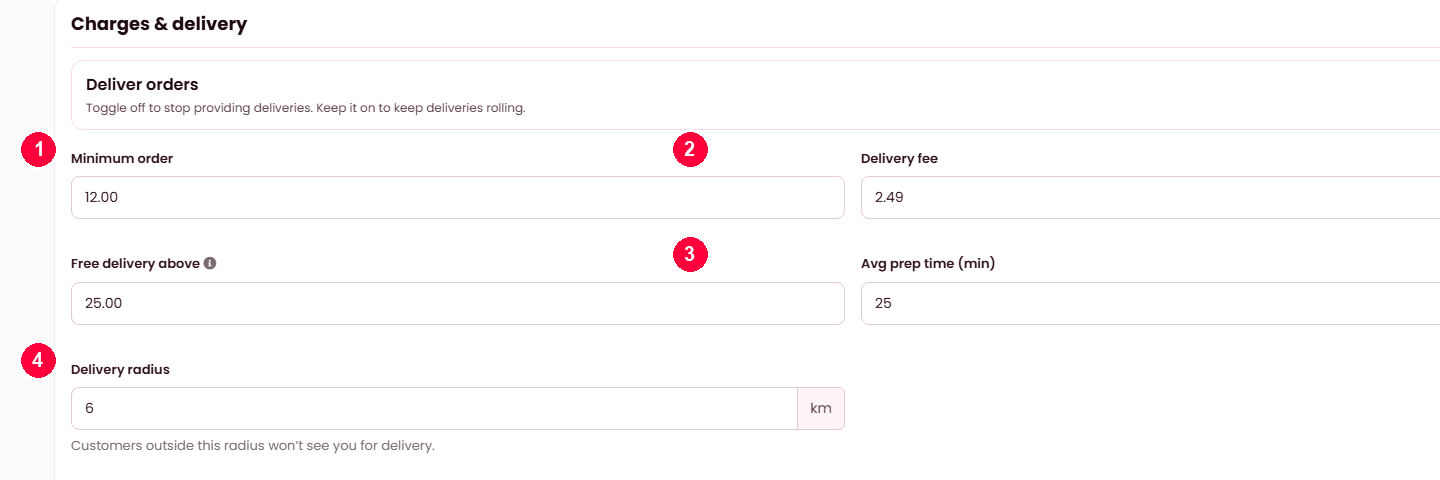
- Minimum order — below this, checkout is refused.
- Delivery fee, and free delivery above a basket size.
- Average prep time — what the customer is quoted.
- Delivery radius — customers outside it will not see you for delivery.
Distance tiers underneath let you charge more the further you go.
Opening hours & dates
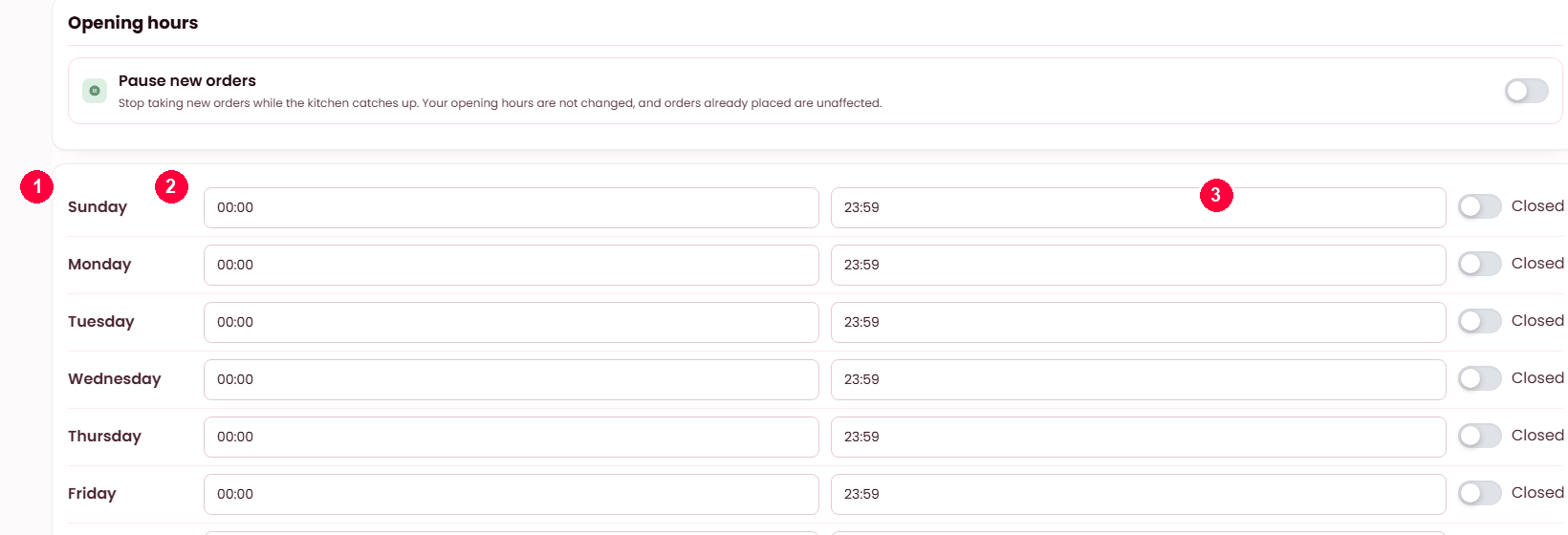
Your weekly hours decide when customers can order at all — a closed restaurant refuses the checkout, which is the single most common "why can nobody order from me" cause. Beside them, one-off closures handle a holiday or a private event without disturbing the normal week.
- Each day has its own row.
- Open and close times.
- Closed takes that day out entirely.
Pause new orders at the top stops incoming orders while the kitchen catches up — it does not change these hours, and orders already placed are unaffected.
Tax, and the one field that changes every price
| Setting | Notes |
|---|---|
| Tax rate and label | The percentage and what it is called where you trade — VAT, GST, sales tax. |
| Tax number | Printed on receipts and invoices. |
| Prices include tax | Your menu prices already contain it. |
| Tax on top | It is added at checkout instead. |
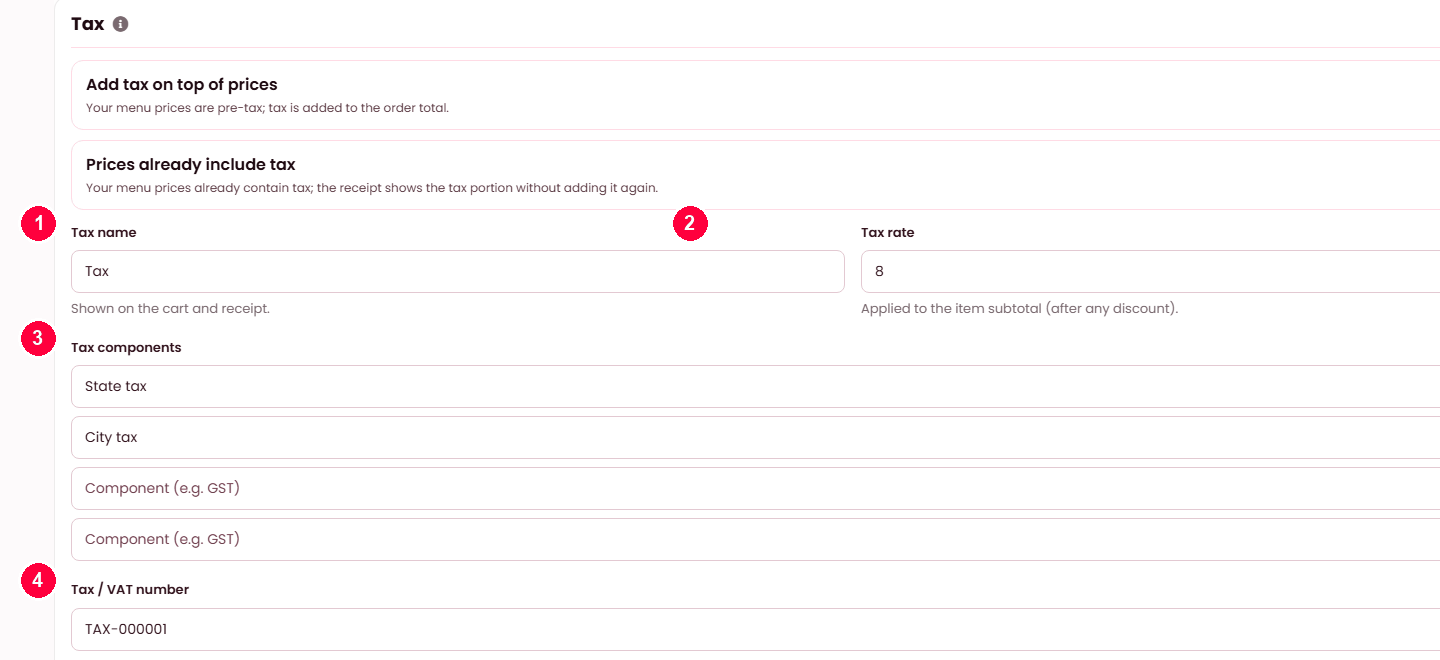
- Tax name — shown on the cart and receipt.
- Tax rate — applied to the item subtotal, after any discount.
- Tax components — split it into state, city or GST parts if you must show them.
- Tax / VAT number — printed on receipts.
The two switches above decide whether tax is added on top of your prices or already included in them. This is the restaurant’s own tax — not the platform’s, which is on Platform tax.
Reservations & booking
| Setting | What it does |
|---|---|
| Accept reservations | The master switch. Off, the whole feature disappears for you. |
| Requires approval | On, bookings arrive pending and you confirm each. Off, they confirm themselves. |
| Maximum party size | Larger parties must telephone instead. |
| Minimum lead time | How far ahead a booking must be made. Stops a booking landing for five minutes' time. |
| Default sitting length | How long a table is held, which is what makes the timeline meaningful. |
| Cancellation window | How late a guest may cancel. |
| Text the guest when their table is ready | Needs SMS on the platform — see SMS. |
| Timezone | Yours. Every booking time is read in it. |
| Staff screen lock | Idle seconds before a shared screen locks — see PIN lock. |
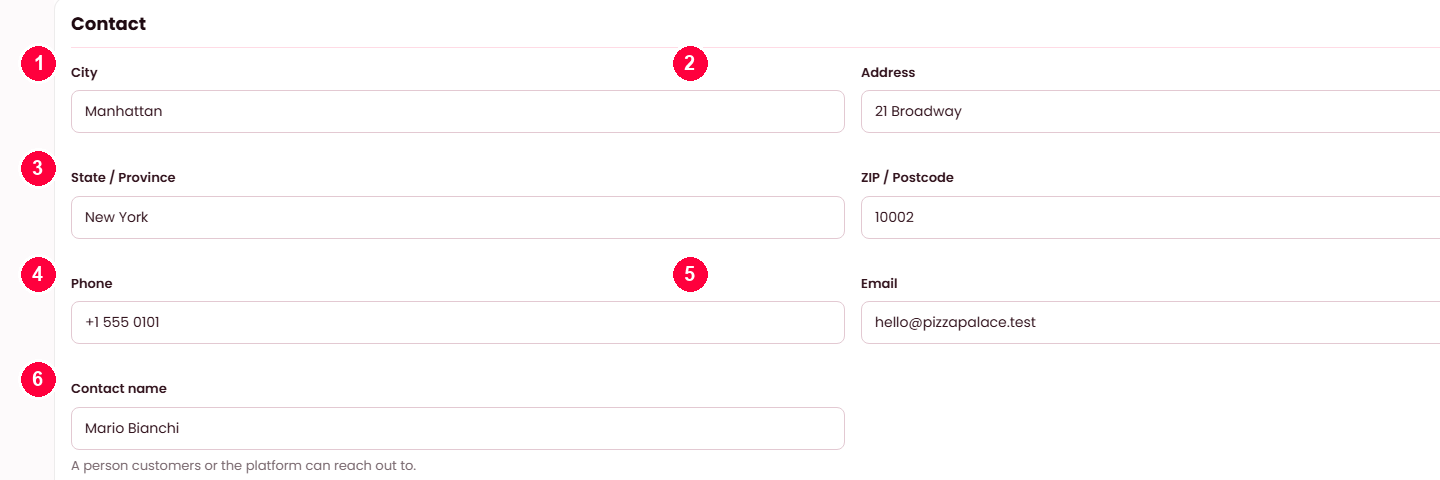
Contact
The address is required before you can trade — it is what deliveries and distance are measured from. The weekly report address is separate: it is where your weekly summary is sent, and can differ from the address customers write to.
- City.
- Address.
- State / province and postcode.
- Phone.
- Email.
- Contact name — who the platform reaches out to.
The address is what the map pin and the delivery radius are measured from, so get it exact.
When it doesn't work
Customers cannot order and I am approved
Opening hours first — check today is covered and the times are right. Then check you have an available dish and, for delivery, that the customer is inside your radius.
Prices look wrong at checkout
The tax setting. Included and on-top produce different totals from the same menu price.
A panel will not save
A required field on that panel is empty. Panels save independently, so the error is on the panel you are looking at.
Delivery zones do nothing
On Restaurant → Settings → Charges & delivery: Accept delivery must be on, and the address has to fall inside a zone you drew. Outside every zone the flat delivery radius applies instead, if you set one.