Reservations
The day's bookings as a list or a calendar, walk-ins, the waitlist, and the link between a booking and a table.
Restaurant → Reservations
Bookings for the chosen day, with party size, table and status.
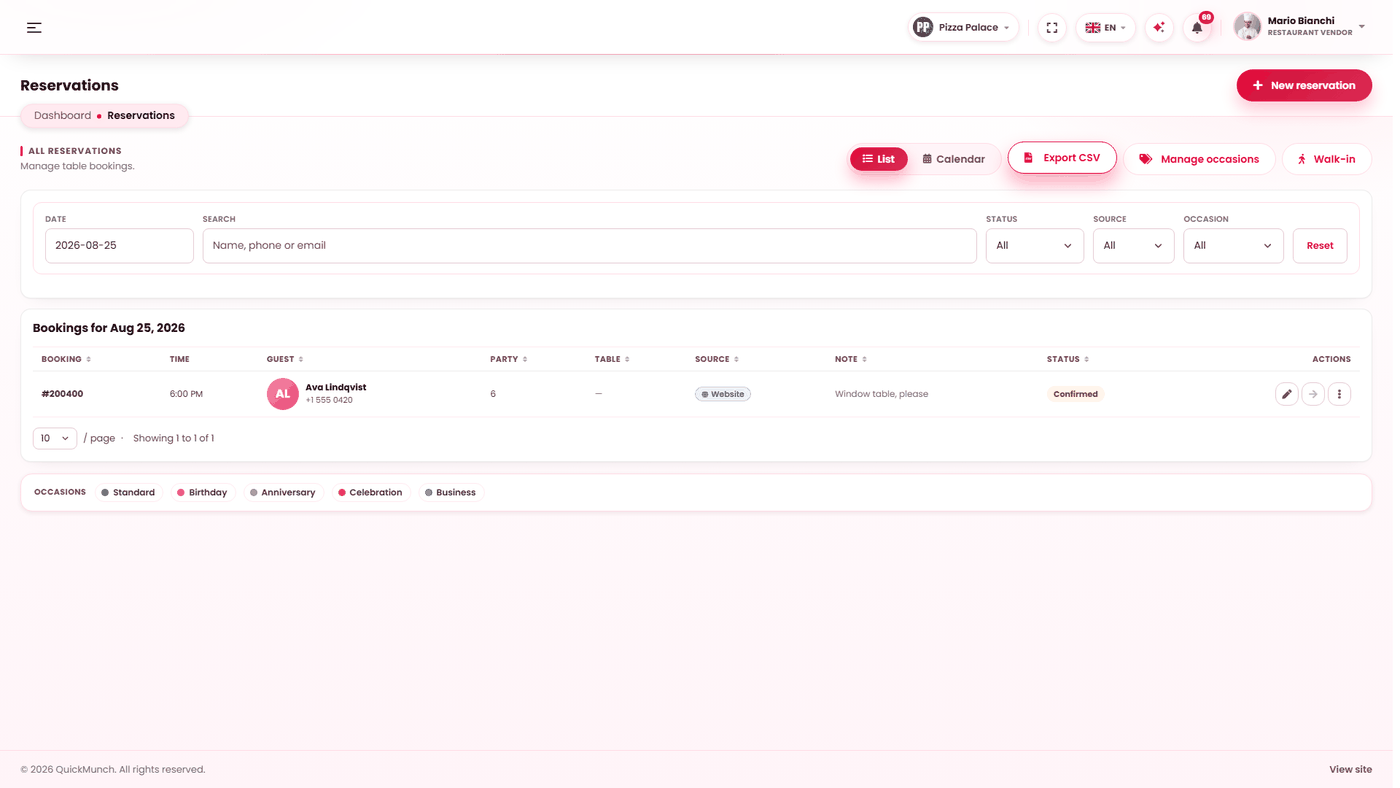
List or calendar
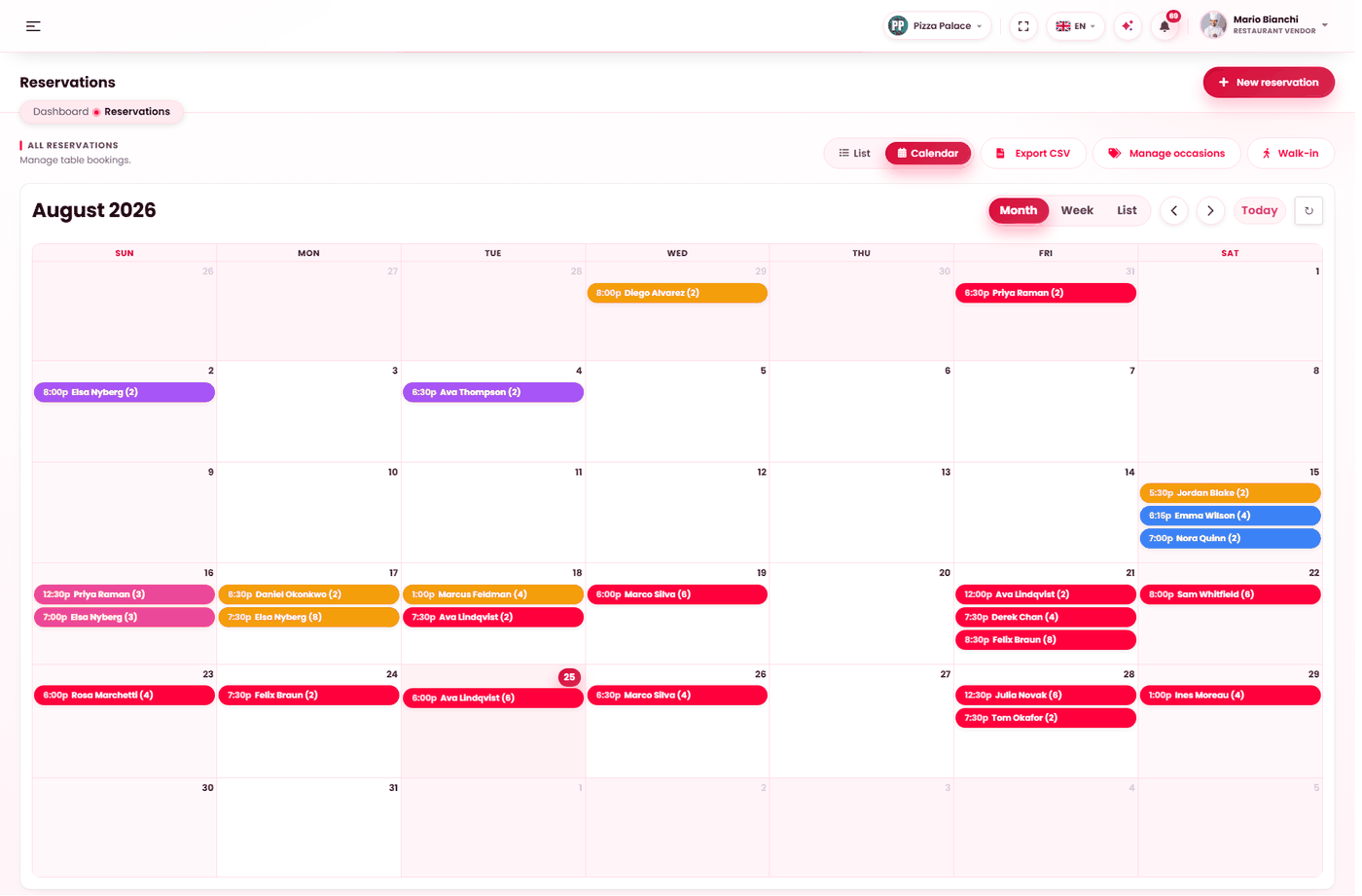
The same bookings, two ways. List is the register — every booking as a row, for working through a service. Calendar is the month at a glance, colour-coded by status, with Month, Week and List inside it. Export CSV takes them out, and Walk-in seats someone who just arrived.
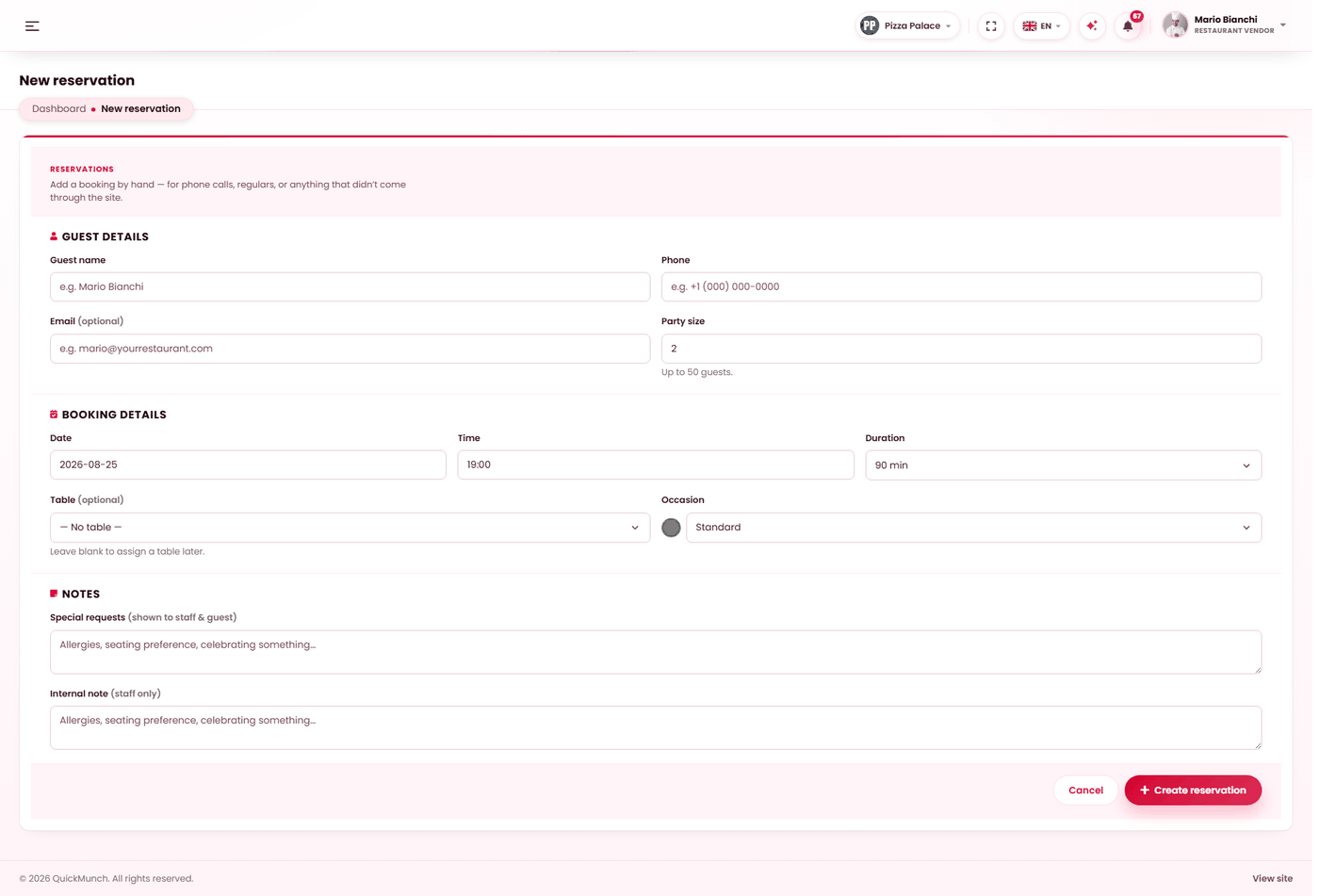
- Guest details — name, phone, email.
- Booking details — date, time, party size and table.
- Notes — allergies, seating preference, occasion.
- Create reservation.
Two views of the same day
A segmented control at the top switches between them. They are not alternatives so much as two jobs:
| View | Use it for |
|---|---|
| List | Working today — confirming, seating, completing. Every row has its actions. |
| Calendar | Seeing the shape of the week or month, and moving bookings around. |
The calendar
- Month and week views of every booking.
- Drag a booking to reschedule it. Only a live, not-yet-seated booking can be moved — a party already at a table is not rescheduled by dragging a box.
- Closed dates draw as shaded background bands with the reason, so you can see at a glance why a day is empty.
Working the list
The list is one day at a time, with a date picker, a search box (name, phone or email), and filters for source and occasion. The actions on a row follow the booking's state:
| Action | Moves it to |
|---|---|
| Confirm | Confirmed — the guest is told they have a table. |
| Seat | Seated — and marks their table occupied on the floor plan. |
| Complete | Completed — and frees the table. |
| No-show | No-show — and frees the table. |
| Waitlist | Waitlisted, when the floor is full but you want to keep the party. |
| Cancel | Cancelled — and frees the table. |
Status only ever moves forward: completed and cancelled are final. The confirmation dialog says the table will be freed, because that is the part people forget.
Taking a booking yourself
New reservation opens a form for a booking taken by telephone or at the door:
| Field | Notes |
|---|---|
| Guest name, phone, email | Whatever you have. |
| Party size | Capped at the maximum you set in Settings. |
| Date and time | Subject to your minimum lead time, also from Settings. |
| Table | Optional — leave blank to assign one later. |
| Occasion | Birthday, anniversary and so on. Colour-coded on the list. |
| Special requests | Shown to staff and to the guest. |
| Internal note | Staff only. The guest never sees it. |
The form warns you plainly: a booking you enter does not notify the guest automatically. If you took it over the telephone, you have already told them; if not, tell them.
Walk-ins and the waitlist
Seat a walk-in is the same form with two endings: Seat now puts the party straight onto a table, and Add to waitlist holds them for when one frees. A waitlisted party can be confirmed later or cancelled.
Occasions and closed dates
Manage occasions maintains your own list, each with a name and a colour so the day's list reads at a glance. Deleting one puts its bookings back to Standard rather than losing them.
Closed dates blocks days you are not taking bookings — holidays, private hire, a refurbishment — with a reason. Blocked days refuse bookings and draw shaded on the calendar. Removing one reopens the date.
Reaching a booking from the floor
The floor plan works the other way round: a table shows how many bookings it has today, when the next one is due, and Reserve this table opens this form with that table already chosen. See Floor plan.
When it doesn't work
A booking will not drag on the calendar
It is already seated, or completed or cancelled. Only a live, unseated booking can be moved.
A table shows occupied with nobody at it
A booking was seated and never completed. Complete it, or change the table's status directly on the floor plan.
The guest says they were not told
Bookings you enter yourself send nothing — by design. Bookings made by guests online are confirmed by email, which needs your platform's mail to be working.
I cannot book a date
It is in your closed dates, or inside your minimum lead time.
Reservations is not in my menu
Either your platform has the feature switched off, or your own accepts reservations setting is off — see Restaurant profile.