Working a delivery
Picking up, navigating, marking delivered — and the live position that puts a rider on the customer's map.
Driver → Deliveries
Active jobs at the top, completed underneath, each with its restaurant, address and fee.
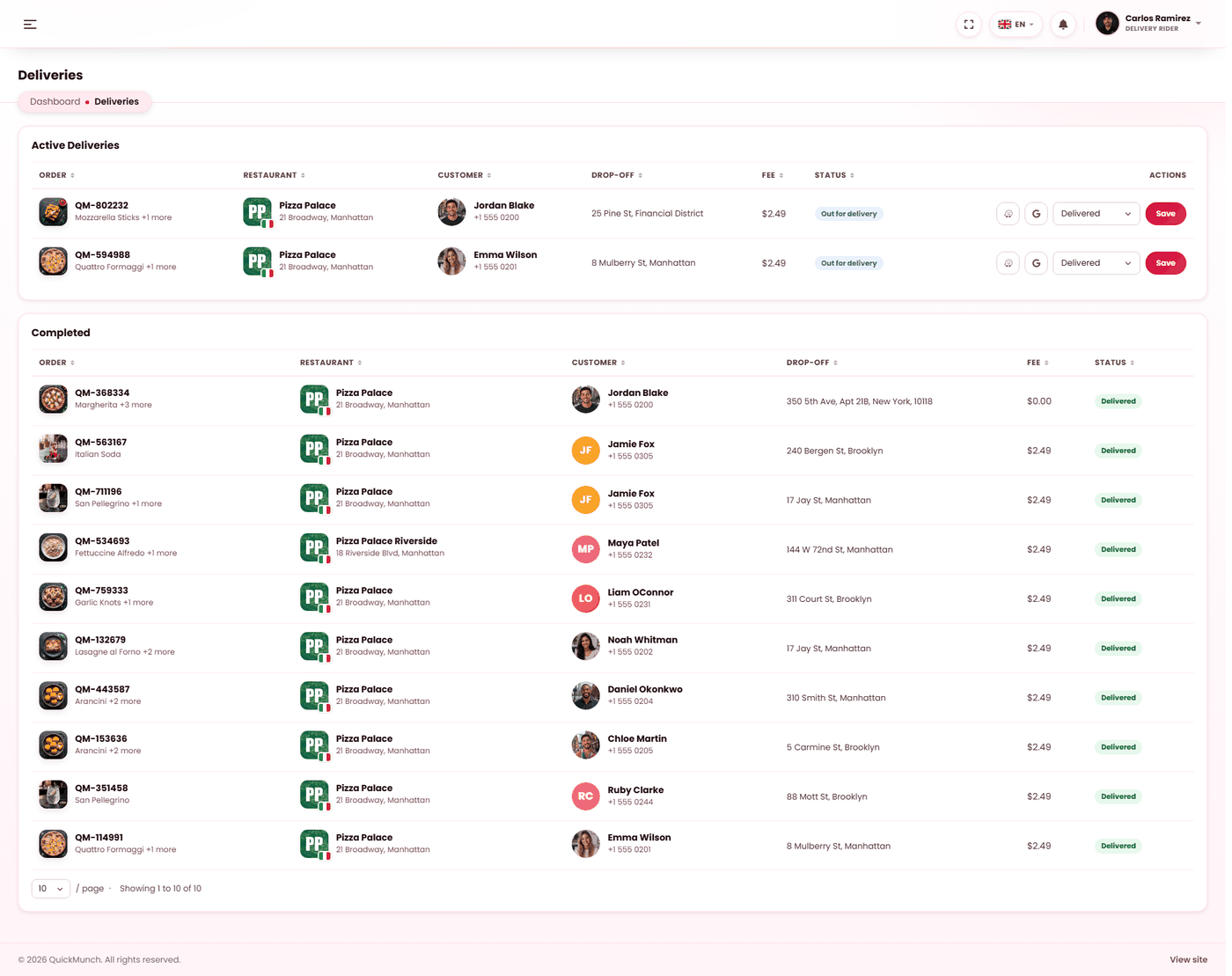
Two lists
| List | Holds |
|---|---|
| Active deliveries | Everything in progress. This is the working screen. |
| Completed | Delivered and cancelled orders. |
The run, step by step
- An order is assigned to the rider by the restaurant, and appears here.
- Pick up when they collect it. The order moves to out for delivery and the customer is told.
- Navigate. Each delivery offers Navigate with Google Maps and Navigate with Waze, opening the drop-off address in whichever the rider prefers.
- Mark delivered at the door.
Status moves forward only
A rider can only move an order to a state it is genuinely allowed to reach from where it is. An attempt to skip is refused, naming the current status rather than failing silently.
If two people act at once — a rider marking delivered while the restaurant cancels — the second action is refused rather than overwriting the first. Nothing is lost; the screen just tells them it already moved on.
The live position
While a delivery is in progress the rider's app sends its position, and that is what draws the rider on the customer's tracking map. One live position per rider is kept — the current one, not a history.
It requires two things, and both are on the rider's phone rather than in your settings:
- Location permission granted to the browser.
- The page left open during the run.
A session left open a very long time expires and asks for a refresh to resume tracking.
Cash on delivery
On a cash order the rider collects at the door. It accumulates into cash to hand in on their dashboard, and is handed to the restaurant at the end of the shift — see The driver app.
What a rider cannot do
They see their own deliveries and nothing else. No other rider's work, no restaurant screens, no customer list, no refunds. A rider's phone is the least controlled device in your operation, and the access matches.
When it doesn't work
"That status change is not allowed"
They are trying to skip a step, or the order already moved. The message names where it actually is.
An order will not pick up
It is unpaid, or the restaurant has not marked it ready to collect.
The customer's map is not moving
The delivery page is closed, location permission was refused, or the session expired. In that order.
Navigation opens the wrong place
The delivery address as the customer typed it. Correct it on the order — see Orders.
A delivery vanished from their list
It was cancelled, or reassigned to another rider.