Tracking an order
The page a customer watches after ordering — the status steps, the live map, and how they reach you.
Storefront → Order tracking
Following an order
- Order status — each step stamped as it happens: placed, confirmed, preparing, ready, collected. The step in progress is marked.
- Order details — the restaurant, the items and the total.
- Call or Text the restaurant without leaving the page.
- Print receipt, or Order again to repeat it.
The page needs no sign-in: the link carries its own token, so it can be shared with whoever is waiting for the food.
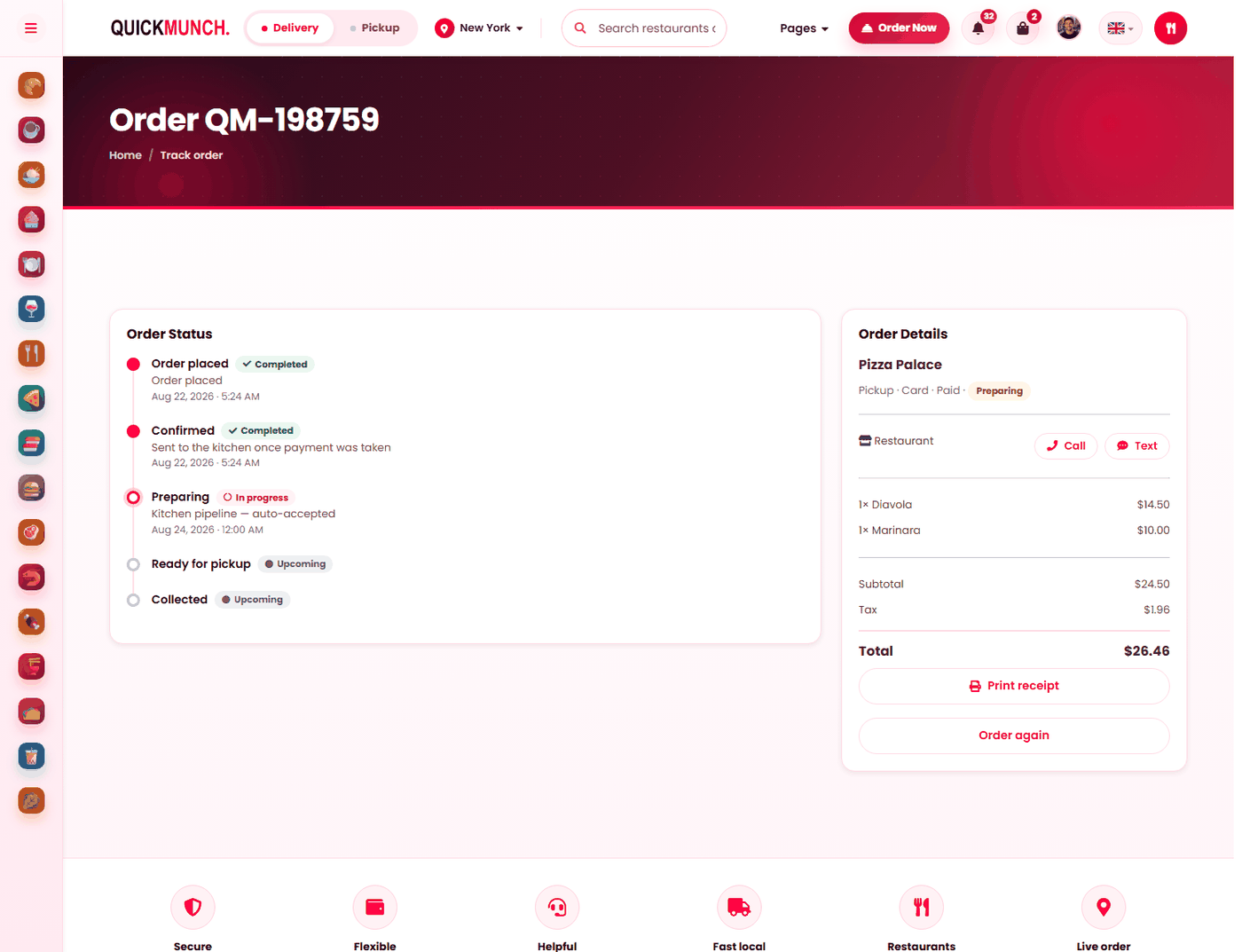
Reached by a link, not a login
Every order gets its own tracking address, sent in the confirmation email. It works without an account, which is what lets a guest follow their order — and what makes the link worth treating as private.
The status steps
The page draws the order's progress, marking where it has reached, what is in progress and what is still to come. The steps follow the statuses you set on Orders, so the customer sees the queue moving as you work it.
Two states are called out separately rather than shown as a step: awaiting payment, with a Complete payment button, and cancelled, stated plainly.
The live map
On a delivery order with a rider assigned, the page shows the delivery route and the rider's position as they move — see The driver app, which is where those positions come from.
Contacting
The customer can call or text the restaurant, and the rider once one is assigned. Both work from the numbers on the accounts, so a driver with no phone number recorded cannot be reached — worth checking when you add one.
What else is on the page
- The full order with its charges — subtotal, delivery, service charge, tax, discount, tip.
- Any loyalty points earned at that restaurant.
- Print receipt.
- Order again, which is the single most effective thing on the page for repeat business.
- Cancel order, while the order is still cancellable. It asks first and cannot be undone.
- Scheduled for, on an order placed for later.
When it doesn't work
A customer says the link does not work
It is per order and specific — an old link from a previous order will not show this one. Resend the receipt from the order itself.
The map is not showing
No rider is assigned yet, it is not a delivery order, or the rider's app is not sending positions.
The status has not moved in an hour
It has not been advanced. That is on your side, and the customer is looking at it.
"This order is awaiting payment"
The payment did not complete. They can finish it from this page — the order is not lost.
They cannot cancel
The order has moved past the point where cancelling is allowed. They will telephone you instead.