The driver app
What a rider sees when they sign in: availability, the day's figures, and the cash they are holding.
Driver → Dashboard
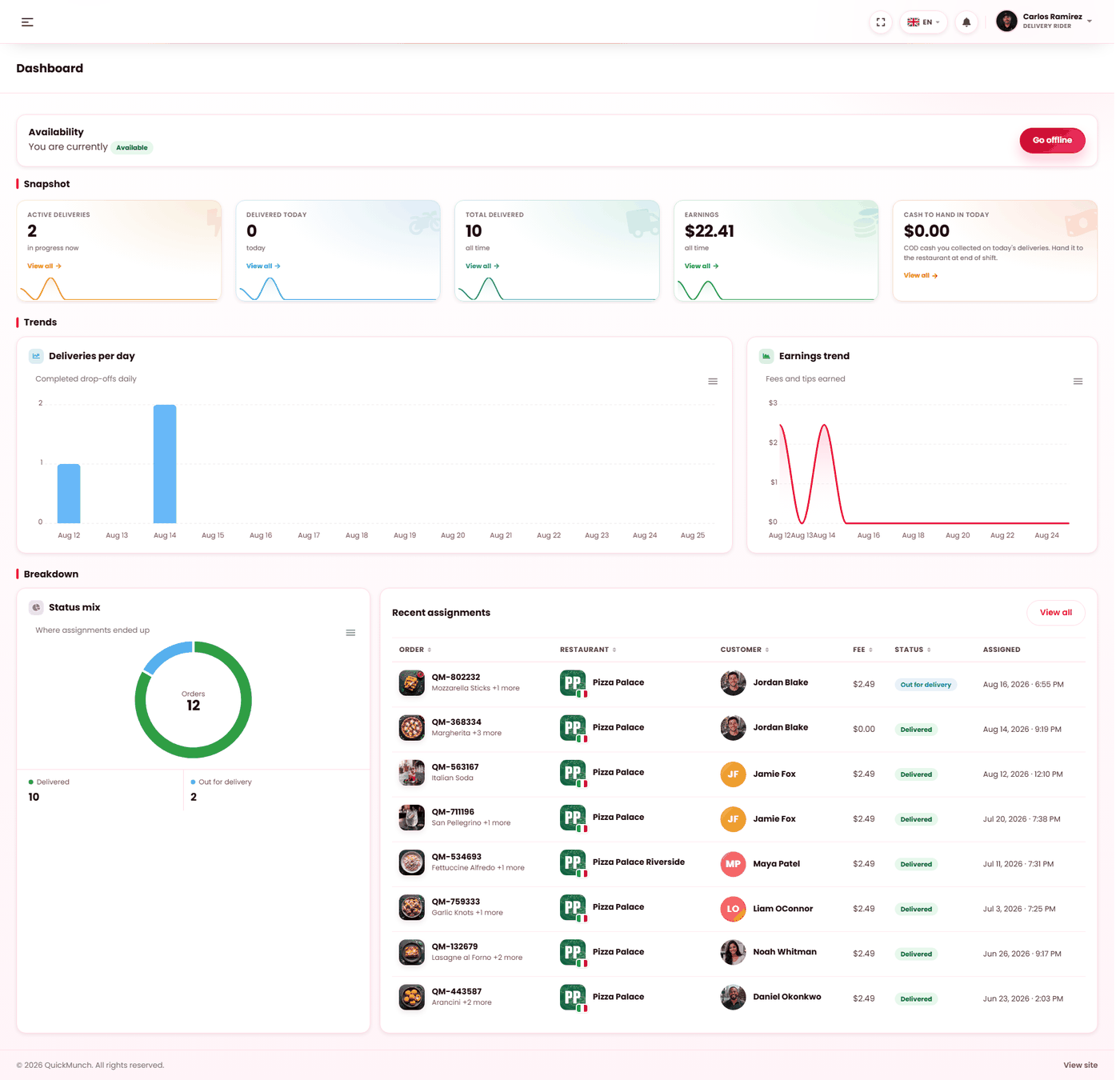
What the rider sees on signing in: their earnings, the jobs waiting and the map.
It is a web app, not an app store download
Riders sign in at the same address as everybody else and land on their own dashboard. There is nothing to install, which matters when a rider starts on a Friday — they need a login, not an approval queue at an app store.
Tell them to add it to their phone's home screen. It then opens like an app, which is the whole practical difference.
Availability comes first
The top of the dashboard says You are currently — Available or Offline, with one button to switch.
Make it the first thing a new rider is taught: go available at the start of a shift, go offline at the end.
The four figures
| Figure | Meaning |
|---|---|
| Active deliveries | In progress now. |
| Delivered today | Completed drop-offs today. |
| Total delivered | All time. |
| Earnings | Fees and tips earned. |
Three charts sit beneath: deliveries per day, earnings trend, and a status mix showing where assignments ended up — the one that surfaces a rider with an unusual share of cancellations.
Cash to hand in
A figure of its own: cash-on-delivery money collected today, to be handed to the restaurant at the end of the shift. It is separate from earnings because it is not the rider's — it is yours, in their pocket.
Reconcile it against the day's cash orders. It is the one number on this screen with a physical counterpart, and it should match.
Recent assignments
Order, restaurant, customer, fee, status, when it was assigned, and a Pick up action on anything ready to collect. Each row opens in the deliveries screen — see Working a delivery.
The rider's profile
| Field | Why it matters |
|---|---|
| Phone | How the customer reaches them from the tracking page. Without it, the call button does nothing. |
| Vehicle type | Bicycle, motorcycle, car. |
| Licence plate | Identifies them at the door and at the restaurant. |
| Available | The same switch as on the dashboard. |
Fill the phone number in when you create the rider. It is the field most often left blank and the one customers notice.
When it doesn't work
"No rider profile is linked to your account yet"
The account exists but is not set up as a rider. Add them properly on Staff with the driver role.
A rider says they get no assignments
They are offline. It is the answer nine times out of ten.
Earnings look wrong
Earnings are fees and tips. Cash collected is a separate figure and is not theirs.
A customer cannot ring the rider
No phone number on the rider's profile.