Contact messages
Enquiries from your contact form, answered from the dashboard so the reply comes from the platform.
Admin → Messages
Everything sent through the storefront contact form.
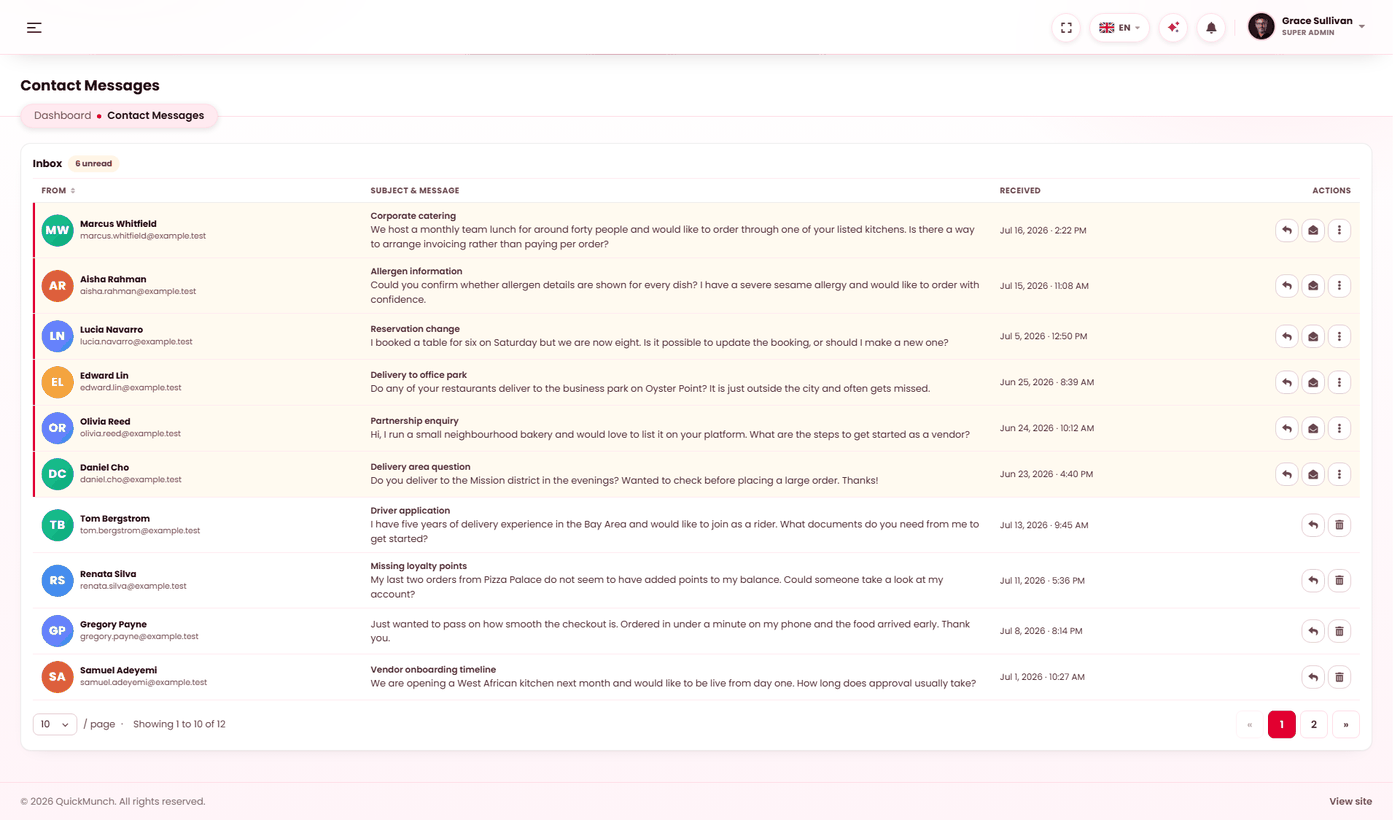
The inbox
Everything submitted through your contact page lands here, unread first, with the count of unread in the heading. Each row carries who sent it, their subject and message, and when it arrived.
Three actions: Reply, Mark read, and Delete. Answered messages are badged Answered, so at a glance you can tell what still needs you.
Replying
Reply opens a dialog with the address it is going to, a subject prefilled as Re: their subject, and their original message quoted underneath yours — so the person reading it has the context without going hunting.
The reply is sent as an email from your platform, and answering marks the enquiry answered. It is written to the audit log with the address, which matters when several people share the inbox.
Deleting
Deleting removes the enquiry permanently, reply history included. Marking it read is enough to clear the unread count — keep anything you might need to look back at, since there is no archive to recover it from.
Contact messages also arrive by email
The Contact message template notifies you when one comes in, so you are not obliged to watch this screen. Switch it off in Email & templates if you would rather work the inbox itself.
When it doesn't work
The reply will not send
Mail is not configured, or your server refused it. The error is your mail server's own words — the same settings that govern every other message.
Messages are not arriving
Check the contact page is reachable and its form is on the page — see Pages, where the Contact page's sections are edited.
I am not being notified of new enquiries
The Contact message template is switched off, or mail is not being delivered at all — see Email & templates.