Printable menu
Fold-ready paper menus that fill from your live menu — so a price change is a reprint, not a redesign.
Restaurant → Menu → Printable menu
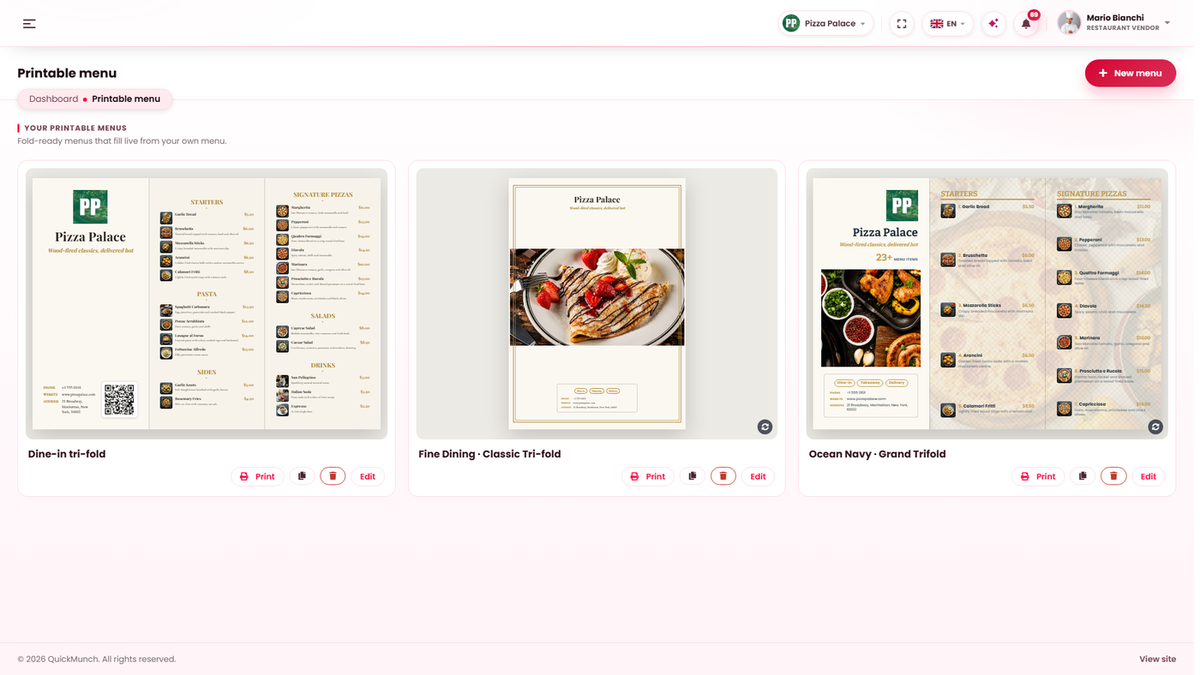
Each saved fold design as a live preview. Print, duplicate, delete or edit.
Compose the sheet panel by panel — paper, fold, columns, colours and type. The preview is your own live menu, so what you see is what prints.
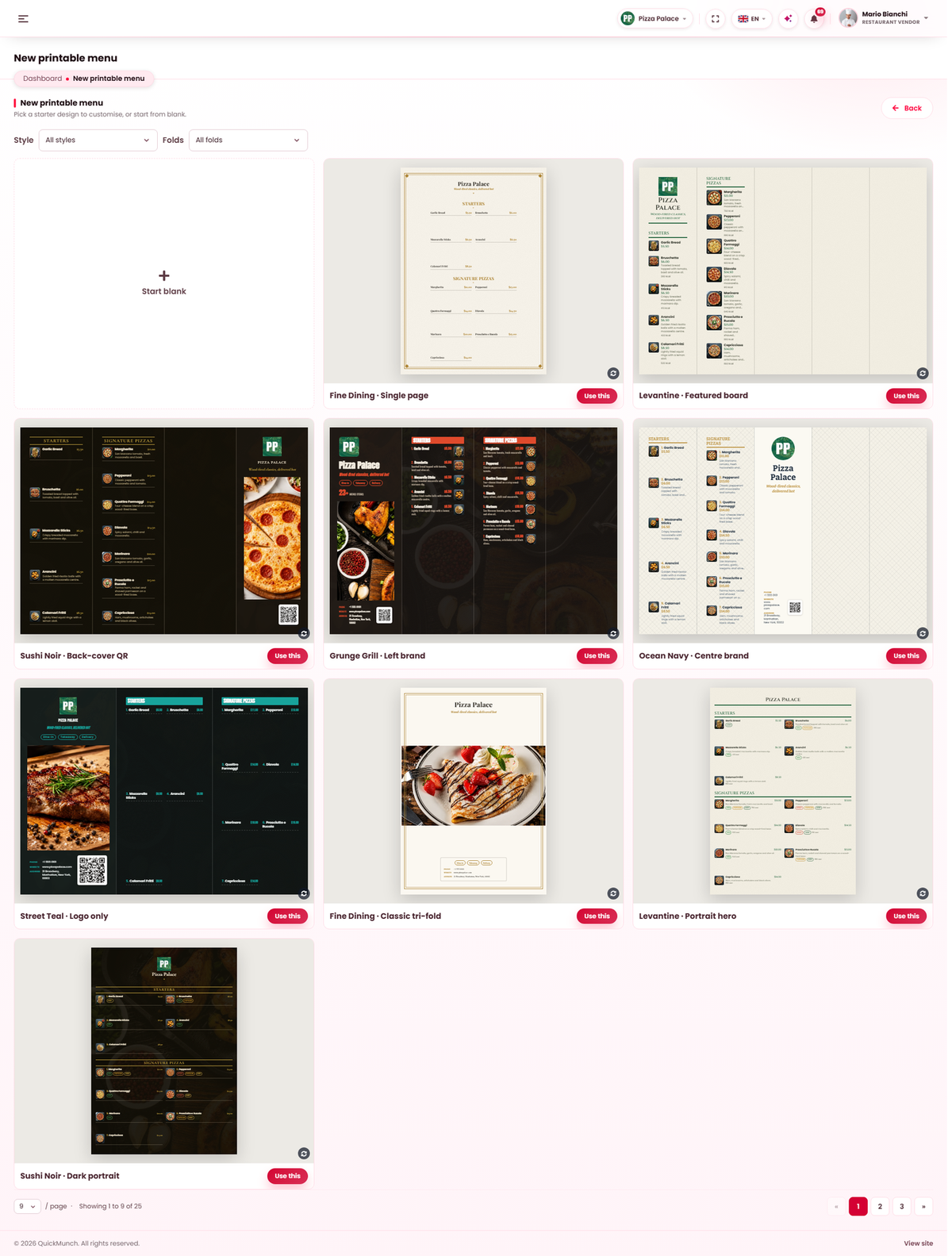
It fills itself
You compose the sheet — how it folds, what each panel is for — and the dishes and prices come from your live menu. Change a price on Dishes and the next print carries it. Nobody edits a paper menu in a design program again.
The sheet
| Setting | Notes |
|---|---|
| Folds | How many panels the sheet divides into. |
| Fold direction | Across (landscape) or down (portrait). |
| Paper size | Match what your printer actually takes. |
| Double-sided | Prints a front and a back. |
| Font, theme, accent, text size, style, background | Appearance. Light or dark, plus a colour of your own. |
Panels
Each fold is a panel, and every panel has a role:
| Role | Carries |
|---|---|
| Cover | Your logo, name and tagline, aligned left, centre or right. |
| Menu | Menu sections, in up to three columns. |
Panels are reordered with Move up and Move down, so the fold order is yours to set rather than something to work around.
The settings that decide whether it fits
This is where a paper menu succeeds or fails, and the three controls are worth understanding together:
| Setting | What it does |
|---|---|
| Dishes on this sheet | 0 means every dish on your menu. Lower it when the design cannot hold them all — which the preview will show you. |
| Fill empty panels | Drops a dish photograph into any panel the menu does not fill, so a short menu does not print with a blank fold. |
| Fold guides | Prints the fold lines and panel labels. Leave on for a test print, off for the real one. |
Two more touches: dotted leaders draw a line between a dish and its price, and item counts tag each section with how many dishes it holds.
Producing it
Print sends it to a printer. Download PDF gives you a file — which is what a print shop wants. Duplicate copies a design, which is how you make a lunch version of a dinner menu without starting again.
When it doesn't work
Dishes are missing from the sheet
Dishes on this sheet is set to a number lower than your menu. Set it to 0 for everything, or accept the limit and choose which sections appear.
A panel prints blank
The menu ran out before the panel did. Switch Fill empty panels on, or reduce the folds.
It does not fold where the guides say
The paper size in the design does not match the paper in the printer. Check both, and check the printer is not scaling to fit.
Prices are out of date
They cannot be — the sheet reads your live menu. If a printed copy is wrong, the copy is old. Reprint.