Restaurants
Every venue on your platform: approving new ones, and stepping in when one needs help.
Admin → Restaurants
The full record — its plan, takings, menu size, rating and status, with everything you can change about it.
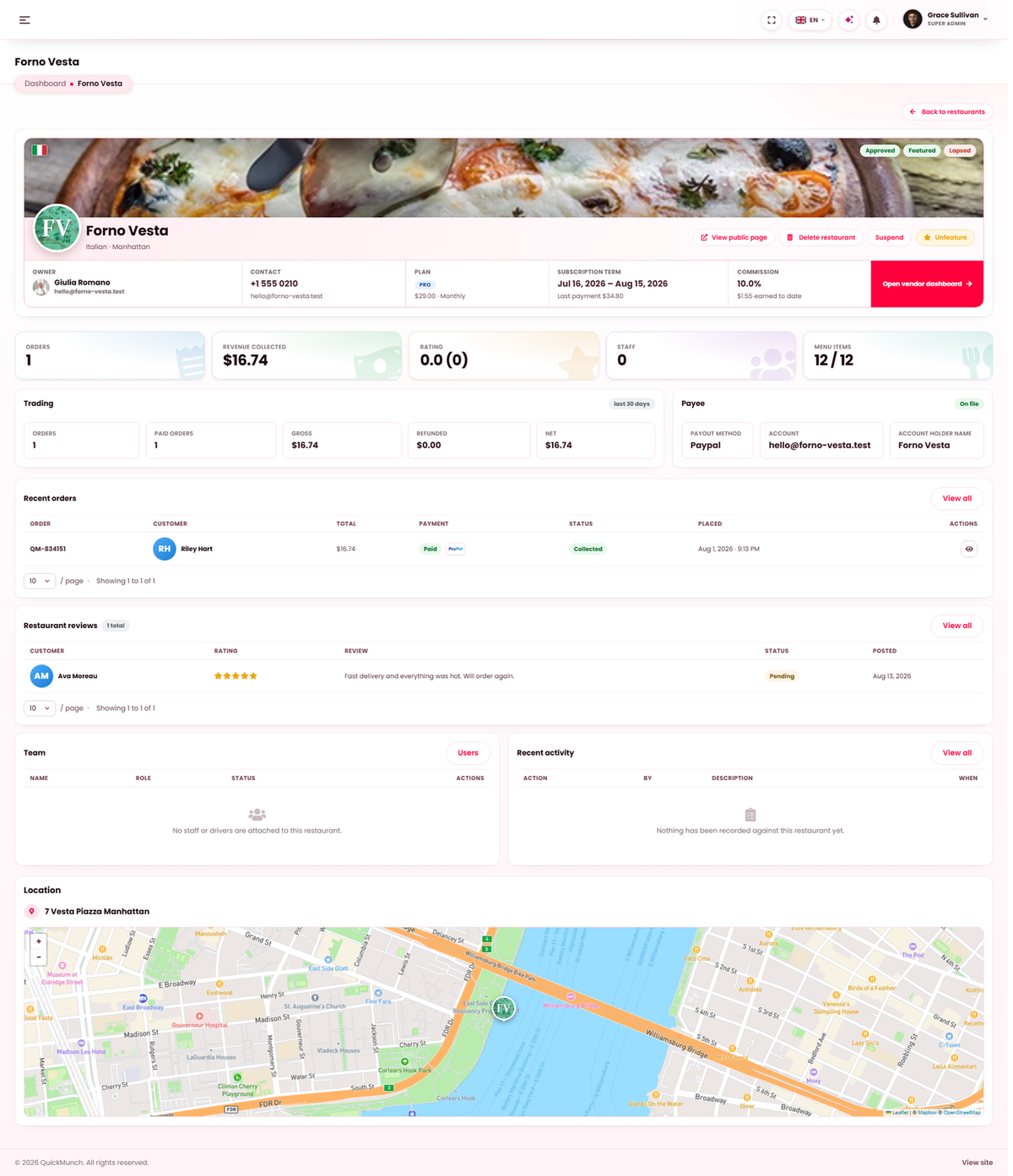
Every restaurant, its status, plan and rating.
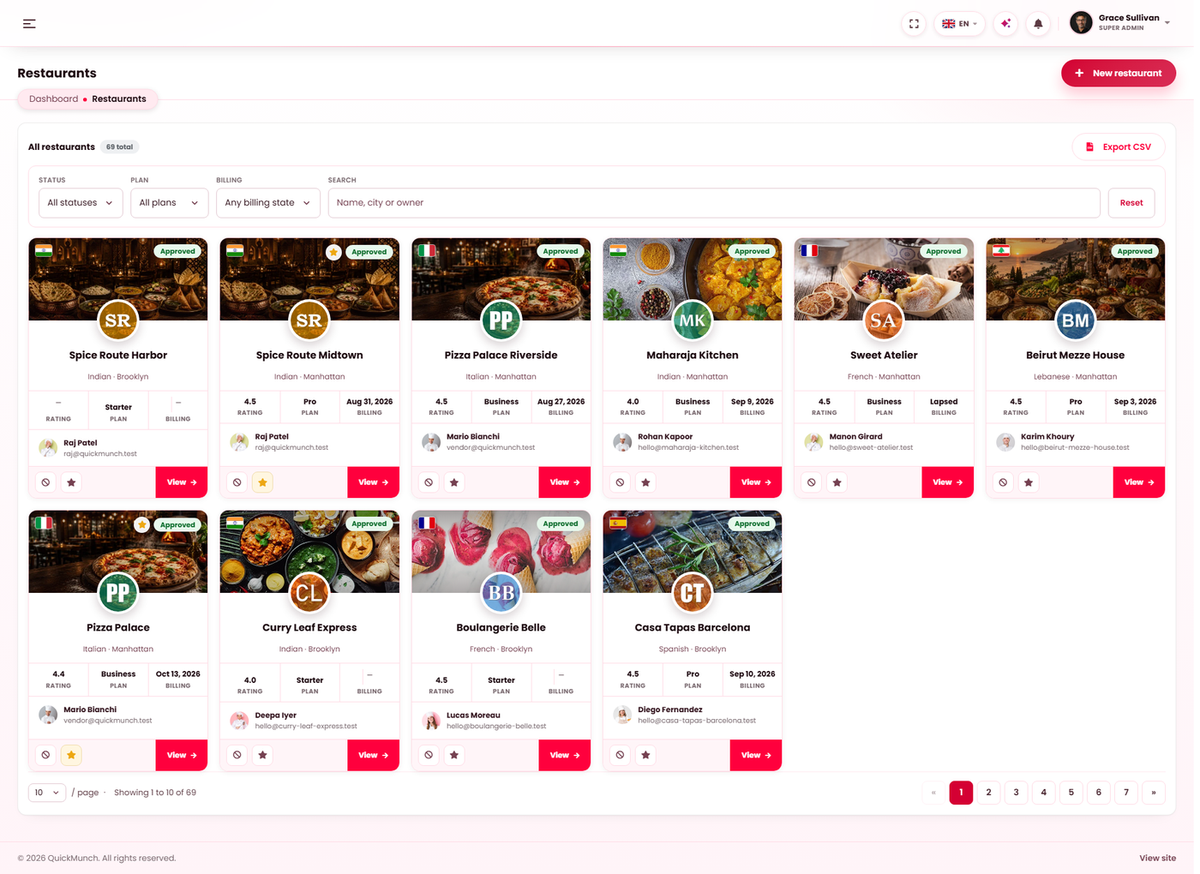
The three states
| Status | What it means |
|---|---|
| Pending | Applied but not yet let in. Nothing of theirs is public and they cannot take orders. |
| Approved | Live. They appear on the storefront and can trade. |
| Suspended | Switched off by you. They keep their account and their data; customers cannot order from them. |
Deleting a restaurant
A restaurant's detail page carries Delete restaurant in its header, beside Approve / Suspend. It opens a dialog that asks for your own password, then removes the venue and everything it owns — menu, orders, reservations, reviews, stock and till data, media, subscriptions and invoices — after cancelling any live billing agreement at the gateway, and it asks for your own password first. Staff logins are archived (Users → Archived); the owner's account stays, because accounts are decided under Users. It cannot be undone, so prefer Suspend for anything you might reverse.
Approving a new restaurant
How one arrives depends on your business model. In a marketplace or franchise, restaurants apply through your partner page and land here as Pending. In My own restaurants, you add them yourself and there is nobody to approve.
- Open the application and check the basics: real business, address that exists, contact details that answer.
- Set the plan they will be on — see Plans. This decides their commission and their limits.
- Approve. They can now sign in, build their menu and trade.
Rejecting asks for a reason, which they receive — so an applicant can correct something and come back rather than guess what was wrong.
What you can change on a restaurant
You can edit anything the restaurant can, which matters more than it sounds: most support requests are quicker to fix than to explain. Their plan, commission rate, tax rate, delivery radius, opening hours and payout details are all here.
When it doesn't work
An approved restaurant is not on the storefront
Approval is one of several conditions. They also need at least one published dish, opening hours, and a position on the map if customers browse by distance.
They cannot take orders although they are approved
Check whether they have paused orders themselves, whether their opening hours cover now, and — if they are on a paid plan — whether their subscription is still active. See Subscriptions.