Cash drawer
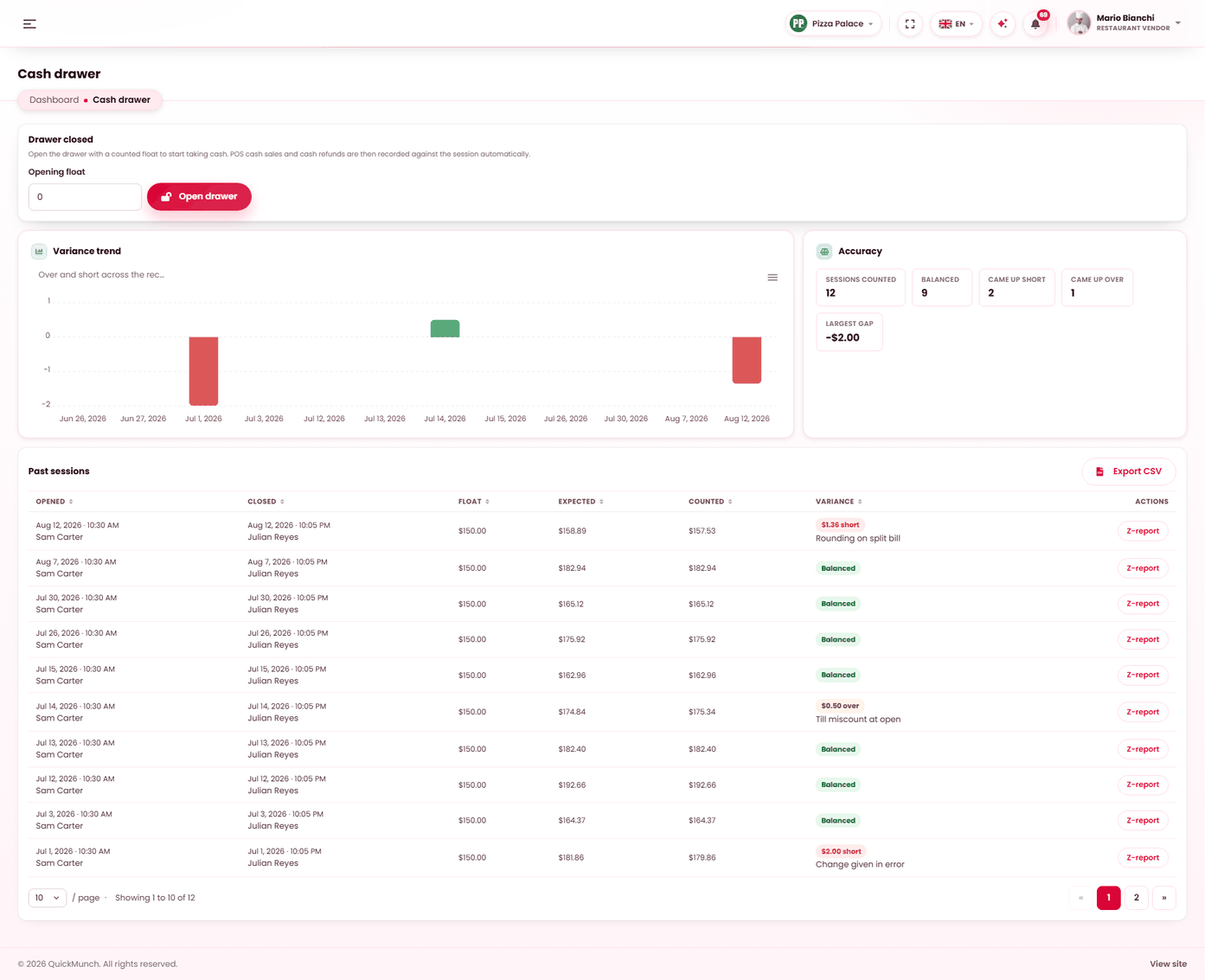
Opening a drawer with a float, recording what moves in and out, and a cash-up that is deliberately blind.
Restaurant → Cash drawer
Opening float, takings and the variance at close.
A session, start to finish
- Open drawer with a counted opening float.
- Trade. Cash sales and cash refunds are recorded automatically from the till.
- Record anything else by hand — pay-ins, pay-outs, safe drops.
- Count the drawer and close against that count.
- The Z-report is produced and kept.
Only one session can be open at a time, and cash sales cannot be recorded without one — the till says Drawer closed and means it.
The cash-up is blind, on purpose
While a session is open and uncounted, the screen does not show expected cash — and does not show the float, cash sales, pay-ins, pay-outs, safe drops or cash refunds either, because those could be added up to reach the same number.
You declare what is physically in the drawer. Only then is expected cash — and the variance — revealed, followed by a confirmation that seals the session.
The five movement types
| Type | Recorded when |
|---|---|
| Cash sale | Automatic, from the till. |
| Refund | Automatic, when cash goes back. |
| Pay in | Cash added — change from the bank. |
| Pay out | Cash removed — a supplier paid in cash. |
| Safe drop | Excess banked mid-session. |
Safe drops are the one people forget. Without them a busy till holds more cash than it should, and the count at close is larger and slower.
Every manual movement takes a note — "change from the bank", "supplier paid in cash" — and every movement carries who recorded it and when.
Closing, and the variance
Enter the counted cash. The screen then shows expected, counted and the difference: over, short, or balanced to the cent.
A variance requires a reason before the session can close. The reasons are yours — see Reasons. That is what turns a variance from a number nobody explains into something you can count by cause.
The Z-report
Every closed session keeps one, and it carries more than the cash:
- Cash summary — float, sales, pay-ins, pay-outs, drops, refunds, expected, counted, variance.
- Paid orders by tender during the session, so card and wallet takings are reconcilable too.
- Orders placed, discounted orders and discounts given.
- Every movement, with who recorded it.
An open session has a live version of the same report, minus the cash figures it is withholding.
When it doesn't work
"A drawer session is already open"
One at a time. Close the current one first.
Cash payment is not offered at the till
No drawer is open.
I cannot close the drawer
There is a variance and no reason has been chosen, or the counted amount is negative.
The drawer is short every night
That is the pattern this screen exists to surface. Look at the variance reasons across sessions on Operations reports before assuming a cause.
Cash sales are missing from the session
They were taken while no drawer was open, or on a device with no drawer — see Devices.