Calendar
Scheduled, published and missed campaigns on one calendar, the drafts beside it, and every move a planned campaign can make.
Restaurant → Quick Social → Calendar
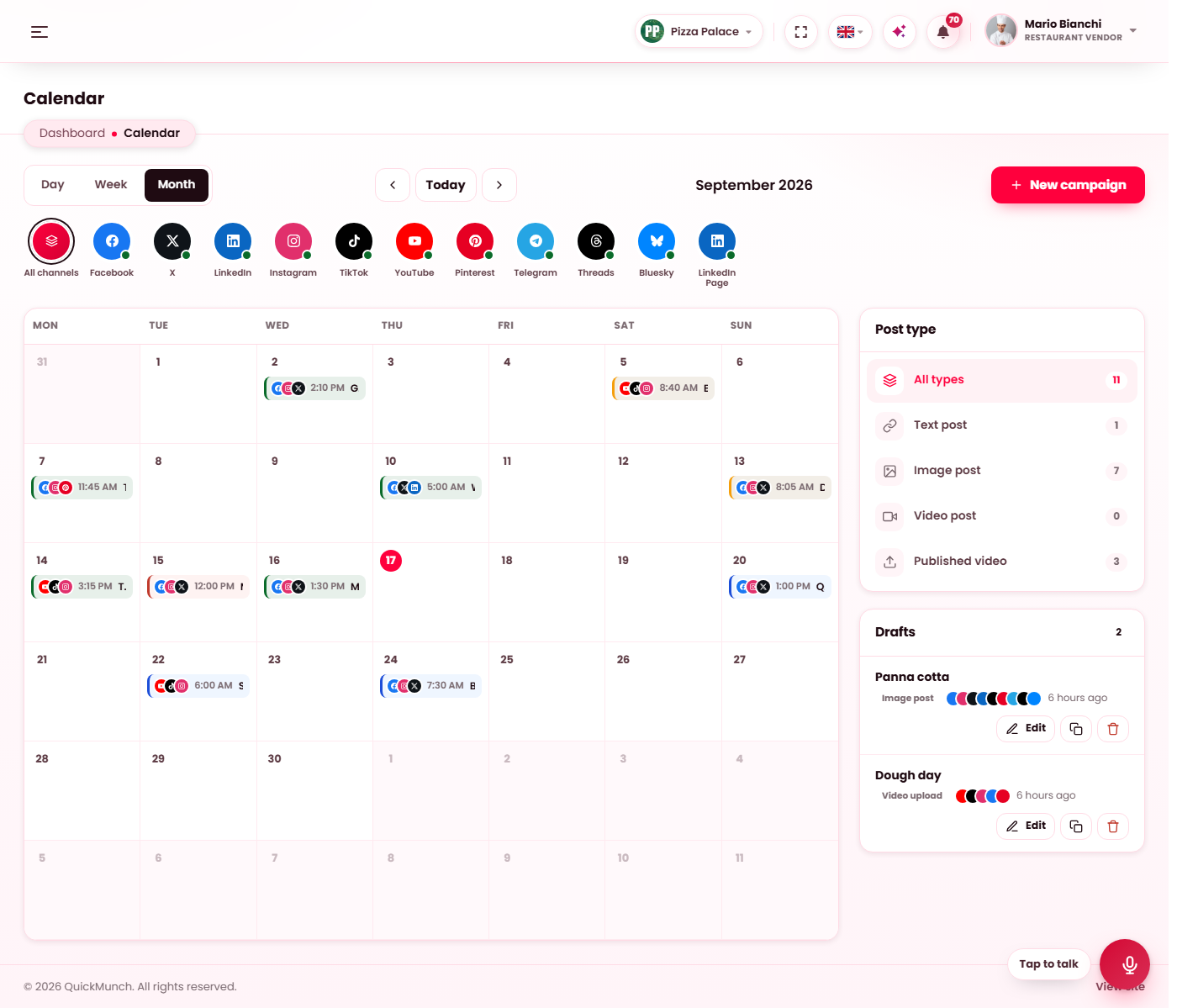
The month: planned campaigns at their scheduled time, sent ones at the time they went out, the drafts on the right.
The views
Day, Week and Month, with Today and the arrows to move. Planned campaigns sit at their scheduled time, sent ones at the time they went out, and a missed one at the time it should have gone. Each entry carries the channels it goes to and its post type.
The channel strip above the calendar narrows it to one channel; the Post type panel on the right counts and narrows by type — text, image and video posts, and published videos.
Moving a campaign
Drag a planned campaign to another day to reschedule it. Click any campaign for its actions:
| Action | What it does |
|---|---|
| Edit | Opens the campaign in its composer. |
| Publish now | Sends a planned campaign right away, on its own row; a second click while it runs changes nothing. |
| Back to draft | Takes a scheduled or missed campaign off the calendar; it stays as a draft. |
| Duplicate | A new draft with the same fields, ready to edit. |
| Delete | Removes a draft or a planned campaign. Runs that went out stay in the log. |
A time is always read in the branch's own time zone, and a schedule in the past is refused.
Drafts
The list on the right holds every draft, with Edit, Duplicate and Delete. New campaign opens a blank composer.
Missed campaigns
The scheduler sends a campaign at its time, or shortly after when a tick was late (the run says "sent late"). A campaign found more than a day past its time is not sent late — a lunch offer posted the next evening is worse than no post. It is marked Missed, the owner is told, and you decide from here: reschedule it, publish it now or take it back to draft.
When it doesn't work
Scheduled campaigns never go out
The scheduler is not running. See Scheduled tasks; the Social posts due job is the one that sends them.
The times look shifted
The calendar draws times in your browser's time zone; the campaign keeps the zone it was scheduled in. Both are shown on the entry.