Campaign log
Every publish run of a social campaign, channel by channel, with the errors and the retries.
Restaurant → Quick Social → Campaign log
The runs, newest first; one opened to show each channel's answer.
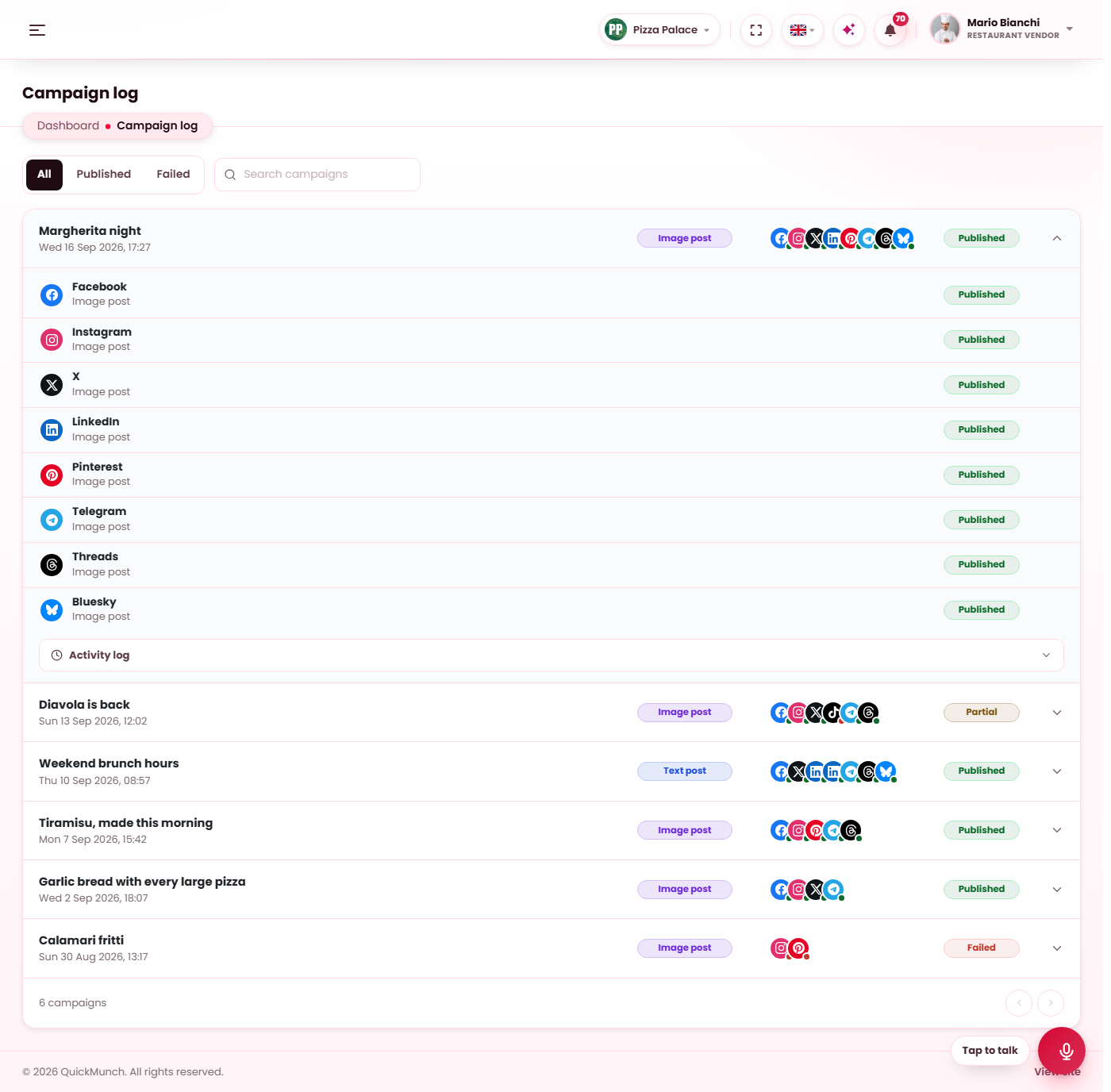
The runs
Every publish run of a social campaign, newest first, with the channels it went to and how many were sent and how many failed. The tabs filter by All, Published and Failed; the search box matches titles. A run that is still publishing refreshes on its own until it has finished.
Open a run for each channel's answer: the post's link (View) for a success, the error the channel returned for a failure, and Try again, which sends that channel again with exactly what the campaign carried and records the attempt on the same run. The activity list under the channels says what happened step by step — sent late, tried again, missed.
Video uploads have their own Video log.
What the statuses mean
| Status | Meaning |
|---|---|
| Published | Every selected channel accepted the post. |
| Partly published | Some channels accepted it, some refused. Open the run for the reasons. |
| Failed | No channel accepted it. |
| Publishing | The run is on its way; the row updates as the channels answer. |
A channel that failed for a passing reason — an outage, a rate limit — is tried again after 5, 15 and 45 minutes without anybody pressing anything. A channel that refused the sign-in is marked on the Channels page as well, and the owner is told once.
When it doesn't work
Try again is not offered on a channel
The run is being published right now, or the campaign no longer carries that post type. Wait for the run to finish, or send the campaign again from its record page.
A run stayed on Publishing
The process that sent it was interrupted. The scheduler closes such a run after a while with what the channels recorded; see Scheduled tasks.