Video studio
Trim, reframe, restyle and caption a library video, rendered on your own server with FFmpeg.
Restaurant → Quick Social → Video studio
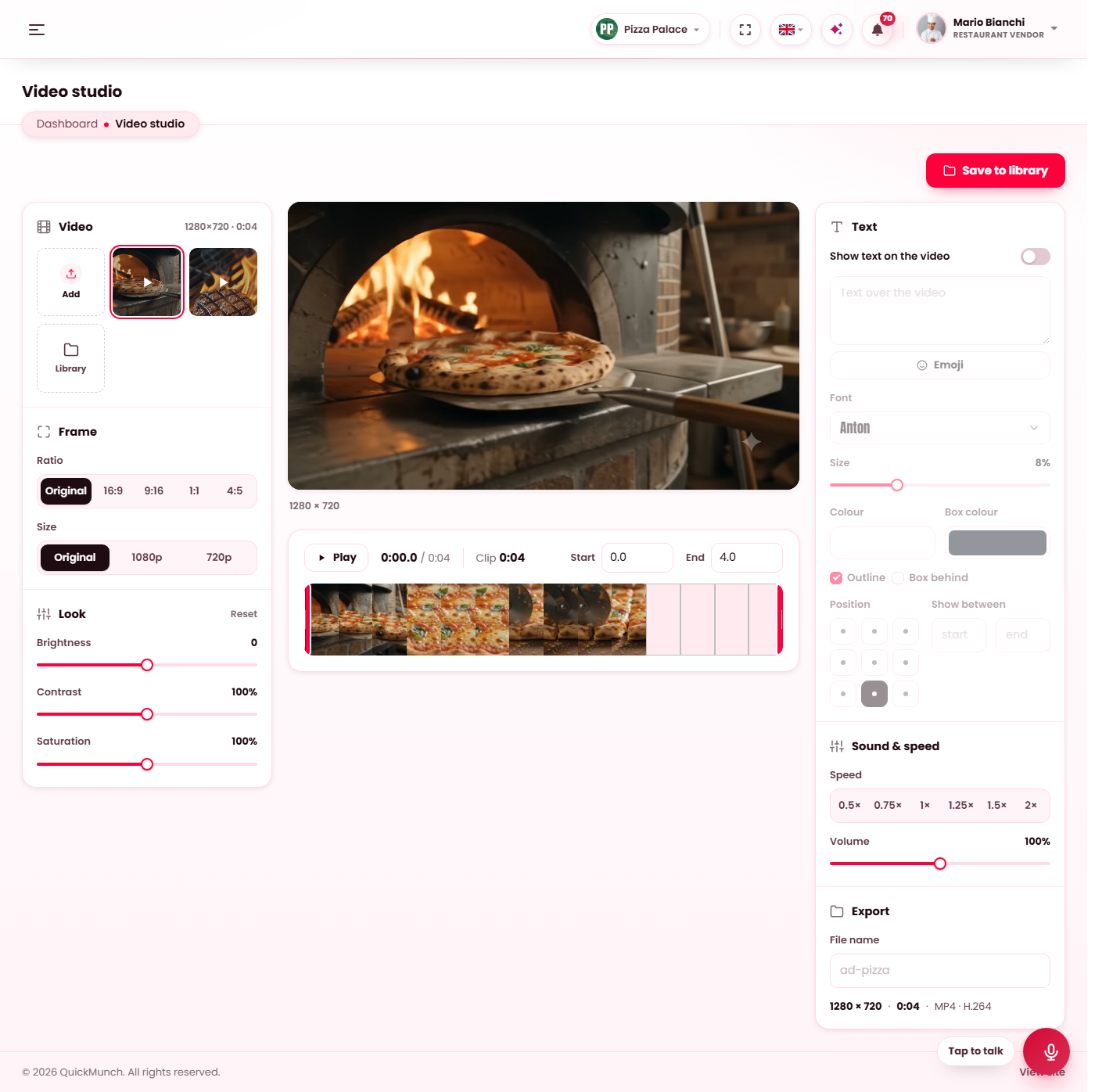
The studio: the video and the frame on the left, the player and the clip range in the middle, the text on the right.
The video
Pick a video from the strip (the newest in your Media library), Add one from this computer, or open the Library. The studio opens on the newest video when nothing was chosen.
Frame, look, clip
| Panel | Controls |
|---|---|
| Frame | Ratio — Original, 16:9, 9:16, 1:1, 4:5; Size — Original, 1080p, 720p. A ratio other than the original crops from the centre. |
| Look | Brightness, Contrast, Saturation, and Reset. |
| Clip | Play, and the Start and End of the cut, on the strip of frames under the player. |
| Sound & speed | Volume, and the playback Speed. |
Text on the video
Show text on the video adds a caption: the text with an emoji picker, the Font (the bundled fonts), Size, Colour, Box colour, Outline or Box behind, the Position on a nine-cell grid, and Show between two seconds of the clip so a line appears and disappears.
Rendering
Save to library renders the edit on the server with FFmpeg — progress is shown as it goes — and the finished file lands in your Media library, ready to publish: the answer offers Create video with it picked, or the library. A render is at most ten minutes long, and a video larger than 1080p needs a size picked under Frame.
FFMPEG_PATH= in .env. Without it
the studio says so and offers no render. The Image studio does not need it.When it doesn't work
The page says FFmpeg is not installed
Install FFmpeg on the server (most hosts offer it, or apt install ffmpeg), or point
the setting above at the binary.
A render fails part-way
The error shown is FFmpeg's own last line. The usual causes are a file the server cannot read, a clip longer than the cap, or PHP's execution time limit on a very long render.