Create video
Native video publishing: YouTube, TikTok, Instagram Reels, Facebook Reels and Pinterest video pins, each with its own settings.
Restaurant → Quick Social → Create video
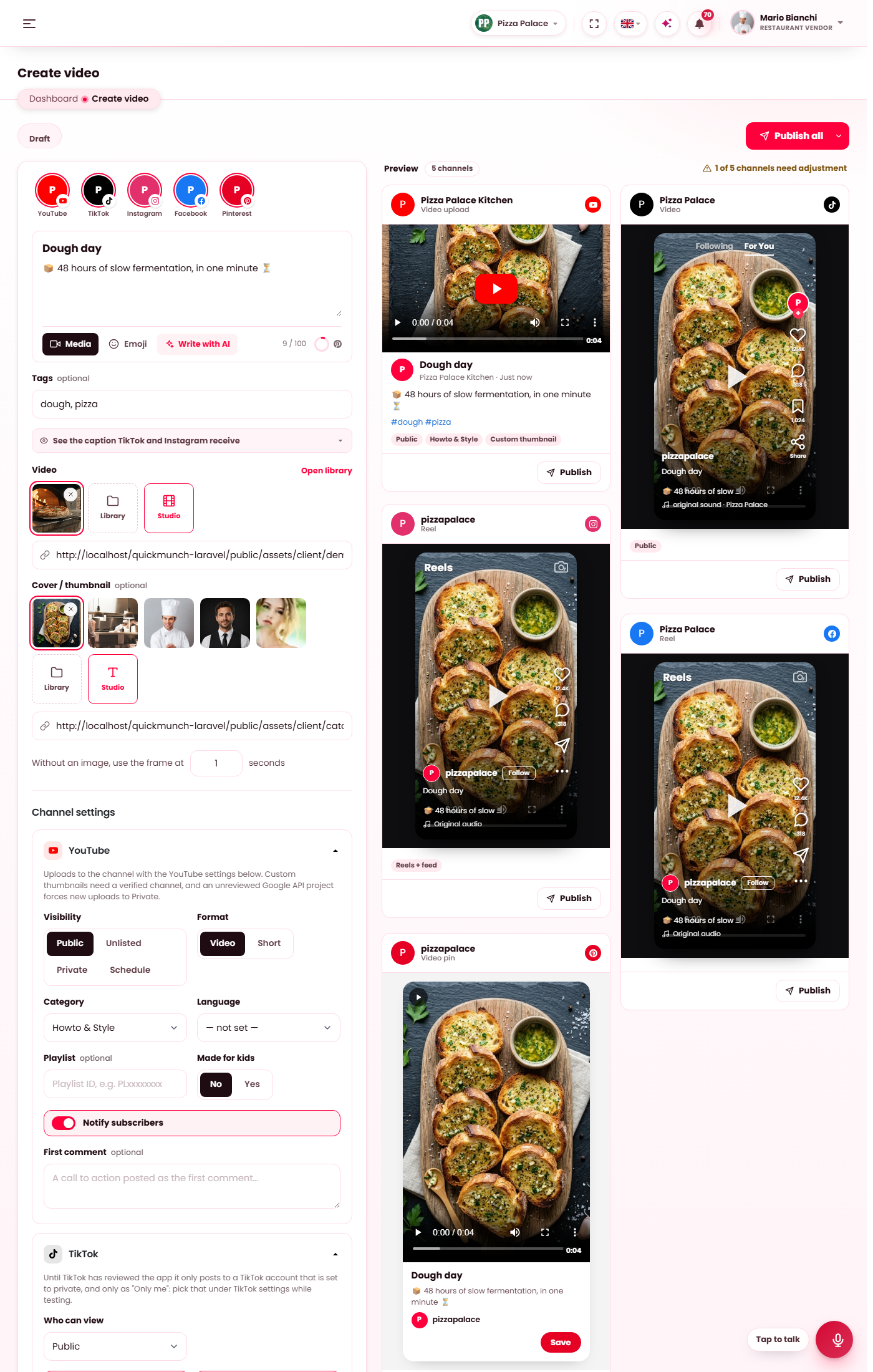
The video composer: the video and its cover, the title, description and tags, and each platform's own settings.
The video
Drop a file in, pick one from your Media library, or paste a hosted address. Add a cover: a picture from the library, one made in the Image studio, or a frame of the video by its second. A video cut in the Video studio lands in the library and can be picked here straight away.
Title, description, tags
The shared fields every platform receives. Write with AI drafts all three from a brief. As on the campaign composer, a card's Edit gives one platform its own title, description and tags.
Each platform's settings
| Platform | Settings |
|---|---|
| YouTube | Visibility (public, unlisted, private), Short or video, category, language, made for kids, notify subscribers. |
| TikTok | Who can view, comments, duet, stitch. Until TikTok has approved the platform's app, a post is visible only to the account. |
| Reels, with the option to show the reel on the profile feed. Instagram fetches the file from your site, which must be reachable from the internet. | |
| Reels on the Page. | |
| The board and the destination link of the video pin. |
Draft, schedule, publish
The same three controls as the campaign composer: Save draft, Schedule and Publish all. Uploads run on the server after the page answers, and the results card fills in per platform. Each upload counts against the branch's monthly allowance when the operator set one.
Sent videos are listed under All videos, their runs under the Video log, and planned ones on the Calendar.
When it doesn't work
YouTube refuses the upload
The Google sign-in has expired or the platform's app has not been verified for the upload scope yet. Sign in again under Channels; the operator checks the app under Settings → Tools.
The upload is very slow or times out
Large files are sent from your server to the network; the server's upload limits and its connection decide the pace. Cut the video shorter in the Video studio, or pick a smaller size.