Sponsored ads
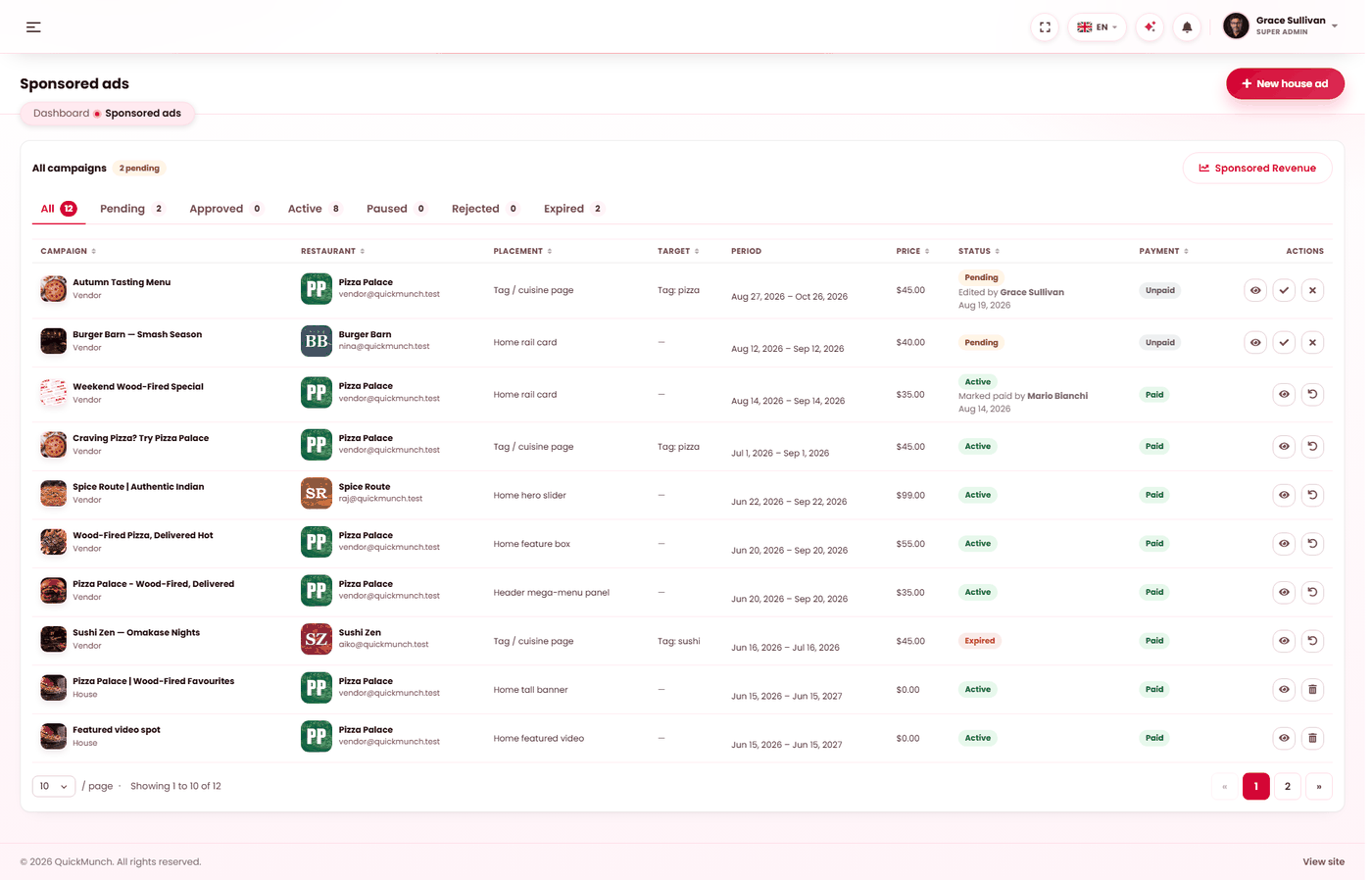
Sell promoted positions on your storefront, and run your own promotions in the same slots.
Admin → Sponsored ads
What each placement costs per day, per slot.
What you are selling
Seven positions on your storefront can be sold to restaurants, each priced per month. A restaurant buys a slot for a period; while it runs, their ad appears there.
| Placement | Where it appears |
|---|---|
| Hero slider | The main rotating banner on the home page — the most prominent slot you have. |
| Feature box | A highlighted box on the home page. |
| Tall banner | A full-height banner on the home page. |
| Rail card | A card in the home page's side rail. |
| Featured video | A video slot on the home page. |
| Tag / cuisine page | On category pages — buyers looking for pizza see the pizza place that paid for it. |
| Mega-menu panel | Inside the header's dropdown. |
Set the monthly price of each under Settings → The sponsored ads screen. Leave a price empty and that slot is simply not for sale.
Two kinds of ad
| Kind | Who creates it | What happens |
|---|---|---|
| Vendor ad | A restaurant, from their own dashboard. | Arrives here for your decision. You approve or reject it, and record payment. |
| House ad | You. | Published straight away, assigned to a restaurant of your choosing. No approval, no charge. |
House ads are how you fill slots nobody has bought, promote a new restaurant as a favour, or run a seasonal campaign of your own — an empty hero slot looks worse than a promoted restaurant.
Approving a vendor ad
- Open the campaign and check the creative — this is your storefront, and whatever you approve represents you.
- Approve or Reject. A rejection asks for a reason, which the restaurant sees, so they can fix it and resubmit rather than guess.
- Record payment when it arrives, and the campaign runs for its period.
When it doesn't work
Restaurants cannot see the option to advertise
Either sponsored placement is off at Admin → Settings → Services, or every placement is still unpriced — set a monthly price against each slot at Admin → Settings → Sponsored ads. A slot with no price is not offered for sale.
Sponsored ads is not in my menu
The My own restaurants model has no third party to sell placement to. Your venues are already yours to promote — use house ads' equivalent on the storefront instead. See Choosing a business model.
An approved ad is not showing
Check its period has started and not ended, and that it was marked paid if you require payment before running.