AI assistant
Ask questions about your own restaurant in plain language, and get answers read from your own records.
Restaurant → AI assistant
Ask it about your own data — takings, quiet hours, what is selling. The suggestions underneath are starting points.
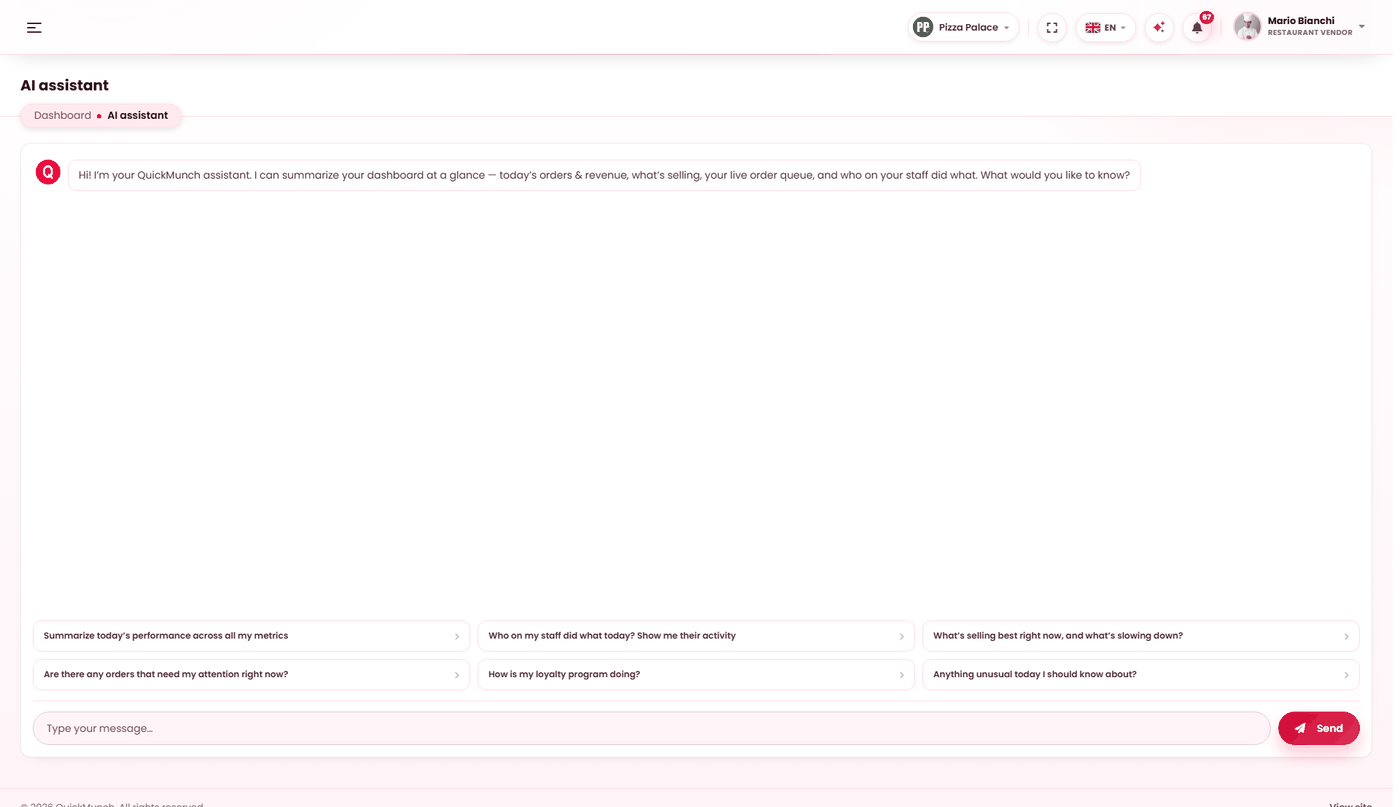
What it can answer
It reads your restaurant's own data — orders, menu, staff activity, loyalty, stock — and answers in plain language. It is a faster route to a question than knowing which report to open. The starter suggestions show the shape of what works:
- Summarise today's performance across all my metrics.
- Who on my staff did what today?
- What is selling best right now, and what is slowing down?
- Are there any orders that need my attention right now?
- How is my loyalty programme doing?
- Anything unusual today I should know about?
"Anything unusual" is the one worth using habitually. It is the question you would not have thought to ask, which is exactly the kind a report cannot answer.
Talking instead of typing
The Tap to talk button in the footer bar of every dashboard page is the same assistant, spoken to. Tap it, ask, and the answer is read aloud; tap again while it listens to send, or while it speaks to stop it. The browser asks for the microphone the first time.
| Say | What happens |
|---|---|
| "How did today go?" | Answered from your live figures, in a sentence or three. |
| "Open the orders page", "take me to reservations" | The page from your sidebar opens, by its name — no model involved. |
| "Open order 1042" | That order's page opens. |
| "Mute" / "talk to me again" | Spoken replies off or on; the transcript keeps working. |
The panel that opens above the button shows the transcript and takes typed questions too. Your platform decides which voice reads (Settings → AI), or whether the button is voice-only. Listening uses the browser's own speech recognition, so it needs a browser that has it — Chrome, Edge and Safari do; where it is missing the button says so and the typed panel still works.
What it cannot do
It reads; it does not act. It will not refund an order, change a price, confirm a booking or message a customer. Every change still happens on the screen that owns it — which is deliberate, because an assistant that could act on a misread question would be a liability.
Switching it on
Two switches, both belonging to your platform operator, not to you:
| Switch | Effect when off |
|---|---|
| AI enabled on the platform | The assistant is unavailable to everybody. |
| Available to restaurants | The platform uses AI but has not opened it to venues. |
Either being off is stated on the screen rather than left to guess at. If you want it and cannot have it, that is a conversation with your platform.
When it doesn't work
"Assistant is turned off"
Both switches belong to your platform operator, at Admin → Settings → AI — one enables AI at all, the other opens it to restaurants. Ask them to check both; neither can be changed from a restaurant account.
"Could not reach the AI provider"
A network problem between your platform's server and the provider. Try again shortly; if it persists it is a platform-side setting.
"The AI provider rejected the request"
The platform's credentials or quota. Tell your operator — the message is exact enough for them to act on.
The answer is about the wrong branch
It answers for the branch you are currently in. Check the switcher — see Branches.