Roles & permissions
Bundles of privileges you hand to people, so nobody has more access than their job needs.
Admin → Roles & permissions
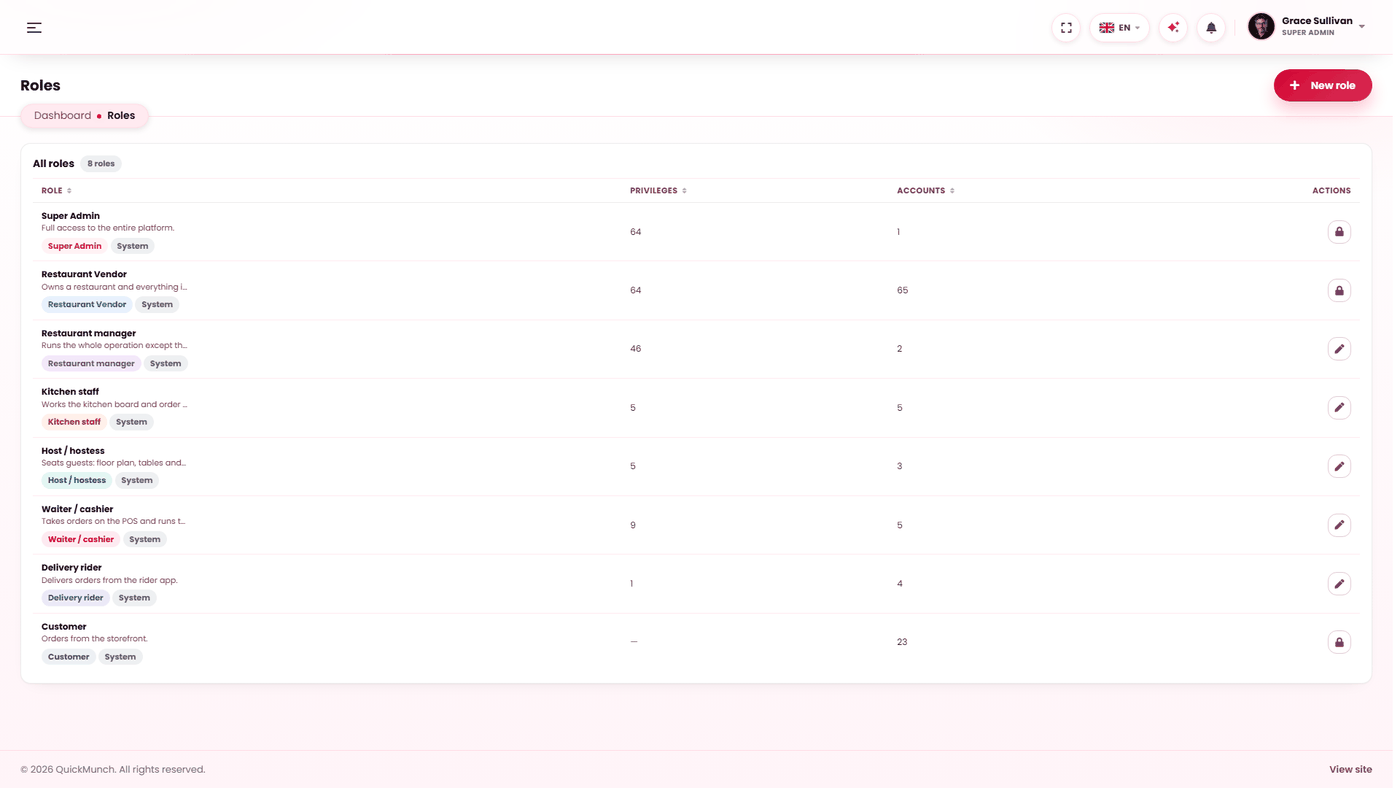
The shipped roles and any you add, with how many people hold each.
The three words
| Term | Meaning |
|---|---|
| User | A person with a login. |
| Role | A named bundle of privileges. A user holds one. |
| Privilege | One thing somebody may do — refund an order, edit settings, approve a restaurant. |
So a privilege is a single ability, a role collects many, and a user is given a role. You almost never assign privileges to a person directly.
Built-in and custom roles
Some roles are marked Built in. They are part of how the product works and cannot be deleted — you would otherwise be able to remove the role that administers the platform and lock yourself out. You can still create as many of your own as you need.
Privileges marked Sensitive are the ones that move money, change settings or expose customer data. Grant those deliberately rather than by ticking everything.
Building a role
- Start from what the job actually requires, not from a full list with things removed.
- Name it after the job — Support, Accounts — rather than after a person.
- Save, then assign it under Users.
Roles are not the only gate
A screen has to exist before a privilege can grant it. If a feature is switched off in Settings → Services, nobody sees it whatever their role — and in My own restaurants, screens like Plans and Payouts do not exist for anybody. See Choosing a business model.
When it doesn't work
I granted a privilege and they still cannot see the screen
Have them sign out and back in first. If it is still hidden, the feature itself is off at Admin → Settings → Services — a privilege cannot reveal a screen that does not exist.
I cannot delete a role
Either it is built in, or accounts still hold it. Move those people to another role first — the screen shows how many hold each.