Blog
Posts, categories and tags — plus the scheduling mechanism that decides whether a dated post ever goes live.
Admin → Blog
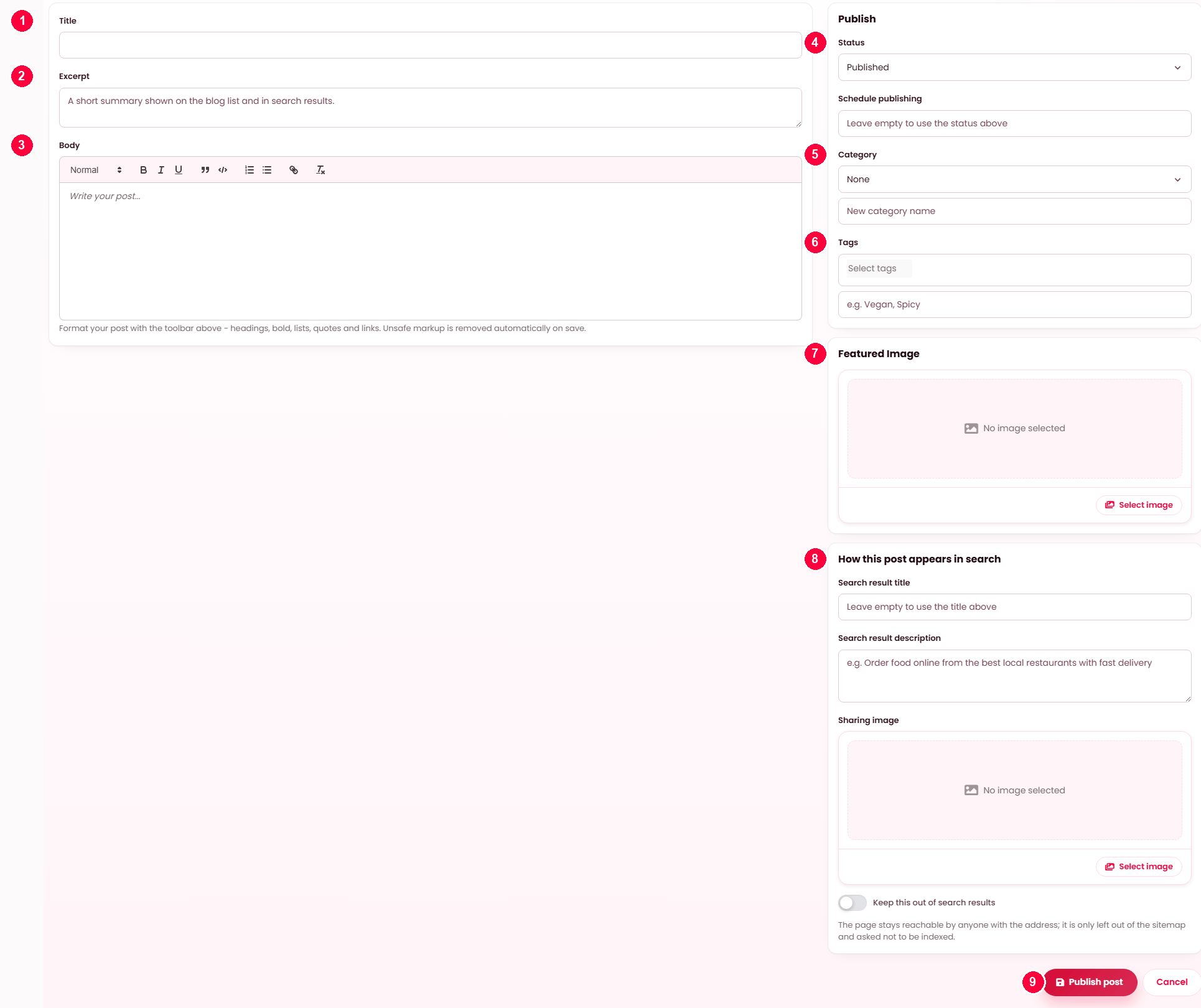
Write a post
- Title.
- Excerpt — the summary on the blog list and in search results.
- Body — the editor's toolbar does headings, bold, lists, quotes and links. Unsafe markup is stripped on save.
- Status — Published or Draft, or a schedule date to publish it later on its own.
- Category — pick one, or type a new category name to create it here.
- Tags — pick existing ones, or type new ones separated by commas.
- Featured image — the picture on the list and at the top of the post.
- How this post appears in search — its own title, description and sharing image, and a switch to keep it out of search entirely.
- Publish post.
Categories and tags
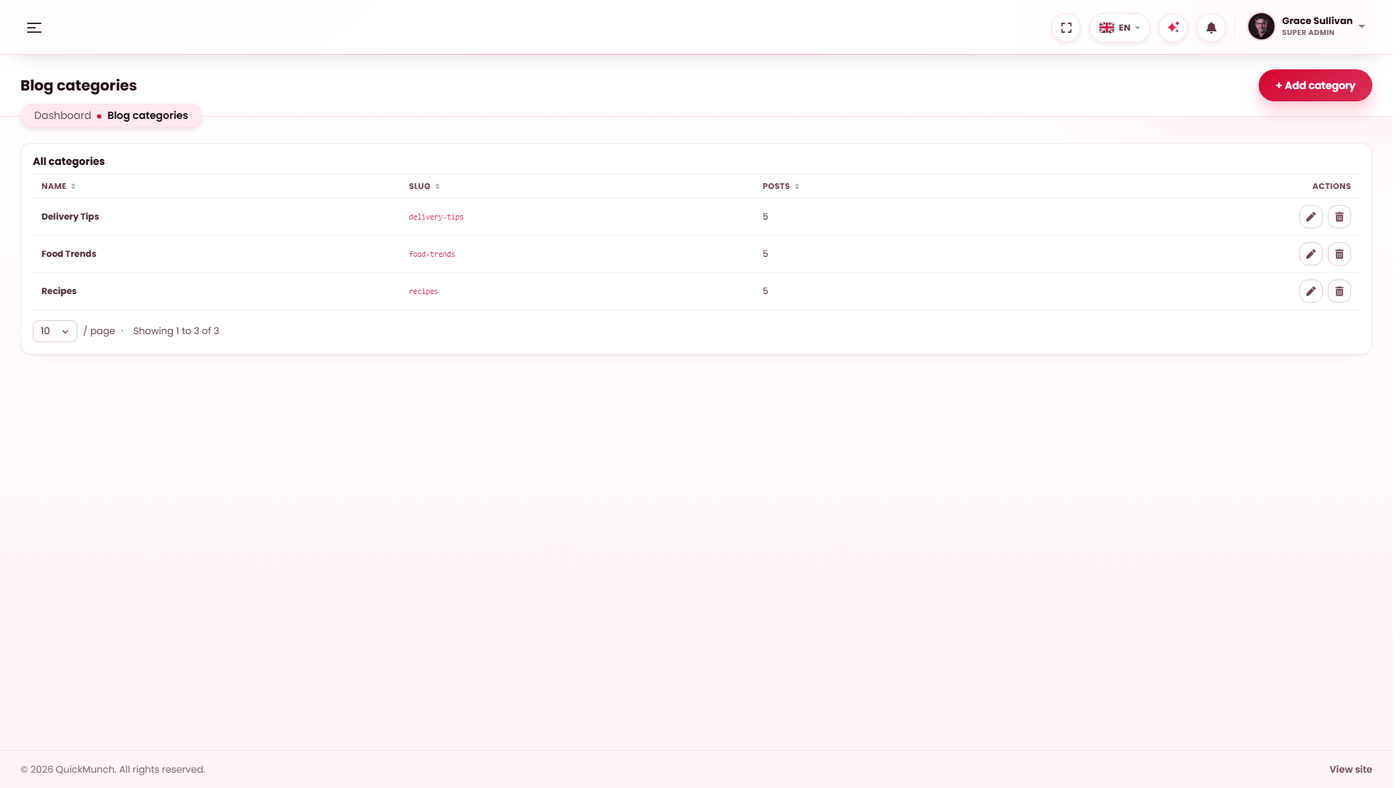
Categories
Tags
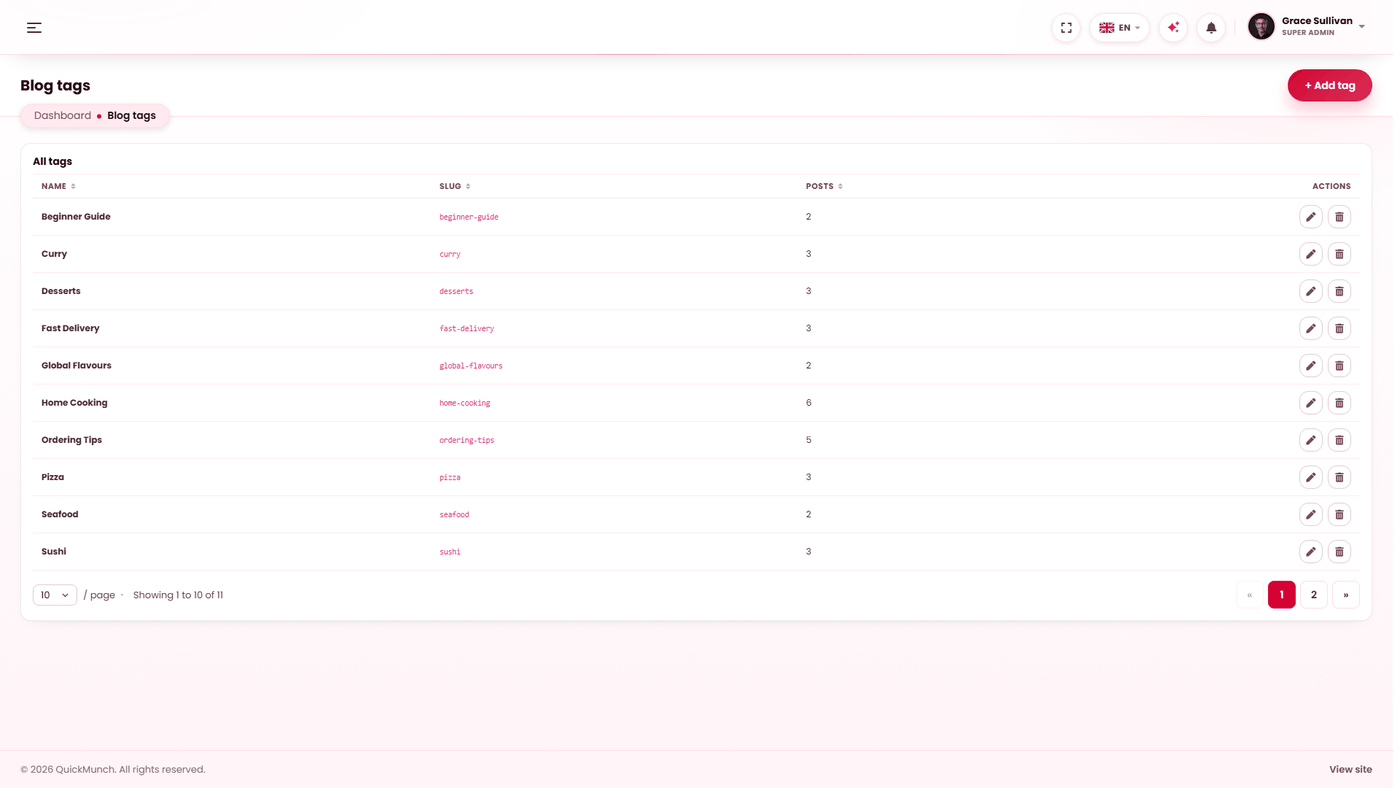
Both have their own screen for renaming and deleting; a category can also be created straight from the post form, as above.
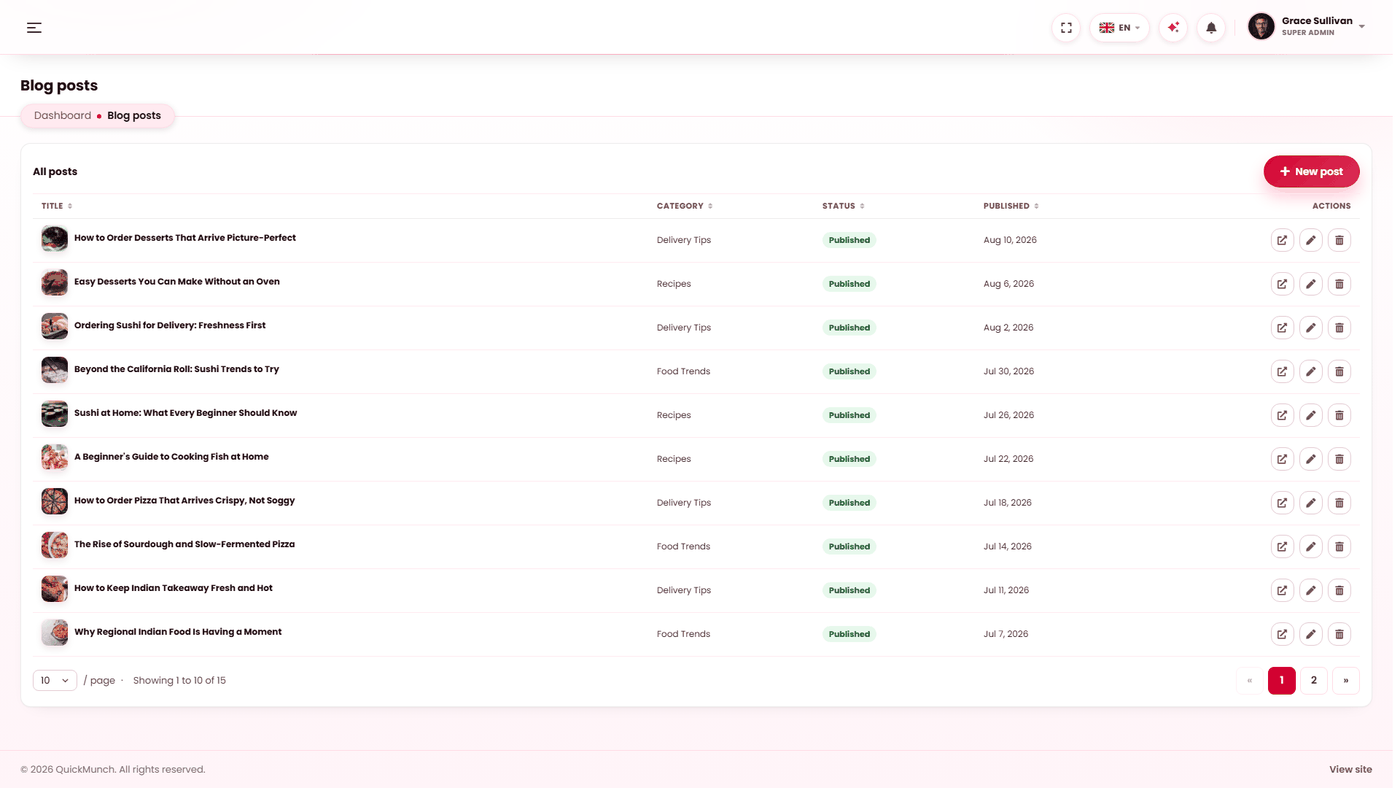
Your posts, their category and status.
Why a marketplace blogs at all
Two reasons that survive contact with reality: new restaurant announcements give you something to send customers, and posts are the pages search engines can rank you for when nobody is searching your platform's name yet.
Three screens
| Screen | Holds |
|---|---|
| Blog | The posts themselves. |
| Categories | A post has one category. Broad sections — Announcements, Guides. |
| Tags | A post has many tags. Fine-grained — a cuisine, a city, a theme. |
You do not have to visit the other two screens to use them. The post editor creates both on the fly, described below.
Writing a post
| Field | Notes |
|---|---|
| Title | Required. The web address is generated from it on first save and kept unique, then never changes. |
| Category | Pick one from the dropdown, or type a new name in the box beneath it. A typed name always wins over the dropdown and creates the category. |
| Tags | Pick any number, and type new ones comma-separated below. Typed tags are added to what you picked, not instead of it. |
| Excerpt | The summary shown in listings. Worth writing — the alternative is a truncated first paragraph. |
| Wording | The rich-text body. Pasted markup is cleaned on save. |
| Featured image | Chosen from the media library. |
| Status | Published or Draft — but see scheduling below, which overrides it. |
| How this post appears in search | Search result title, description, sharing image, and Keep this out of search results. Saved with the post — see SEO. |
The author is recorded as whoever saved it, and published is stamped the first time the post actually goes live — not when it was written, and not again if you republish.
Scheduling, and the one thing that breaks it
Setting a publish date turns the post into a draft carrying an alarm clock. It is deliberately not "published with a future date": drafts are invisible to visitors, which is the only safe way to hold a post that is not due yet. Clearing the date drops it back to whatever the status dropdown says.
A scheduled post goes live when the Publish scheduled posts task runs — see Scheduled tasks. The list shows a Due to publish state and warns you on screen if that task is switched off.
Deleting
Deleting removes the post and its tag assignments. Its comments go with it — a comment on a post that no longer exists has nowhere to appear. If you only want it off the site, set it back to Draft instead: reversible, and the address stays reserved.
When it doesn't work
A scheduled post never published
The Publish scheduled posts task is not running. Switch it on at Admin → System → Scheduled tasks and the backlog goes out on the next run — each post is stamped with the moment it really went live, not the moment it was due.
A new category or tag did not appear
Check you typed it in the box beneath the picker rather than searching the picker itself. The typed field is what creates one.
The post is published but not in search results
Check Keep this out of search results is not ticked, then give it time — saving a post rewrites your sitemap, but indexing is the search engine's schedule, not yours.