Loyalty & perks
How points look from the customer's side — earned automatically, held per restaurant, claimed at checkout.
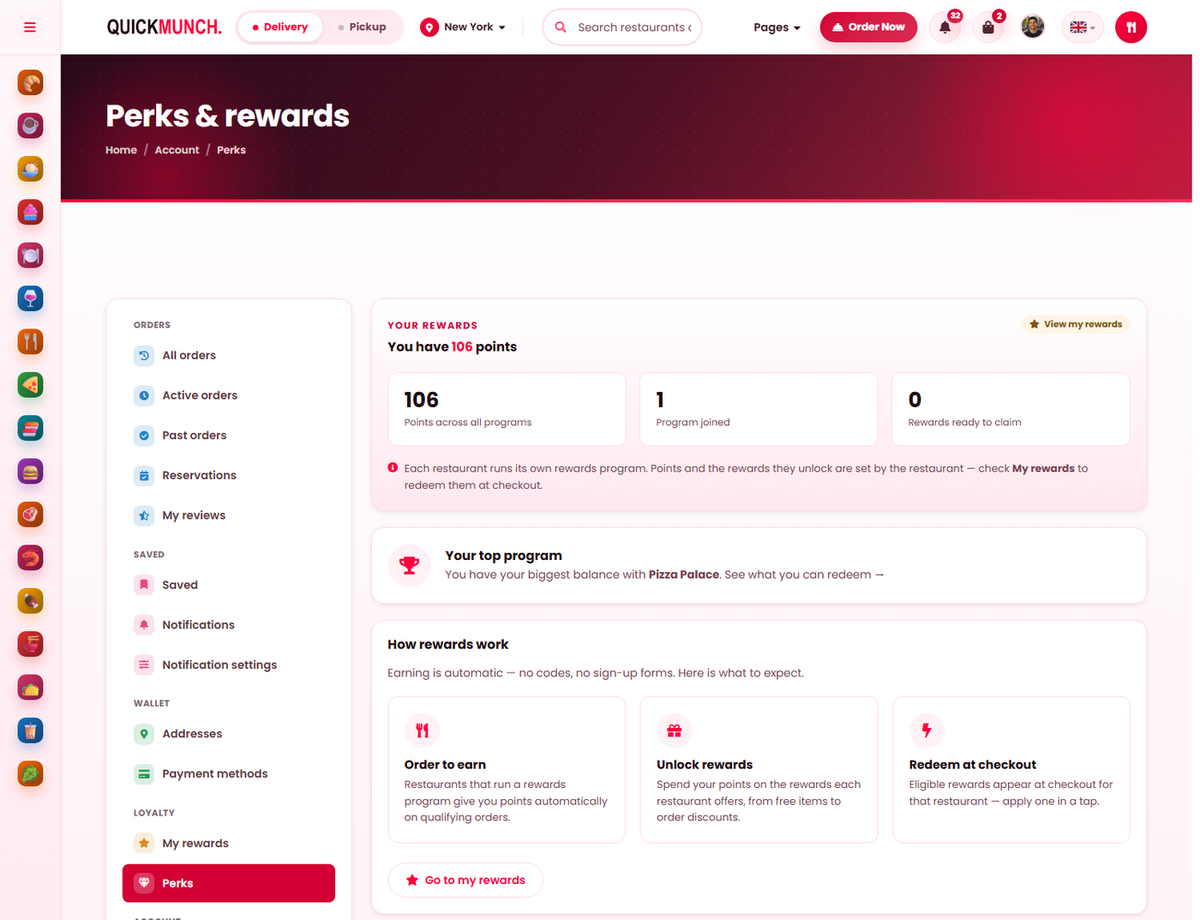
Storefront → Perks & rewards
Perks & rewards
- Points across all programs, the number of programs joined, and how many rewards are ready to claim.
- Your top program — where the biggest balance sits.
- How rewards work — earn on qualifying orders, unlock offers, redeem at checkout.
Each restaurant runs its own programme, so points are never pooled between them.
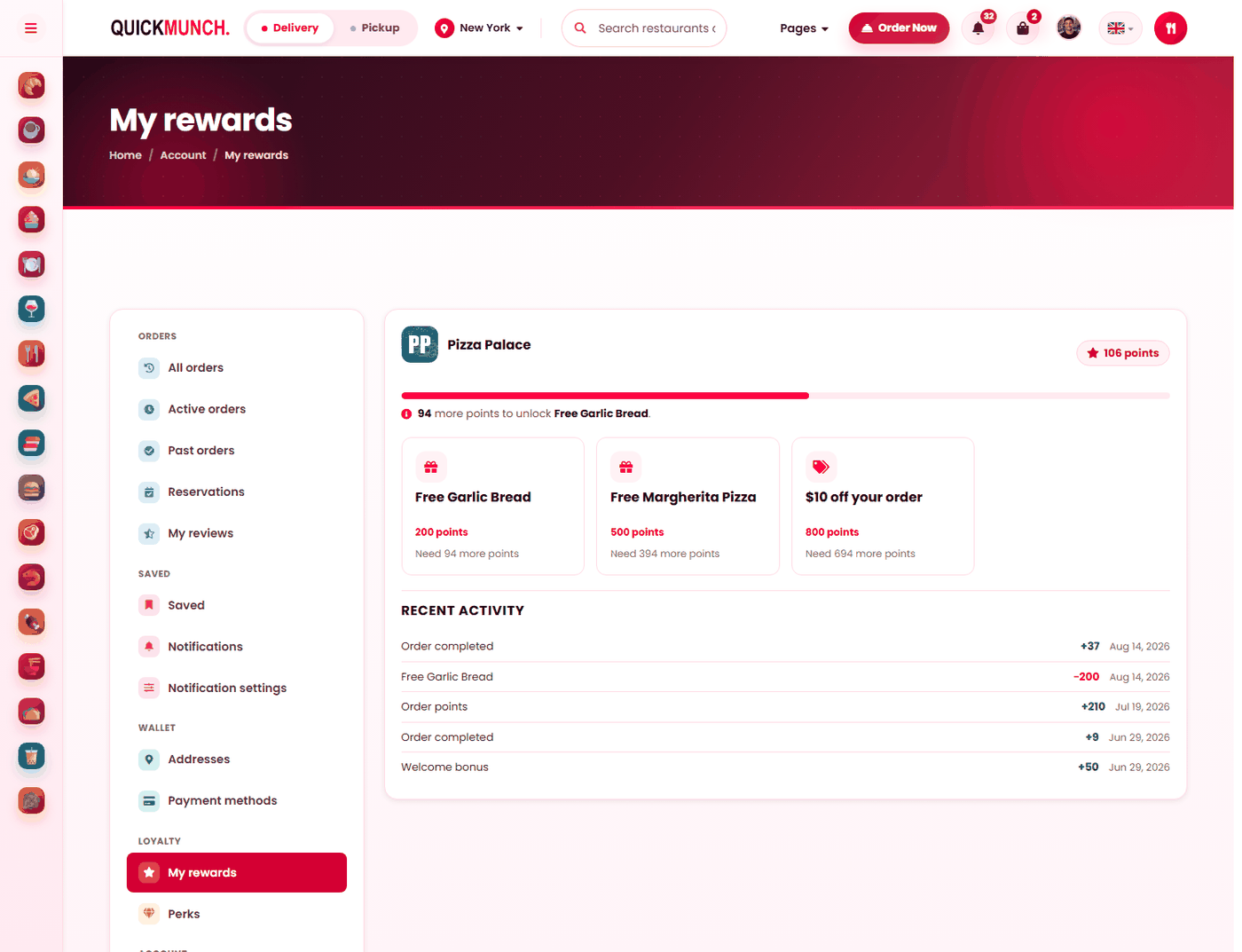
One restaurant’s rewards
- A progress bar to the next reward, with how many points remain.
- Reward cards — what each costs in points.
- Recent activity — every point earned or spent, and why.
Three steps, and no forms
- Order to earn. Points are added automatically — no codes, no sign-up, no card to carry.
- Unlock rewards. A balance passes a threshold and a reward becomes claimable.
- Redeem at checkout. Eligible rewards appear for that restaurant and are applied in a tap.
That is the whole thing, and its simplicity is the point: a programme a customer has to think about is a programme they do not join.
Points are per restaurant
A balance belongs to the restaurant it was earned at. The account page shows the total across every programme, how many programmes they have joined, how many rewards are ready to claim, and their top programme — where their biggest balance sits.
So a customer with points at four restaurants sees four balances, not one pooled figure. Points earned with you are spent with you, which is what makes the programme worth running.
Progress
Each reward shows either you can redeem this now — claim it at checkout, or how much further to go: "3 more orders to unlock a free dessert". The gap is stated in the units the customer earns in, not in abstract points.
At checkout
Claimable rewards appear on the checkout for that restaurant with what each is worth. No reward keeps the balance for later — customers save deliberately, and the option to do so is part of the appeal.
What a customer needs
| Requirement | Why |
|---|---|
| An account | A balance needs somewhere to live. Website guests earn nothing; at a till or a kiosk the phone number given with the order is the membership — an account is created for it on the spot. |
| A phone number on that account | Points are keyed to it. The checkout and My rewards both say so when it is missing, with a link to add one. Registering online with the number used at the till completes that same account, points included. |
| The channel switched on | Each restaurant chooses where its programme runs — website, POS, kiosk — under Settings → Loyalty. |
| A restaurant that opted in | Each restaurant chooses — see Loyalty. |
| Rewards to claim | A programme with no catalogue issues points that buy nothing. |
Points expire
Where your platform runs expiry, balances with no activity for a year lapse. It is what stops the liability growing for ever from customers who ordered once — see Loyalty (platform).
When it doesn't work
A customer did not earn points
They checked out as a guest, their account has no phone number, or that restaurant has not opted in. Guest checkout is the usual answer; a missing phone number is the next.
Their reward is not at checkout
It belongs to a different restaurant. Rewards are not transferable between them.
"Order from a restaurant that offers rewards to start earning"
They have no balance anywhere yet. Nothing is wrong.
Points disappeared
They expired after a year of inactivity, or were spent on an order they have forgotten.