Loyalty
The platform-wide programme: the switch, the default earn rate, and the liability figure worth watching.
Admin → Loyalty
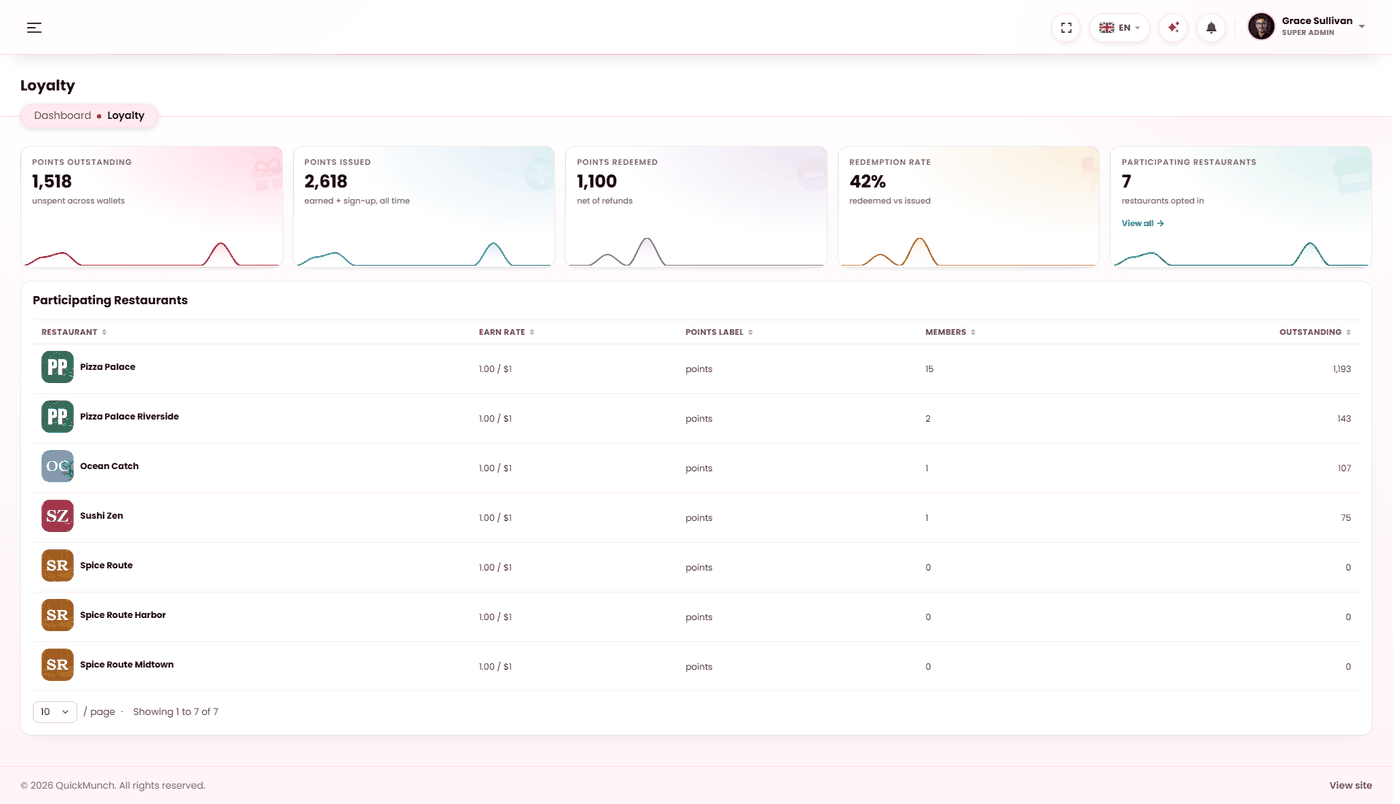
Every restaurant's programme, its members and the points in circulation.
Programme settings
| Setting | Notes |
|---|---|
| Enable loyalty platform-wide | The master switch. Off, nothing earns anywhere. |
| Default earn rate | Points per one unit of currency. Applied to new restaurants at sign-up. |
The five figures
| Figure | Meaning |
|---|---|
| Points issued | Earned plus sign-up bonuses, all time. |
| Points redeemed | Spent, net of refunds. |
| Points outstanding | Unspent across every wallet. |
| Redemption rate | Redeemed against issued. |
| Participating restaurants | How many opted in. |
Reading the redemption rate
| Rate | Means | Do |
|---|---|---|
| Very low | Points are being issued and never spent. The programme motivates nobody and the liability grows. | Check the reward catalogues — usually the thresholds are too high. |
| Very high | Nearly everything issued is claimed. | Check it is not costing more than it earns. Rewards may be too cheap. |
Participating restaurants
Each venue that has opted in, with its own earn rate, what it calls its points, how many members it has and how many points are outstanding with it.
The outstanding column is the one to sort by. It shows where the liability actually sits, and it is rarely spread evenly — a single busy restaurant with a generous rate can account for most of the platform's total.
Points expire
Balances with no activity for a year lapse, and the adjustment is written to the ledger so the change is traceable. That is what stops the liability growing for ever from customers who ordered once and never came back.
Expiry only happens if the Expire loyalty points scheduled task is running, and it ships switched off — see Scheduled tasks. Until you switch it on, nothing expires.
Three things must be true for a customer to earn
- Loyalty switched on in Settings → Services.
- The programme enabled here.
- That restaurant opted in.
And a fourth on the customer's side: guests earn nothing, because a balance needs an account to live in — and the account needs a phone number, which is what a balance is keyed to — see Checkout.
When it doesn't work
Customers are not earning points
Work through the three conditions above, then check whether they ordered as a guest. Guest checkout is the usual answer.
Outstanding points keep climbing
Two causes, and the redemption rate tells you which. If it is low, expiry is not running: switch Expire loyalty points on at Admin → System → Scheduled tasks. If it is high, the earn rate is too generous — lower the default at Admin → Loyalty, which applies to new restaurants, then ask existing ones to adjust their own.
No restaurants are participating
They each have to opt in. A platform-wide switch offers the programme; it does not impose it.
A restaurant's earn rate is not the default
Correct. The default applies at sign-up and each restaurant may change its own afterwards.