The customer account
What a registered customer gets — orders, addresses, saved payment methods, favourites and notifications.
Storefront → My account
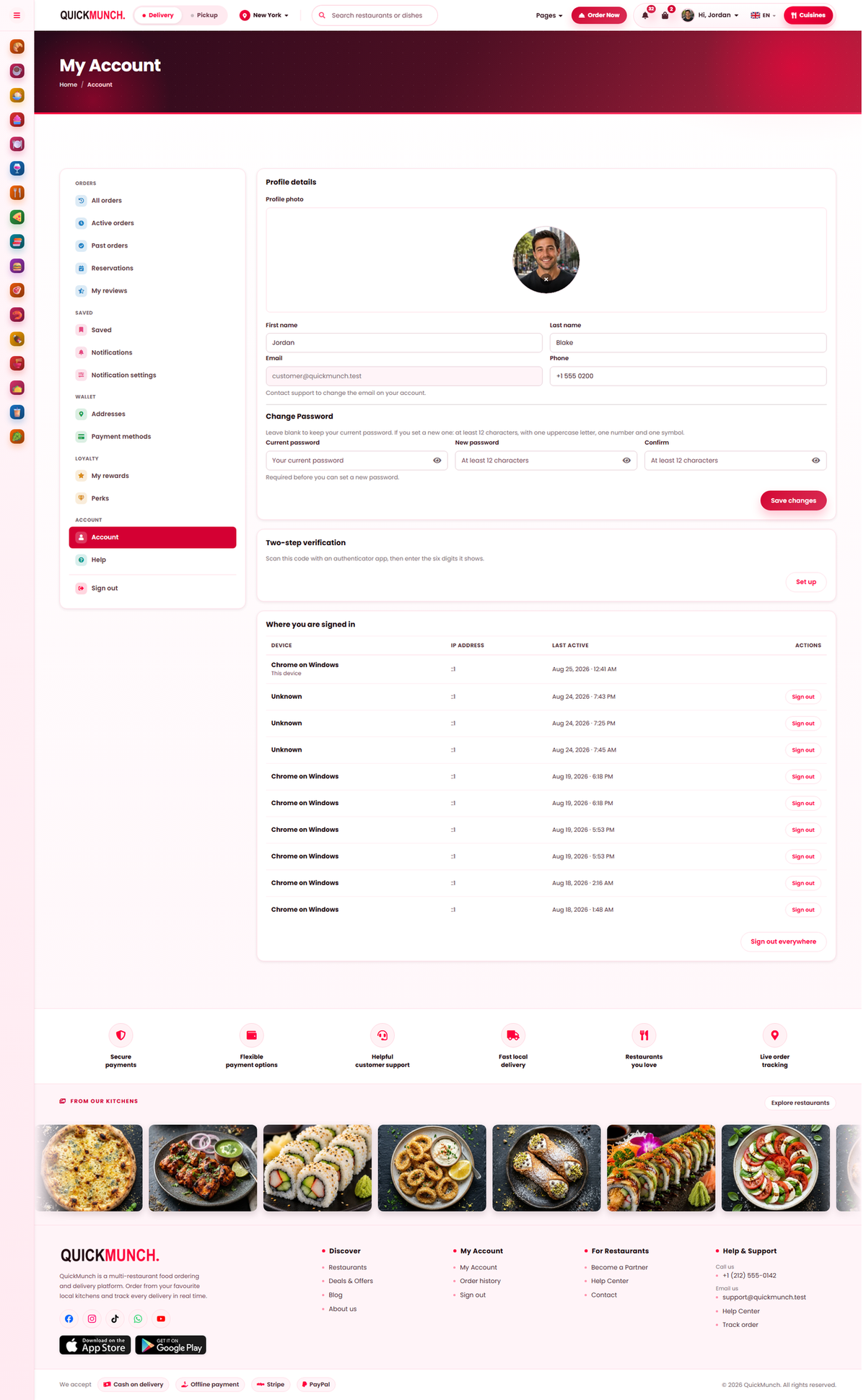
What a signed-in customer sees: their details, orders, addresses and rewards.
What is in it
| Section | Holds |
|---|---|
| Profile | Name, photo and password. |
| Orders | Active and past, with a link to review each one. |
| Addresses | Saved addresses with a default. |
| Payment methods | Saved cards and wallets. |
| Favourites | Saved restaurants. |
| Reservations | Their table bookings — see Booking a table. |
| Perks & rewards | Loyalty across every restaurant — see Loyalty & perks. |
| Reviews | What they have written — see Reviews. |
| Notifications | What they receive and how. |
Profile and password
A photo up to 3 MB. Changing a password requires the current one first, so somebody at an unattended screen cannot lock the owner out.
The email address cannot be changed by the customer. It is the account's identity and the route for password resets, so it is deliberately not self-service — the page tells them to contact support. Expect that request occasionally.
Addresses
Each has a label ("Home", "Work"), a recipient, street, apartment, city and postcode, and one is the default. Saved addresses are what make a second order take seconds rather than minutes.
Payment methods
Depending on what your platform has configured, a customer may save a card, a US bank account, a Link wallet, Amazon Pay, Cash App Pay or PayPal. When everything supported is already saved, the page says so rather than offering nothing.
Orders
Split into Active and Past. A past order offers Leave a review, or Your review if they already wrote one. This is where most reviews come from, so an order that is never marked completed never prompts for one.
Favourites
Saved restaurants, one tap away. Worth encouraging — a favourited restaurant is reordered from far more often than one a customer has to search for again.
Notifications
Customers choose what they hear about and how. A customer who has switched something off has made a decision, and that is respected across every channel.
When it doesn't work
A customer cannot change their email
By design. They will ask you or your platform operator.
A saved card stopped working
It expired. Checkout shows it as expired and asks for a new one rather than failing at the last step.
An order is missing from their account
It was placed as a guest. Guest orders belong to the tracking link, not to an account.
They cannot leave a review
The order is not complete, or they already reviewed it.