Deals
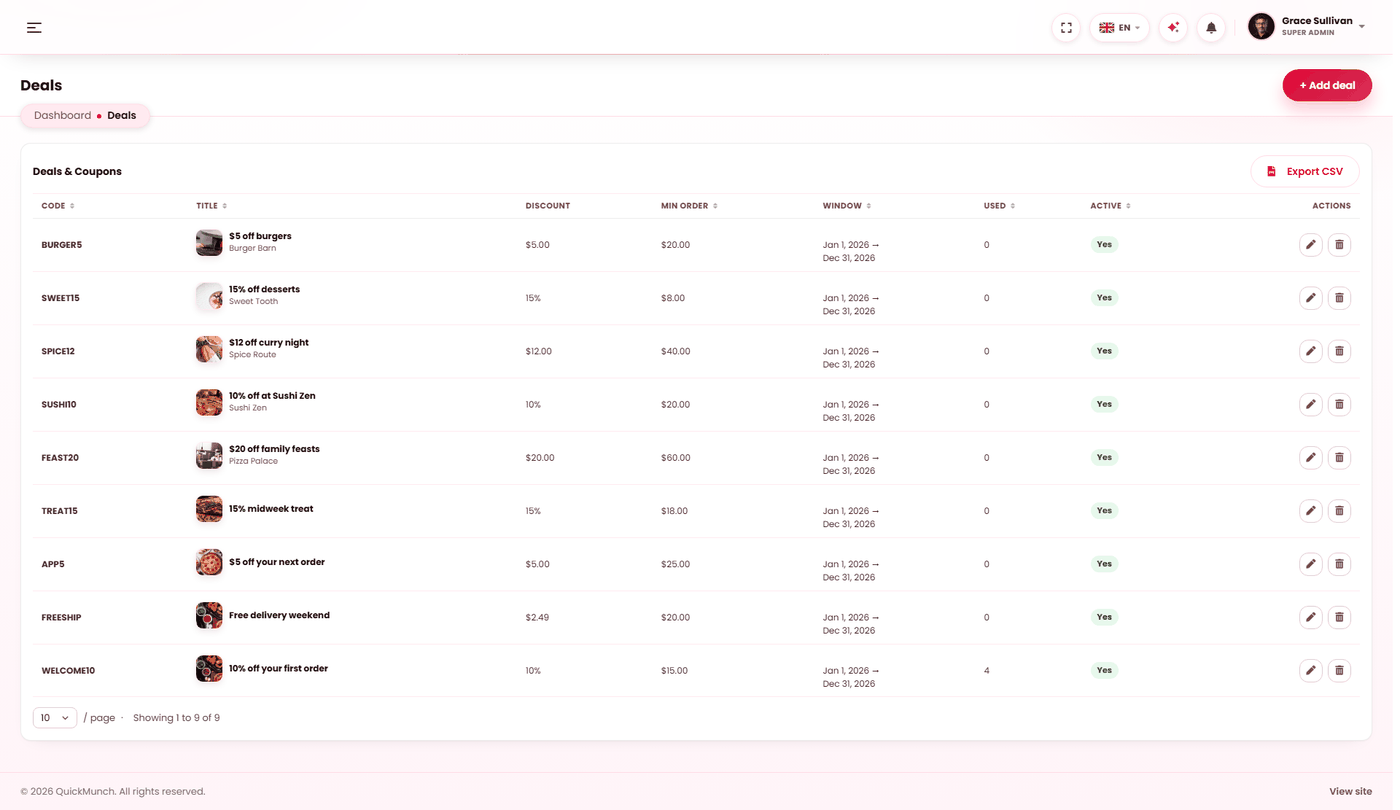
Discount codes you fund yourself, across the whole platform or a single restaurant.
Admin → Deals
Platform-wide offers, their window and which restaurants join.
Your discounts, not theirs
A deal here is yours. You choose whether it covers every restaurant or one, and the discount comes out of your margin — it appears under Discounts given on Platform earnings.
Restaurants run their own promotions separately, on their own money — see Coupons. Keeping the two apart is what stops a restaurant's offer quietly costing you, or your launch promotion costing them.
Creating one
| Field | Rules |
|---|---|
| Code | Required, and unique across the platform — a duplicate is refused. Short and memorable beats clever. |
| Title and description | What it is, for your own list. |
| Scope | Platform-wide (every restaurant), or one restaurant. |
| Type and value | A percentage off, or a fixed amount off. |
| Minimum order | Below this the code is refused. |
| Total uses | The cap across everybody. Blank means unlimited. |
| Uses per customer | How many times one person may use it. |
| Starts and ends | The window it runs between. Either may be left open. |
| Active | Off stops it working without deleting it or its history. |
The list shows the discount, the scope, and how many times each code has been used, so a runaway code is visible before the bill is.
The two limits do different jobs
| Limit | Stops |
|---|---|
| Total uses | The whole promotion costing more than you budgeted. |
| Uses per customer | One person using a welcome offer every week. |
A launch offer wants both: a per-customer limit of 1, and a total cap you can afford.
Where deals appear
Customers enter the code at checkout. A platform-wide deal is valid at every restaurant; a restaurant-scoped one is refused elsewhere, with a message saying so rather than failing silently.
Deleting
Deleting removes the code. Orders that already used it keep their discount — the money is already spent, and rewriting a past order would make your earnings disagree with your payouts. Switching a deal inactive is the safer stop.
When it doesn't work
A code is refused
Work through it in order: is it active, is it in date, has the total cap been reached, has that customer used their allowance, does the basket meet the minimum, and is the customer ordering from a restaurant the deal covers?
"That coupon code already exists"
Codes are unique across the whole platform — including restaurants' own coupons. Pick another.
The discount cost more than expected
Check the total cap and the minimum order. A percentage discount with no minimum applies to a two-pound order as readily as a fifty-pound one, and the small ones are where your margin is thinnest.
Restaurants are complaining it cost them
It should not have. A deal is funded by you and lands under Discounts given on Platform earnings. If a restaurant is out of pocket, the discount was one of theirs.