Staff
Adding your team, the two credentials each of them gets, and why they are not the same thing.
Restaurant → Staff
Who works here, their role and their PIN status.
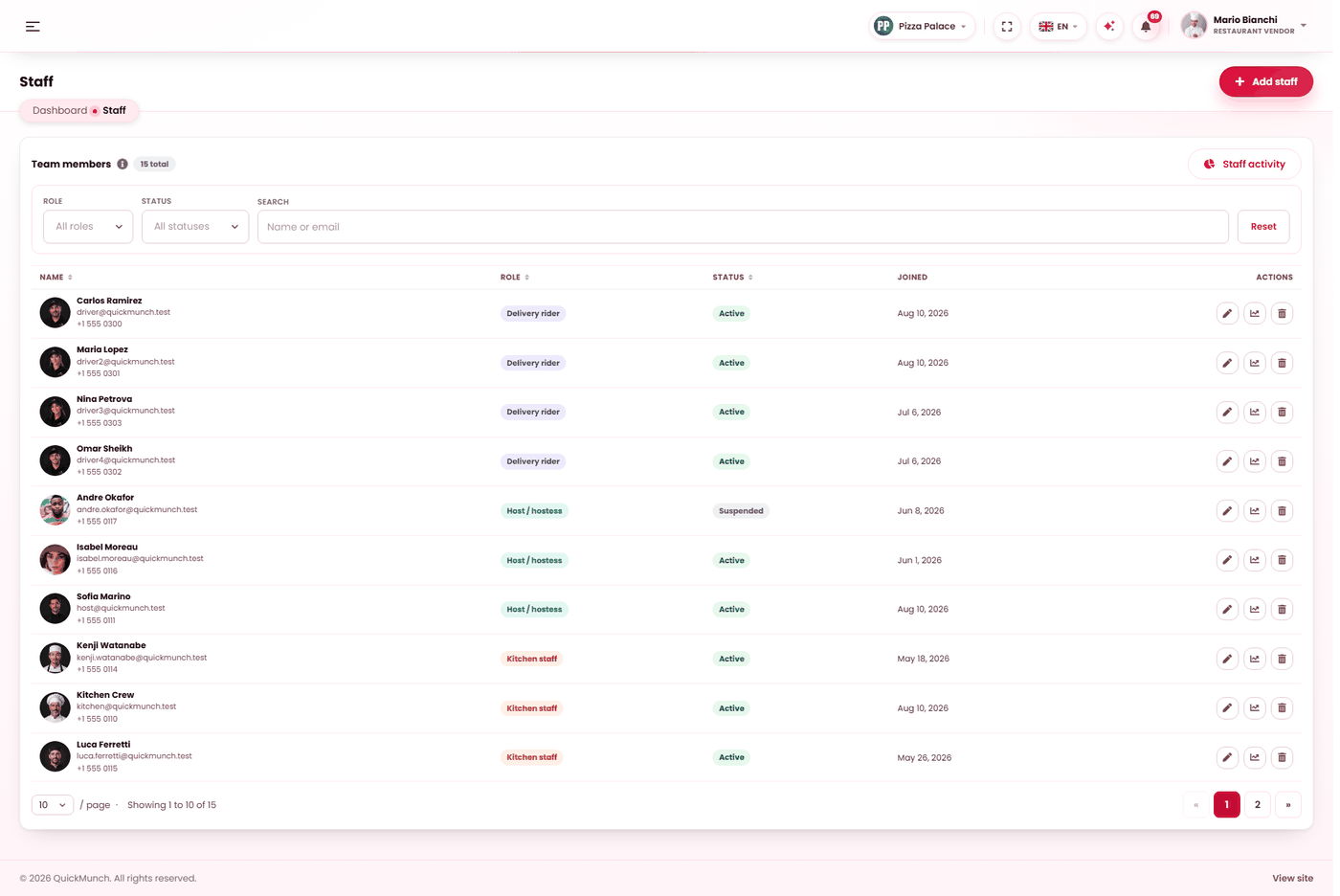
The five roles
| Role | Does |
|---|---|
| Manager | Nearly everything you do, except the money screens. Authorises voids and large discounts at the till. |
| Kitchen staff | Works the kitchen display. |
| Waiter / cashier | Takes orders and payments at the till. |
| Host / hostess | Works reservations and the floor plan. |
| Driver | Delivers — see The driver app. |
Only the owner can create or remove a manager. A manager cannot appoint another manager, and cannot remove one. That is the boundary that stops the second-most-powerful account being able to multiply itself.
Adding somebody
| Field | Rules |
|---|---|
| First and last name | Required, 60 characters each at most. |
| Required, and unique across the platform. Their invitation goes here. | |
| Role | One of the five. |
| Phone | Optional. |
| Profile photo | Optional, from your media library. |
| 4-digit PIN | Required for a new member. Exactly four digits. |
| Active | Off suspends them without deleting their history. |
The two credentials, and the difference
Every staff member has two, they do different jobs, and confusing them causes most of the support questions on this screen:
| Credential | Used for | Set by |
|---|---|---|
| Password | Signing in to the dashboard as themselves, on their own device. | Them, from the invitation email. |
| 4-digit PIN | Unlocking a shared screen already signed in, and authorising a void or a large discount at the till. | You, here. |
They are stored independently — changing one never changes the other. Leave the PIN field blank when editing and the existing PIN is kept.
What happens when you add somebody
They receive an invitation carrying their role, their PIN, a link to set their own password, and where to sign in. Their password is theirs — you never see it and never set it.
If an invitation is lost, changing their email address reissues it. An old invitation stops working when the address changes, so a stale link cannot be used later.
Suspending and removing
| Action | Effect |
|---|---|
| Set inactive | They cannot sign in. Their history, orders and activity stay intact. Reversible. |
| Remove | The account goes, and any outstanding invitation or reset link is destroyed with it. |
Set inactive when somebody leaves. It is what you want in nearly every case: their past work stays attributable, and the staff reports for last month still make sense.
Everything is logged
Role changes, status changes and PIN resets are all written to the audit record with what changed. On a screen that grants access to money, that history is worth having.
When it doesn't work
"That email is already in use"
The address belongs to another account — often the person's own customer account. Use a different address.
They never received the invitation
Mail on your platform is not being delivered. Ask your operator to check Email & templates — the message is queued either way.
"Only the restaurant owner can create or edit a manager"
You are signed in as a manager. Managers cannot appoint managers.
Their PIN does not work at the till
Wrong PIN, or too many attempts — repeated failures back off with a wait. See PIN lock.
They cannot see a screen they should
Their role, or a feature switched off entirely — see What each role can do.