Payouts
You collected the customer's money. This is how each restaurant gets their share of it.
Admin → Payouts
How a restaurant gets paid
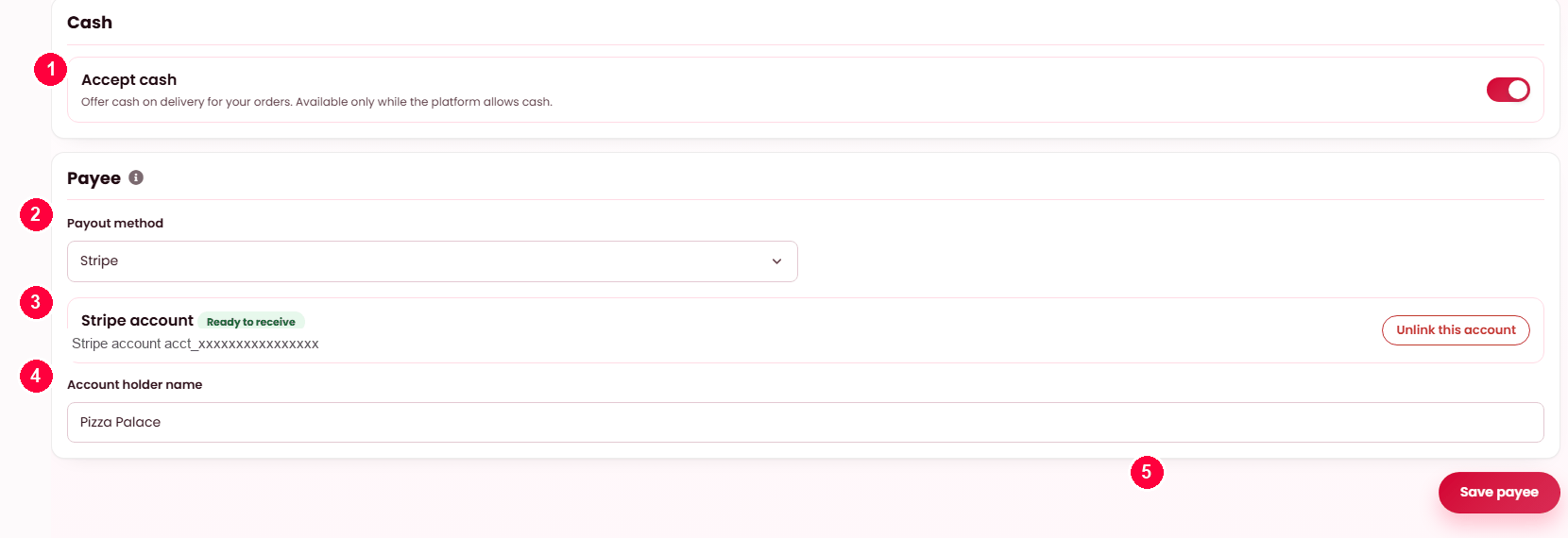
- Accept cash — offer cash on delivery, if the platform allows it.
- Payout method — Stripe or PayPal.
- The connected account — it must read Ready to receive before a payout can be sent.
- Account holder name — must match the account.
- Save payee.
Set on Restaurant → Settings → Payouts & cash, by the restaurant itself — you never hold their bank details.
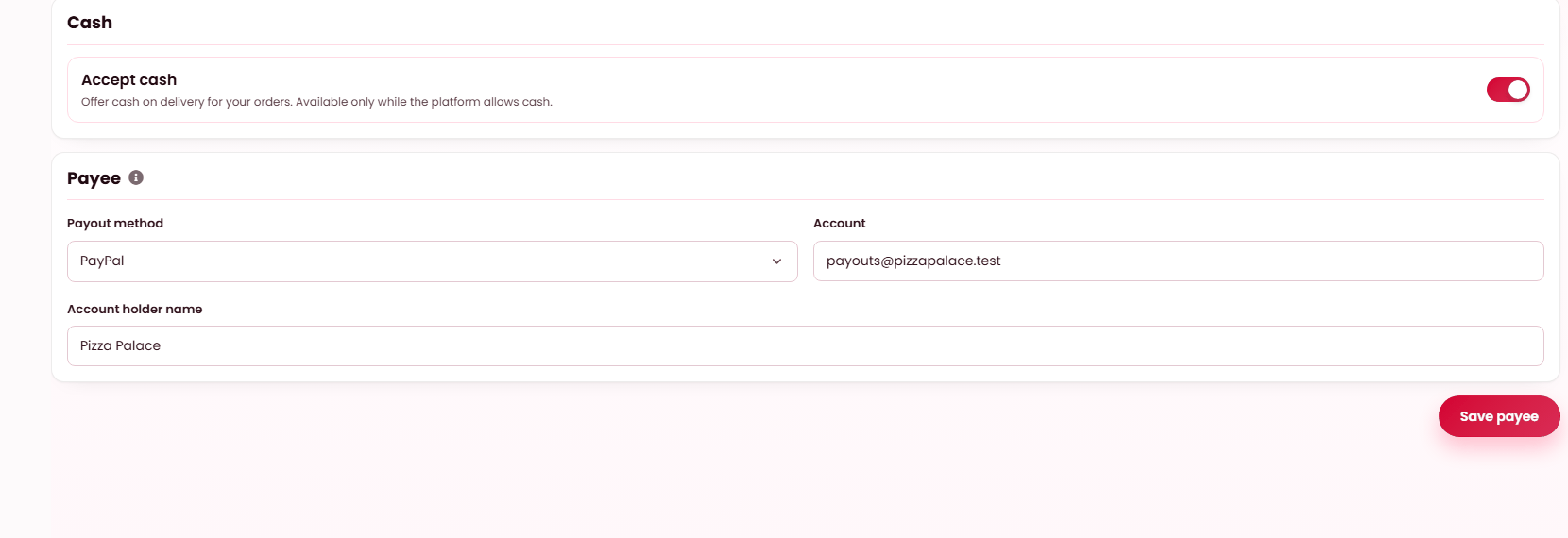
Choosing PayPal swaps the connected-account block for a PayPal email. Everything else on the tab is unchanged.
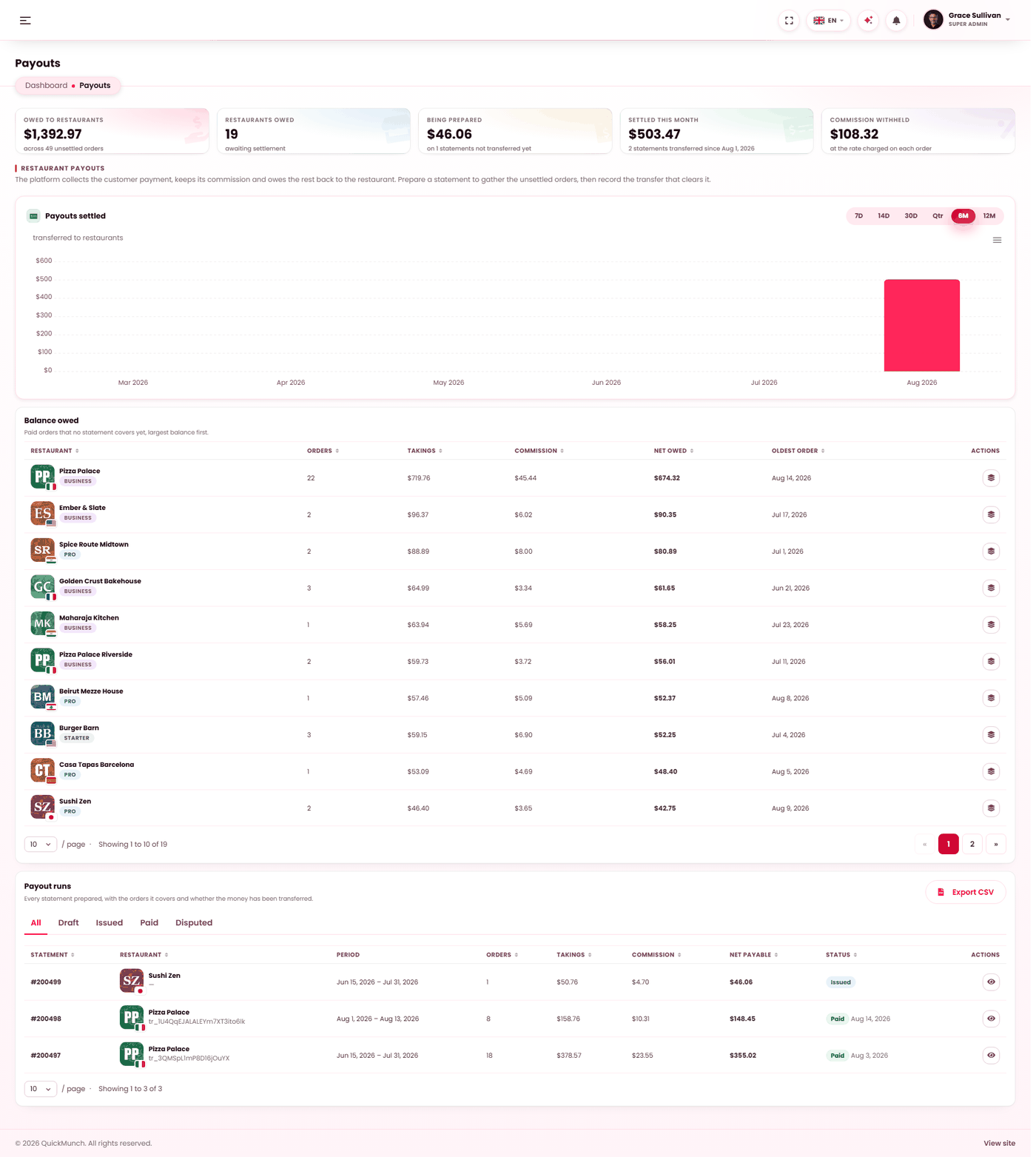
What each restaurant is owed, and what has been paid.
Why this screen exists
In a marketplace the customer pays you. The food was cooked by somebody else, so most of that money is theirs — you keep your commission and owe back the rest. A payout statement is the record of what you owe one restaurant for a period, and of it being paid.
Cash orders never appear here. The restaurant was handed the money directly; nothing passed through you, so there is nothing to send on.
How a statement is built
A statement gathers the orders a restaurant has completed and not yet been settled for. For each order it records the takings, the commission you withheld, and what is left. The total of what is left is what you owe.
The four states
| Status | Meaning |
|---|---|
| Draft | Being gathered. Orders are still being added as they complete. |
| Issued | Closed and sent to the restaurant. The amount is now fixed. |
| Paid | The money has been transferred and the reference recorded. |
| Disputed | The restaurant has queried it. Nothing is sent until you resolve it. |
Paying by hand, or automatically
You can settle a statement yourself — pay by bank transfer, then record it here with a reference so both sides have the same record. Nothing forces you to use a gateway.
Or switch on split payments under Settings → Payment and the transfer is sent for you on a schedule. Two scheduled tasks do the work: one sends the money, the other confirms it arrived — both must be running. See Scheduled tasks.
Each restaurant is paid on its own rail
A restaurant records its own payout method and account. Collecting customer payments through one provider does not oblige you to pay everyone through that provider — each transfer is routed on the method that restaurant recorded.
A restaurant with no payout details cannot be sent anything automatically. Their balance keeps accruing and waits, so nothing is lost — but they will not be paid until they fill it in.
What the figures at the top mean
| Figure | What it counts |
|---|---|
| Owed to restaurants | Money from completed orders that has not been settled yet. |
| Being prepared | On statements that are issued but not yet transferred. |
| Settled this month | Transferred and confirmed in the current month. |
When it doesn't work
The Payouts screen is not in my menu
Payouts exist in the marketplace model only. In Franchise the restaurant already holds the money and owes you instead — see Royalty invoices. In My own restaurants there is no third party to pay. See Choosing a business model.
Statements are stuck as issued and never sent
Check split payments first, at Admin → Settings → Payment: with it off, statements are yours to settle by hand and will never send themselves. With it on, the two jobs that move the money — Dispatch payouts and Reconcile payouts — are not running: switch them on at Admin → System → Scheduled tasks.
The gateway refused the payment
The screen shows the reason it gave. The usual causes are an account the provider cannot pay into, a payout rail not enabled on your gateway account, or insufficient balance. Nothing is sent when this happens, so it is safe to fix and retry.