All campaigns
The archive of every campaign the branch has made, planned or sent — and the record page of a sent one.
Restaurant → Quick Social → All campaigns
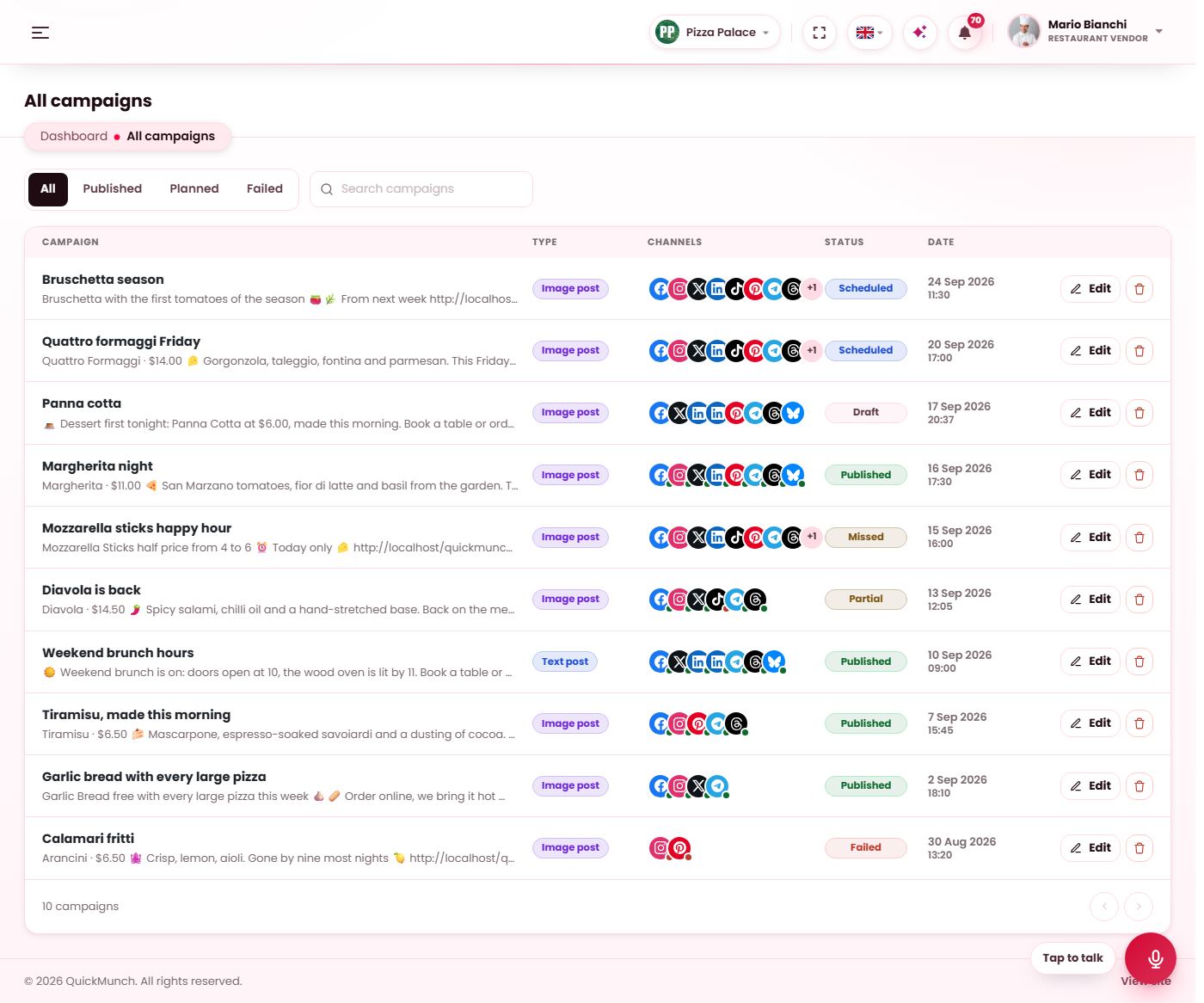
Every campaign, newest first, with its type, the channels it went to, its status and its date.
The archive
Every campaign, newest first, with its post type, the channels it went (or will go) to, its status and its date. The tabs filter by All, Published, Planned (drafts, scheduled and missed) and Failed; the search box matches titles. Both refresh the list in place.
Opening a planned campaign takes you to the composer to edit, schedule or publish it. Opening a sent one takes you to its record page. The bin removes a campaign together with its runs — a campaign that is being published right now waits until it finishes.
All videos is the same archive for video uploads.
The record page
A sent campaign: what it carried, and one card per channel drawn the way that channel shows the post.
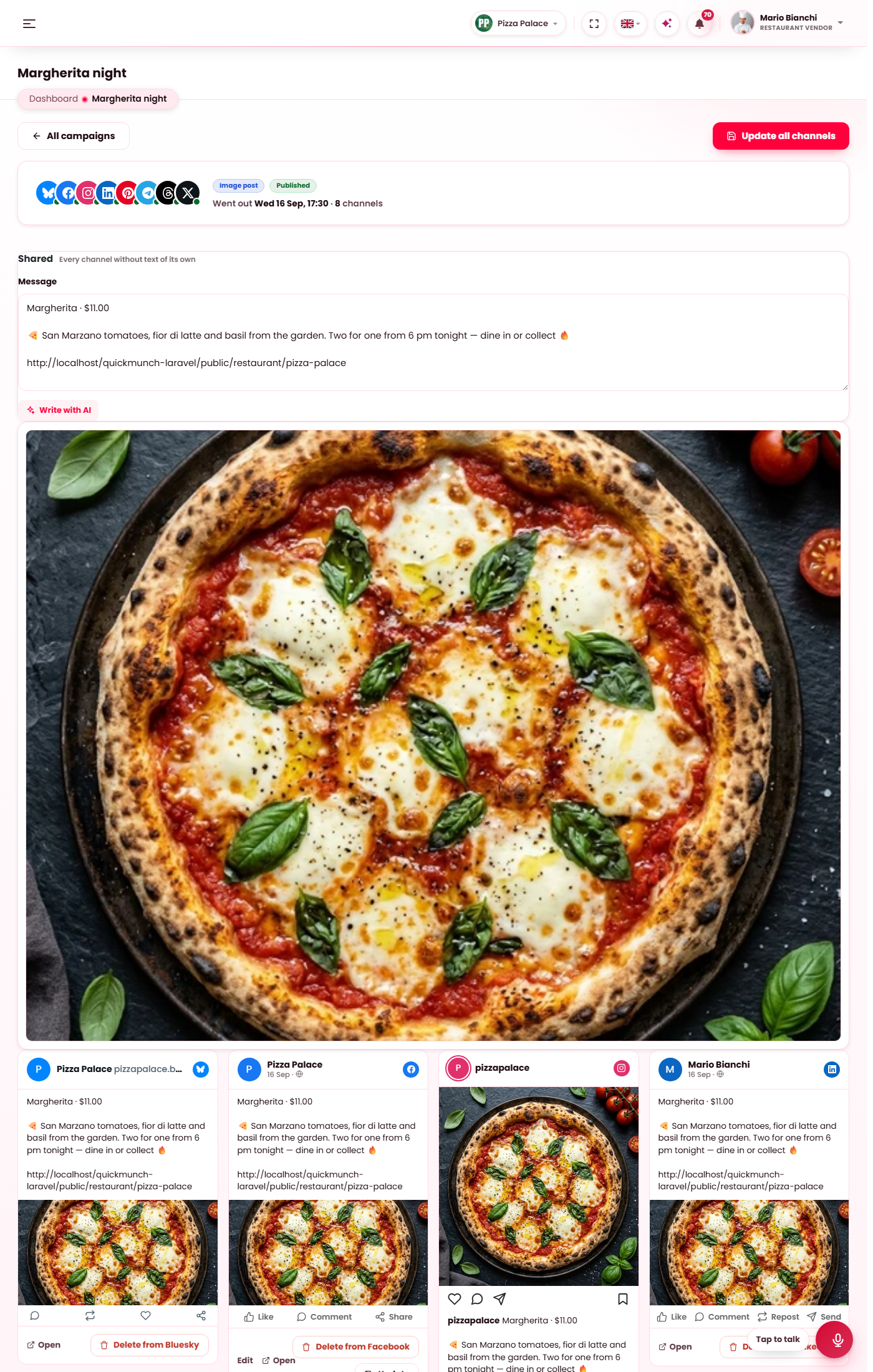
A sent campaign's page holds everything it carried — the shared message, the pictures or the video — and one card per channel, drawn the way that channel shows the post, with the post's link and whether it went out.
- Update all channels — edit the shared fields at the top and press it: the change is saved on the record and sent to every channel that still allows a change after publishing.
- Edit on a card — that channel's own text, and its own Update: the change goes to that channel alone. Use shared text puts the shared message back.
- Remove on a card — takes the post down from that channel. The record keeps the card, marked removed.
| Channel | After publishing you can change | Can be removed |
|---|---|---|
| The text | Yes | |
| Telegram | The text | Yes |
| Title, description, link, board | Yes | |
| YouTube (videos) | Title, description, tags, thumbnail, category, language, visibility, made for kids | Yes |
| X, LinkedIn, Threads, Bluesky | Nothing — the network keeps what it was sent | Yes |
| Instagram, TikTok | Nothing | No — take the post down in the app |
On a video's record page the Cover strip under the player takes a new thumbnail from the library or the Image studio; it is sent to YouTube with the next Update. Write with AI under a field drafts it for the channels on the record.
When it doesn't work
Update says a channel does not allow changes after publishing
That is the network's rule, not a fault: the table above lists what each one takes. The record itself is updated either way.
A card says the channel needs a new sign-in
Sign in again under Channels, then press Update again.