API keys & integrations
The outside services the product can use, and where to get a key for each.
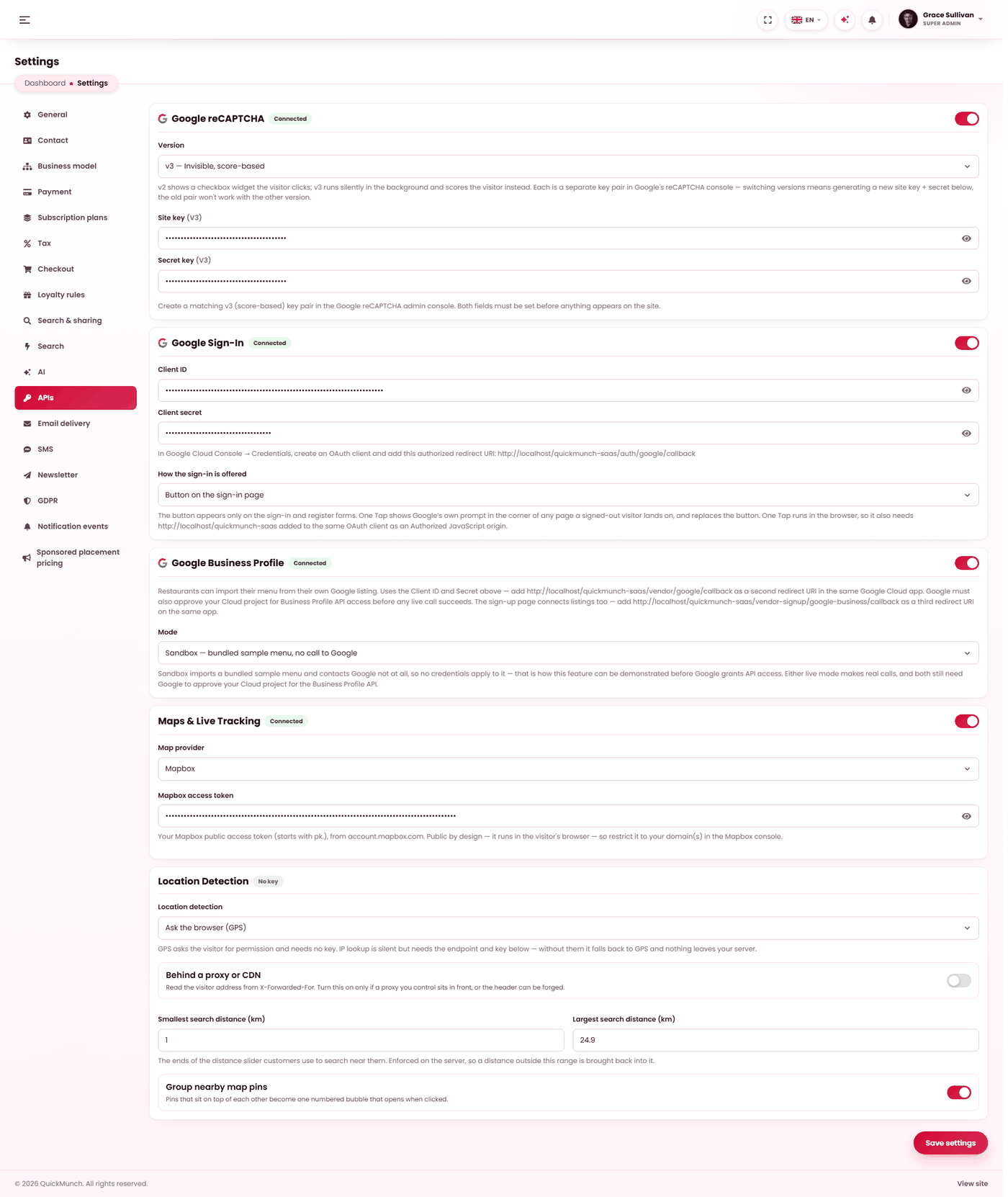
Admin → Settings → APIs
Map keys, reCAPTCHA, social sign-in and analytics — each stays off until you supply a key.
Everything here is optional
The product runs with none of these configured. Each one adds something; none is required to take an order, and with no keys saved the application makes no outside requests at all.
The integrations
| Service | What it adds | Get a key |
|---|---|---|
| reCAPTCHA | Protects sign-in, sign-up, contact and reservation forms from bots. | reCAPTCHA admin |
| Google sign-in | Lets customers sign in with a Google account. | Google Cloud credentials |
| Mapbox / Google Maps | Maps, delivery areas and live tracking. | See Maps & location |
| Location lookup | Works out roughly where a visitor is, to show nearby restaurants. | Your chosen IP-lookup provider |
| Menu import | Builds a menu from a file or a photographed menu. | Uses your AI key |
Creating your reCAPTCHA keys
- Open the reCAPTCHA admin console and choose + to register a site.
- Pick the type: v2 "I'm not a robot" shows a checkbox; v3 runs silently and scores the visitor.
- Add your domain. Add
localhosttoo if you are testing locally. - Accept the terms and submit. Google shows a Site key and a Secret key.
- Paste both into Settings → APIs, under the version you chose.
v2 and v3 keys are not interchangeable. They are separate
pairs, registered separately. Switching version means generating a new pair — the old one will
not work with the other version, which is the usual reason a working captcha suddenly fails.
Where the other keys live
Not every credential is on this tab, which is the usual reason people cannot find one:
- Stripe and PayPal — Settings → Payment.
- SMTP — Settings → Email delivery.
- SMS — Settings → SMS.
- AI providers — Settings → AI.
- Mailchimp — Settings → Newsletter.
Restrict every key you create. Both Google and Mapbox let you
limit a key to your own domain. An unrestricted key found in your page source can be used by
anyone, billed to you.
When it doesn't work
reCAPTCHA blocks real customers
Check you are using the right version's keys — a v2 key in a v3 field fails for everyone. The version selector is on this tab.
Google sign-in returns an error
The redirect address registered with Google must match your site exactly, including
https:// and any trailing path.