Turning features on and off
Eleven switches decide which parts of the product exist. Turn off what you do not sell and the menus get shorter for everyone.
Admin → Settings → Business model
Where the switches are
The Services card sits on the Business model tab, not on a tab of its own. Switch one off and it disappears from every sidebar and its pages close — the feature is gone, not hidden.
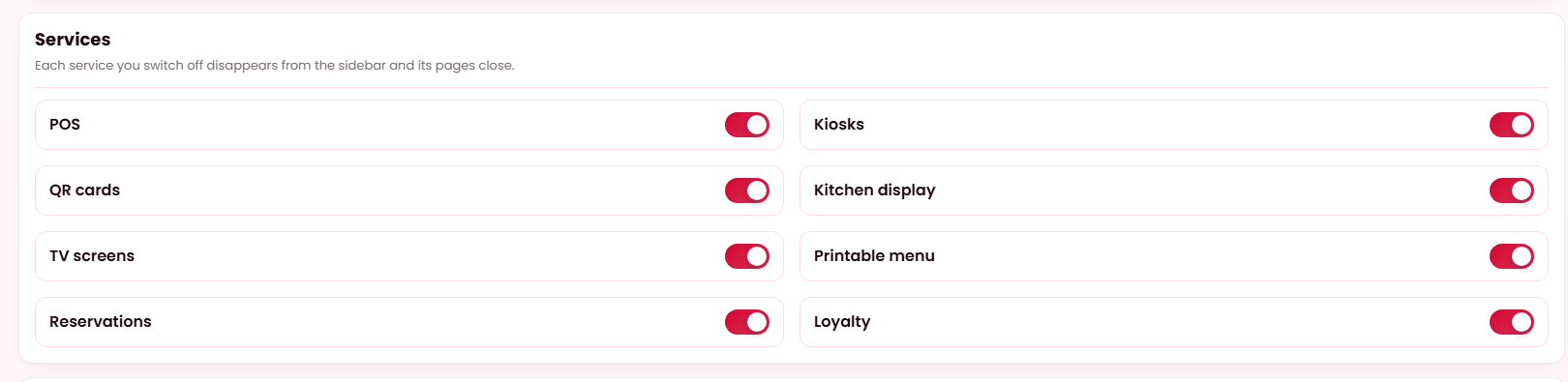
What these switches do
Each switch removes a feature completely — its sidebar row, its screens and the guest-facing page behind it. This is not permissions: it is whether the feature is part of your product at all. A restaurant that does not do table service should not have to look at a floor plan, and a delivery-only platform has no use for a till.
Every switch ships on except offline terminals, so a fresh install has everything available and you turn off what you do not need.
The switches
| Switch | Ships | What turning it off removes |
|---|---|---|
| Storefront | On | The whole public site — browsing, cart, checkout and customer accounts. What is left is a services install: the dashboard plus the in-venue guest surfaces. |
| Delivery | On | Delivery as a fulfilment method. Orders become collection and in-venue only. It owns no screen of its own — it changes what every ordering surface offers. |
| POS | On | The till, and the cash drawer screens that go with it. |
| Kiosks | On | Self-order terminals. |
| QR ordering | On | Table QR codes and the QR card designer. |
| Kitchen display | On | The kitchen screen, and the kitchen efficiency report that reads from it. |
| TV screens | On | Digital menu boards and the screen designer. |
| Printable menu | On | The printable menu designer. |
| Reservations | On | Table booking, for guests and for staff, and the reservation reports. |
| Loyalty | On | Points, rewards and the loyalty screens on both sides. |
| Catering | On | Catering orders: each restaurant's Settings → Catering, the dish Catering block, the Catering section on restaurant pages and the catering checkout. Restaurants still switch catering on for themselves — see Catering. |
| Offline terminals | Off | Nothing — it is already off. Turning it on lets the till and kiosk keep taking orders through an internet outage and sync afterwards. |
Tools — optional parts of the product restaurants use, such as Quick Social — have their own switch on the Tools tab rather than in this card. A tool that is off is off in the same way: its pages leave the sidebar, its addresses answer with the unavailable screen and its scheduled jobs leave the catalogue.
Why offline terminals ships off
It changes how hardware you already run behaves during an outage: sales are held on the machine and a signed-in screen is cached to disk. That is a decision an operator should make knowingly, not something that arrives with an update — so it waits for you to switch it on.
These are separate from the business model
The two are independent, and deliberately so. Your business model decides how money moves; these switches decide which surfaces you offer. A marketplace can run without a storefront, and a chain you own can keep one.
How this documentation follows your switches
Pages that describe a switchable feature carry a badge under the title, such as Needs POS switched on. If a page describes something you cannot find in your installation, that switch is the first thing to check.