Get started
A scored checklist of everything your restaurant needs, with the four steps that stand between you and your first order marked as required.
Restaurant → Get started
What a new restaurant still has to finish before it can trade.
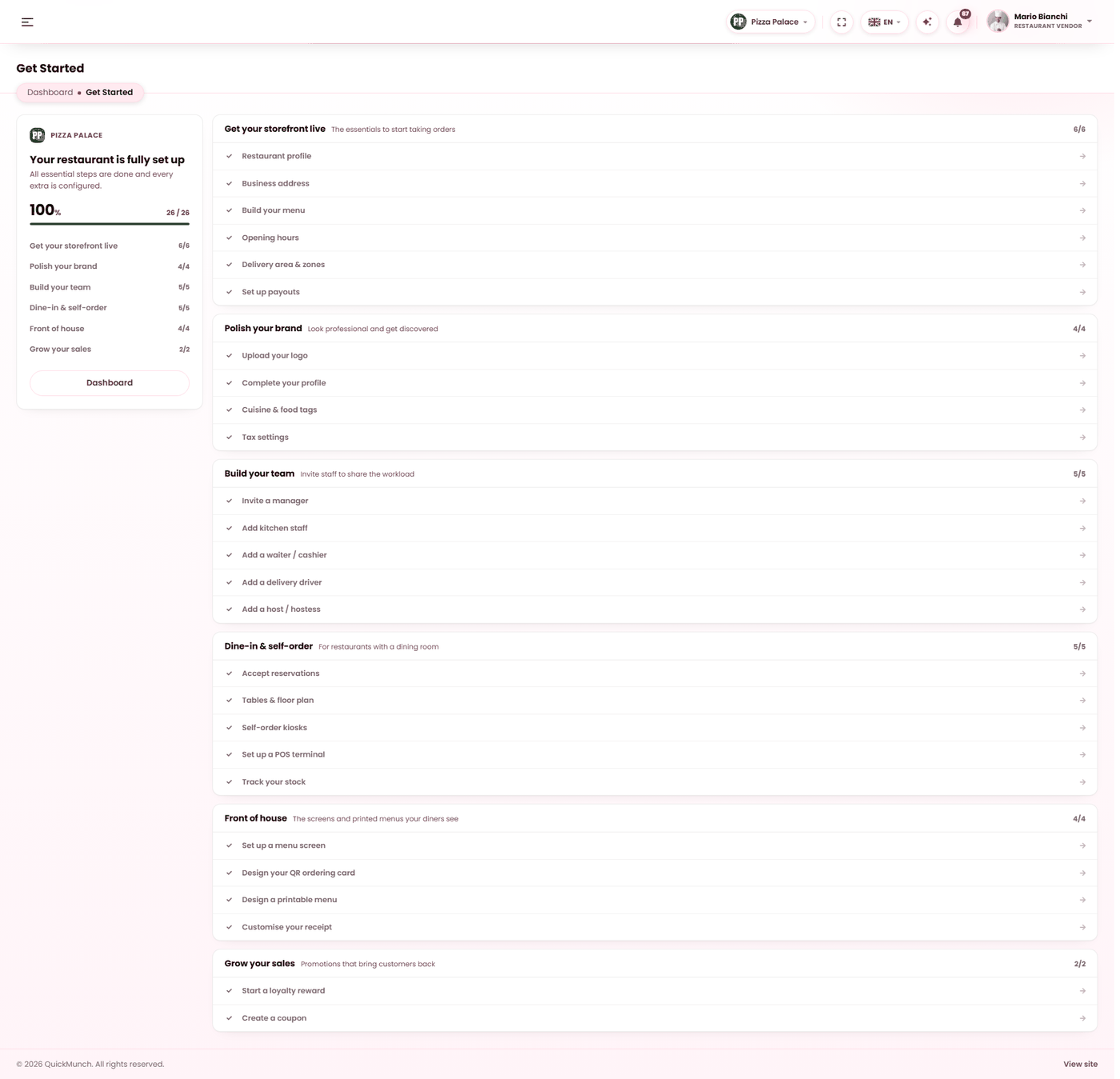
What the score means
The page reads your restaurant and scores it. Steps are weighted, so the score is not "how many boxes" but "how ready are you" — a menu counts for far more than an avatar.
Two numbers matter, and they are different:
| Reading | Meaning |
|---|---|
| Required steps left | What still blocks you from taking orders. This is the one to clear first. |
| Your restaurant is ready to take orders | All four required steps are done. Everything after this is improvement, not blockage. |
The four required steps
| Step | Counts as done when | Where |
|---|---|---|
| Restaurant profile | You have a description and a cover image. | Settings → General |
| Business address | An address is saved. | Settings → Contact |
| Build your menu | At least one category with at least one available item. | Menu |
| Opening hours | At least one trading day is set. | Settings → Opening hours |
Nothing else on the page blocks trading. Delivery zones do not: pickup and a flat delivery radius work without them, and zones only refine what you already have.
The six groups
| Group | What it is for |
|---|---|
| Get your storefront live | The essentials — the four above, plus delivery zones and payouts. |
| Polish your brand | Logo, your own account details, cuisine and tags, tax mode. Look professional and get found. |
| Build your team | Manager, kitchen, waiter, driver, host — see Staff. |
| Dine-in & self-order | Reservations, tables, kiosks, till, inventory. Only relevant with a dining room. |
| Front of house | TV screens, QR cards, printable menus, receipt design. |
| Grow your sales | Loyalty rewards and coupons. |
Every row links straight to the screen that completes it, so the checklist is a route rather than a report.
A sensible order
- The four required steps. That gets you trading.
- Payouts, so money you take can reach you — see Payouts.
- Logo, cuisine and tags, so you are findable.
- Everything else, when the need arises. A restaurant with no dining room can ignore an entire group without penalty.
When it doesn't work
A step will not go green
Read the description — it states the exact condition. "Restaurant profile" needs a description and a cover image; one of the two is not enough.
A group is missing
Groups appear only when the platform has those features switched on. If your platform does not offer kiosks, that step is not shown rather than shown as impossible.
Everything is green but I am not on the storefront
The checklist covers your side. The platform also has to have approved you — see Restaurants.