Branding
Your name, your colour, your logos — and the fallback images that decide what an empty slot looks like.
Admin → Settings → General
Logos, favicon, fallback images and the colour applied across the storefront.
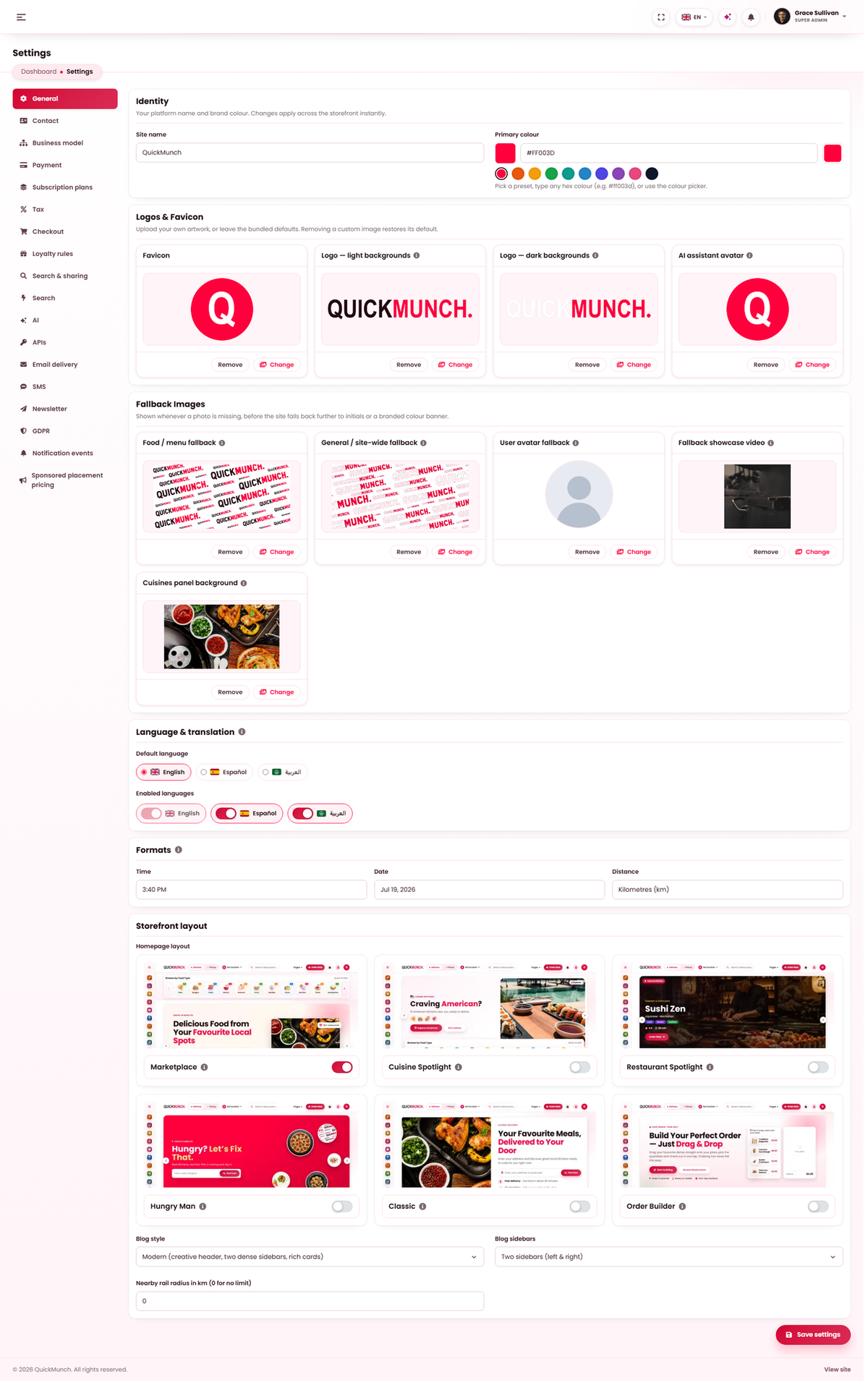
Identity
| Field | Notes |
|---|---|
| Site name | Used in the header, page titles, emails and invoices. Change it once and it follows everywhere. |
| Site address | Only used by scheduled jobs and queued email, which have no browser request to read. Leave blank to detect it automatically. |
| Primary colour | Pick a preset, type any hex value, or use the colour picker. |
Both apply across the storefront immediately. There is no build step and no cache to clear.
Logos and favicon
| Asset | Where it appears |
|---|---|
| Logo — light backgrounds | The storefront header and any white surface. |
| Logo — dark backgrounds | The dashboard sidebar and the footer. |
| Favicon | The browser tab. |
| AI assistant avatar | Beside every assistant reply, for staff and restaurants alike. |
Upload both logos. One is not a substitute for the other — a dark logo on the dashboard sidebar is invisible, and it is the first thing your restaurants see every day.
Removing an asset resets it to the shipped default rather than leaving a gap; the screen says so before you save.
Fallback images
What is shown when a record has no picture of its own. These matter more than they sound, because on a new platform most records have no picture yet.
| Fallback | Used for |
|---|---|
| Food / menu | Dish and menu-item photos. |
| General / site-wide | Restaurant covers, blog posts, deals, and restaurant or user brandmarks. |
| User avatar | Any customer, staff member or driver with no photo. |
| Showcase video | Played on a restaurant page with no video of its own. |
| Cuisines panel background | The photo behind the Cuisines A–Z panel that opens from the header, under the brand-colour overlay. |
Newsletter
A switch for whether newsletter sign-up forms appear at all. Where they appear and what they feed is set separately — see Subscribers.
What branding does not cover
| Want to change | Go to |
|---|---|
| The front page layout | Homepage layouts |
| What is in the header or footer | Header, Navigation and Footer |
| Page wording | Pages |
| Email appearance | Email & templates — templates pick up your name, colour and logo automatically |
When it doesn't work
The logo looks wrong on the sidebar
Only the light logo is set, and it is being used where a dark background needs the other one.
The colour did not change everywhere
Reload once. If a specific element is still the old colour, it is not a branded element — some things are deliberately fixed, such as status colours, which must mean the same thing on every installation.
Dish photos all look identical
They are the food fallback. Restaurants have not uploaded their own — see Media library (restaurant).
The favicon has not updated
Browsers cache favicons hard. Try a private window before assuming it did not save.